
使用dagre-d3定位边缘
使用dagre-d3定位边缘
提问于 2015-07-16 12:27:05
我有一个图,其中的边与这样的节点重叠
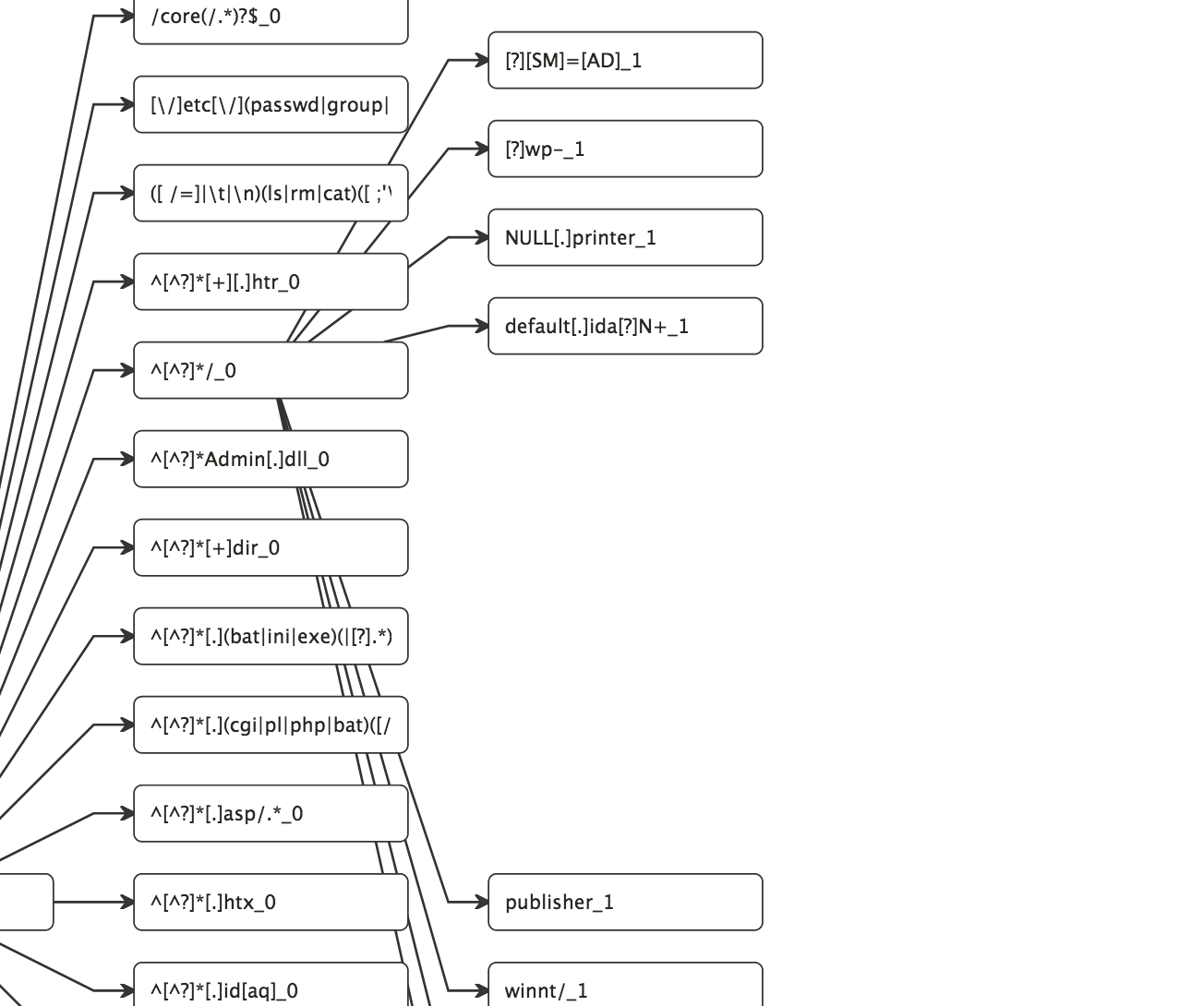
- 我能让边缘从节点的右边开始,而不是从顶部的中心开始,就像这张图像
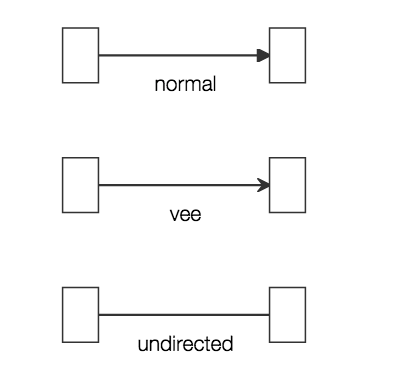
- 有没有处理这个问题的属性?
回答 2
Stack Overflow用户
发布于 2015-07-16 12:55:11
是的,你应该能相对轻松地做这件事。您可能需要提供一些代码来充分演示,但基本上您希望为您的行添加x值。
.attr("x", function(d) { return d.x + nodeWidth / 2; });因此,如果要添加一些代码行,您的代码看起来可能如下所示:
var links = d3.selectAll(".link")
              .data(data)
              .enter()
              .attr("x1", function(d) { return d.x1 + nodeWidth / 2; })
              .attr("y1", function(d) { return d.y1; })
              .attr("x2", function(d) { return d.x2; })
.attr("y2", function(d) { return d.y2; });Stack Overflow用户
发布于 2019-12-25 14:50:57
这是一个老问题,但为了将来的参考,下面是我如何处理它的方法:
为节点提供自定义形状:
(注意,下面的intersect函数是将所有边缘聚集到同一个端口的实际部分)
const POINT_RADIUS = 3;
function renderNode(parent, bbox, node) {
  parent.selectAll('rect, circle').remove();
  parent.insert('circle', ':first-child')
    .attr('cx', -bbox.width / 2)
    .attr('cy', 0)
    .attr('r', POINT_RADIUS)
    .attr('class', 'port in');

  parent.insert('circle', ':last-child')
    .attr('cx', bbox.width / 2)
    .attr('cy', 0)
    .attr('r', POINT_RADIUS)
    .attr('class', 'port out');

  parent.insert('rect', ':first-child')
    .attr('x', -bbox.width / 2)
    .attr('y', -bbox.height / 2)
    .attr('width', bbox.width)
    .attr('height', bbox.height);

  node.intersect = (point) => {
    const w = node.width / 2;
    return { x: node.x + (point.x < node.x ? -w : w), y: node.y };
  };
  return parent;
}
然后将此形状分配给节点形状:
const render = new dagreD3.render();
render.shapes().node = renderNode;页面原文内容由Stack Overflow提供。腾讯云小微IT领域专用引擎提供翻译支持
原文链接:
https://stackoverflow.com/questions/31454123
复制相关文章
相似问题
腾讯云开发者

Copyright © 2013 - 2026 Tencent Cloud. All Rights Reserved. 腾讯云 版权所有
深圳市腾讯计算机系统有限公司 ICP备案/许可证号:粤B2-20090059  粤公网安备44030502008569号
腾讯云计算(北京)有限责任公司 京ICP证150476号 | 京ICP备11018762号