
为什么我的陨石只是随机显示离子html样板?
我正在为带有离子的智能手机开发一个流星应用程序。
不幸的是,显示背景色和后退按钮的离子型样板代码显示在我的一些站点上,而在一些不显示的站点上。
在我看来是随机的,但也许不是。
如何为我的所有模板显示离子主题?
对项目细节的描述和我到目前为止尝试过的事情现在将跟进.
这里是我的包列表:
aldeed:collection2       2.3.1* Automatic validation of insert and update operations on the client and server.
anti:i18n                0.4.3  Internalization: simplest package
fourseven:scss           2.0.1_5* Style with attitude. Sass and SCSS support for Meteor.js (with autoprefixer and sourcem...
iron:router              1.0.9  Routing specifically designed for Meteor
mdg:reload-on-resume     1.0.4  On Cordova, only allow the app to reload when the app is resumed.
meteor-platform          1.2.2  Include a standard set of Meteor packages in your app
meteoric:autoform-ionic  0.1.5  Ionic theme for Autoform
meteoric:ionic           0.1.17  Ionic components for Meteor. No Angular!
meteoric:ionic-sass      0.1.9  Ionic's CSS Framework in SASS and bundled for Meteor.
meteoric:ionicons-sass   0.1.6  Ionic's Ionicons library in SASS and bundled for Meteor.
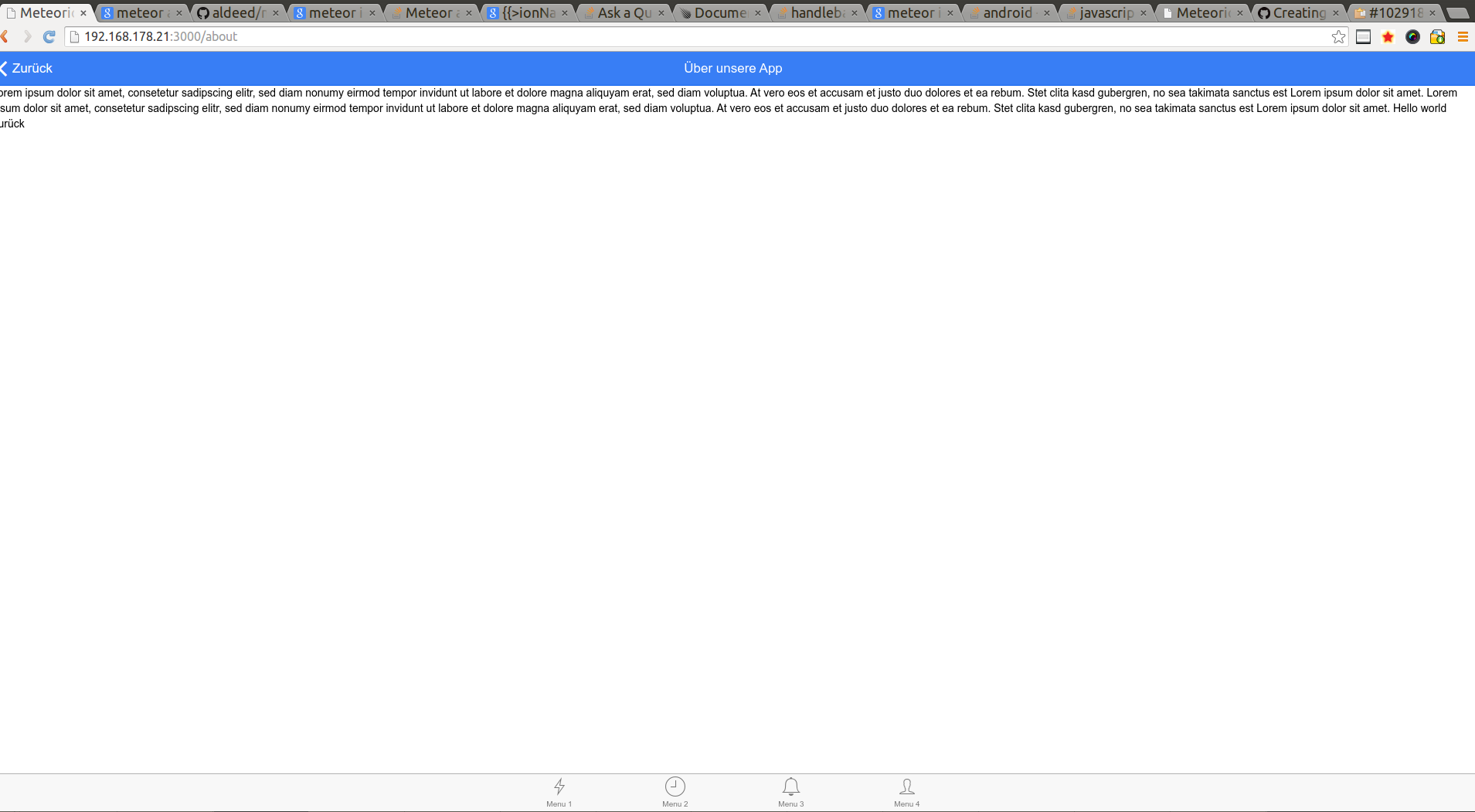
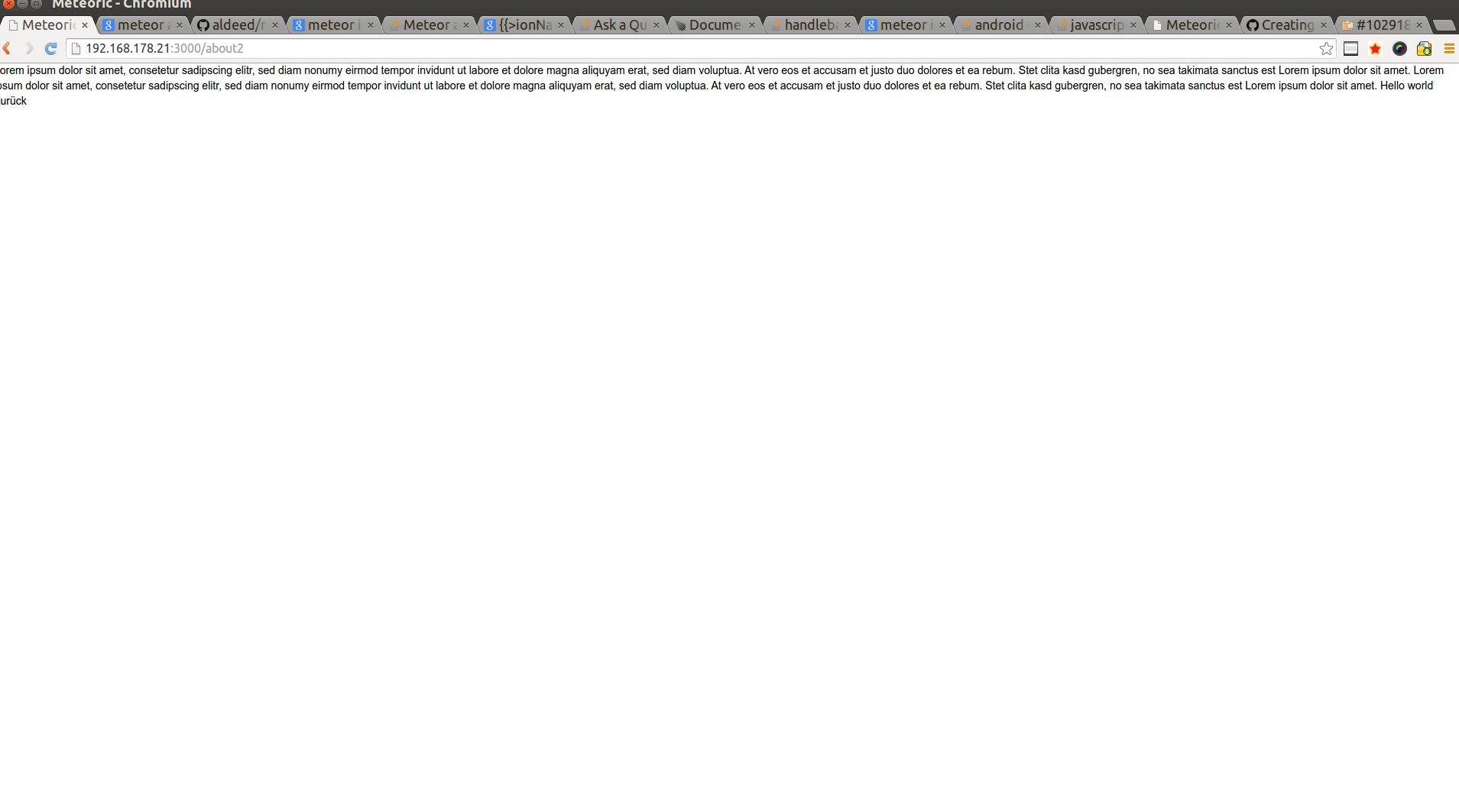
spacebars 1.0.6 Handlebars-like template language for Meteor这里描述了我所做的一个测试和关于这个问题的屏幕截图:我的模板名为:“关于”的显示了离子主题。我确实将模板代码复制到一个名为约2.html并命名为模板about2的文件中。我添加了一个名为about2的路径。其结果是,对于about.html离子工程,如预期,但约2.html没有。
我检查了包含的css文件,这两个页面都是相同的。
by javascript生成的html代码不同。
这里是my about模板的代码:
    <template name="about">

    {{#contentFor "headerButtonLeft"}}
        <div class="buttons">
            {{>myIonBackButton path="main" }}
        </div>
    {{/contentFor}}


    {{#contentFor "headerTitle"}}
        <h1 class="title">{{i18n 'about.title'}}</h1>
    {{/contentFor}}

    {{#ionView}}
        {{#ionContent}}
            <p>
                {{i18n 'about.content'}}

                Hello world

                {{i18n 'backButton'}}
            </p>
        {{/ionContent}}
    {{/ionView}}
</template>
这里是我设置路线的方式:
Router.map(function(){

  /*Main menu*/

  this.route('about');
  this.route('about2');


});这里是屏幕截图,显示了我的问题:关于的路线
about2路由
我也试过:
- 使用meteor调试应用程序,而不知道如何处理有关我的问题的权利
- 用meteor reset重置我的应用程序
- 作为android应用程序运行我的应用程序
,为什么我的布局不经常出现在每个视图上?
回答 1
Stack Overflow用户
发布于 2015-07-14 21:05:17
我通过重写routes.js文件解决了这个问题。
未设置默认布局。
Router.configure({
  layoutTemplate: 'appLayout'
});
对我来说仍然令人困惑的是,如果没有设定,为什么离子有时会显示布局。
我第一次学习这教程,但它是从2013年开始的,所以似乎太老了。此外,正如“流星”中的“零”告诉我的那样,目前还不清楚是否仍然支持Router.map。因此,我将使用铁路由器指定的本后续教程.
https://stackoverflow.com/questions/31407056
复制相似问题
腾讯云开发者

Copyright © 2013 - 2026 Tencent Cloud. All Rights Reserved. 腾讯云 版权所有
深圳市腾讯计算机系统有限公司 ICP备案/许可证号:粤B2-20090059  粤公网安备44030502008569号
腾讯云计算(北京)有限责任公司 京ICP证150476号 | 京ICP备11018762号