
在Yii2中创建拇指
我已经使用这个链接到insatll yii2 2-想象一下:ThumbCreate
当它成功运行时,在/vendor/yiisoft/yii2/Imagine/文件夹中有一个文件夹vendor,然后在该文件夹中又有两个名称为imagine和composer的文件夹。在imagine文件夹中,还有一个同名的文件夹,然后在该文件夹中有那么多文件夹和文件。我正在为那个附加图像。
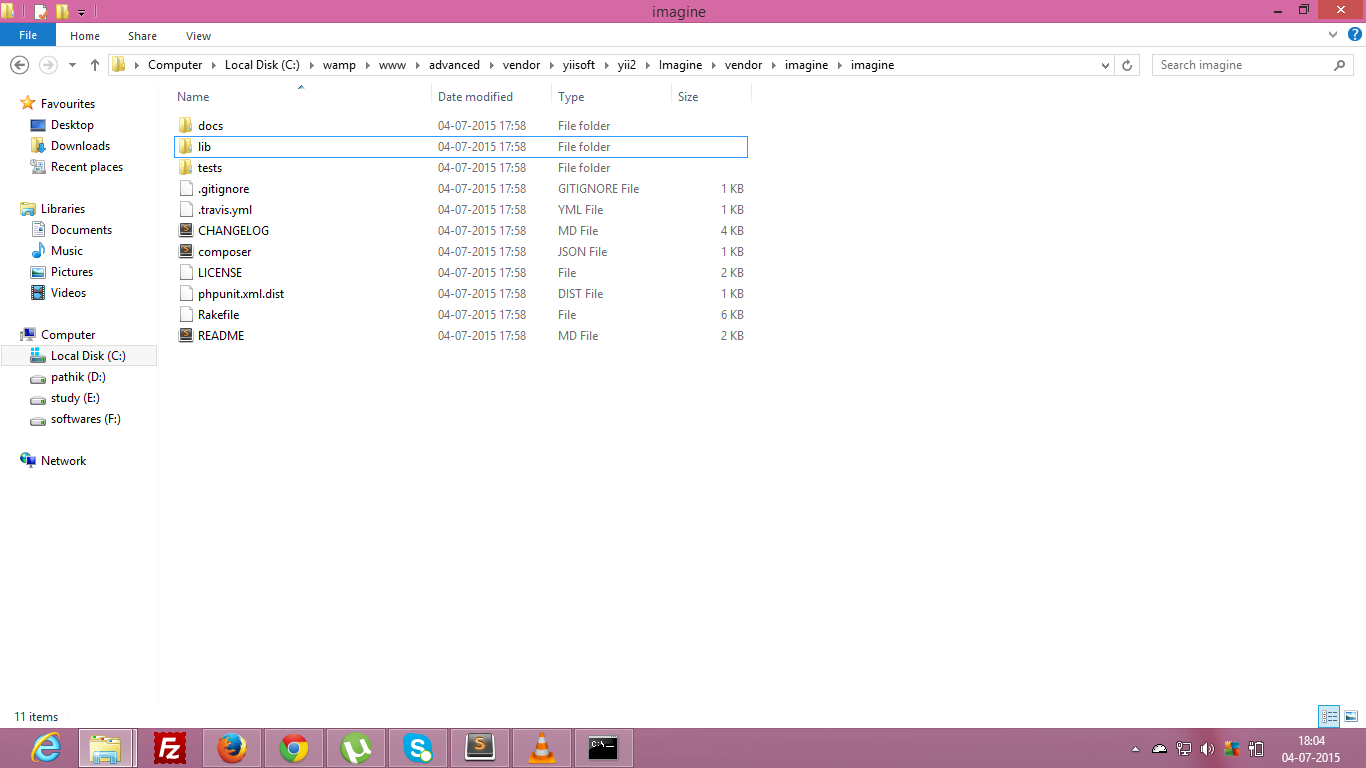
。
现在,我如何使用缩略图函数来制作图像的缩略图.
composer.json文件
{
    "name": "yiisoft/yii2-imagine",
    "description": "The Imagine integration for the Yii framework",
    "keywords": ["yii2", "imagine", "image", "helper"],
    "type": "yii2-extension",
    "license": "BSD-3-Clause",
    "support": {
        "issues": "https://github.com/yiisoft/yii2-imagine/issues",
        "forum": "http://www.yiiframework.com/forum/",
        "wiki": "http://www.yiiframework.com/wiki/",
        "irc": "irc://irc.freenode.net/yii",
        "source": "https://github.com/yiisoft/yii2-imagine"
    },
    "authors": [
        {
            "name": "Antonio Ramirez",
            "email": "amigo.cobos@gmail.com"
        }
    ],
    "require": {
        "yiisoft/yii2-imagine": "*",
        "imagine/imagine": "0.5.*"
    },
    "autoload": {
        "psr-4": {
            "yii\\imagine\\": ""
        }
    },
    "extra": {
        "branch-alias": {
            "dev-master": "2.0.x-dev"
        }
    }
}
控制器文件
<?php

namespace backend\controllers;

use Yii;
use app\models\Employee;
use yii\web\Controller;
use yii\web\NotFoundHttpException;
use yii\filters\AccessControl;
use yii\filters\VerbFilter;
use yii\web\UploadedFile; // upload the image in folder
use yii\Imagine\Image;
use vendor\ExportXLS; // for export data in excel file

class EmployeeController extends Controller
{
public function actionCreate()
    {
        $model = new Employee();
        $model->added_date_time = date('Y-m-d H:i:s');
        if($model->load(Yii::$app->request->post())) {
            $model->file = UploadedFile::getInstance($model,'avatar');

            if(!empty($model->file)) {
                $imageName = Yii::$app->security->generateRandomString();
                $model->file->saveAs('uploads/emp/'.$imageName.'.'.$model->file->extension);
                $model->avatar = $imageName.'.'.$model->file->extension;
                $originalFile = Yii::$app->basePath.'/uploads/emp/'.$imageName.'.'.$model->file->extension;
                $thumbFile = Yii::$app->basePath.'/uploads/emp/thumb/'.$imageName.'.'.$model->file->extension;

                $saveThumb = Image::thumbnail($originalFile, 200, 200)->save($thumbFile, ['quality' => 80]);
            }
            if($model->save()){
                $this->redirect(\Yii::$app->urlManager->createUrl('employee'));
            }
        }
        else {
            return $this->render('create', [
                'model' =>  $model
                ]);
        }
    }
}
?>
我怎么做拇指?上传图片后。告诉是否需要更多的信息。
回答 1
Stack Overflow用户
发布于 2015-12-19 15:53:01
1.请从https://github.com/yiisoft/yii2-imagine下载yii2 2-imagine
2.提取高级\供应商\yiisoft\yii2 2中的文件,然后将“yii2 2-imagine”重命名为"imagine“
3.打开advanced\vendor\yiisoft\yii2\classes.php并插入这两行
 'yii\imagine\Image' => YII2_PATH . '/imagine/Image.php',
 'yii\imagine\Image' => YII2_PATH . '/imagine/BaseImage.php',
就像其他行一样。
4.现在请进入前端或后端,打开一个视图或控制器,然后在顶部添加下面的代码
use yii\imagine\Image;现在添加了类,然后可以使用Image::,如下所示。
Image::thumbnail($filename, $width, $height);或者其他你想用的方法。
诚挚的问候。
https://stackoverflow.com/questions/31220747
复制相似问题
腾讯云开发者

Copyright © 2013 - 2026 Tencent Cloud. All Rights Reserved. 腾讯云 版权所有
深圳市腾讯计算机系统有限公司 ICP备案/许可证号:粤B2-20090059  粤公网安备44030502008569号
腾讯云计算(北京)有限责任公司 京ICP证150476号 | 京ICP备11018762号