
远程安装和调用Pester
远程安装和调用Pester
提问于 2015-06-30 13:52:49
我是PowerShell,Pester和新的VSO构建系统的新手,我试图让Pester为每个签入运行我的测试。我已经设置并配置了一个简单的PowerShell脚本,以便在每次签入时运行。
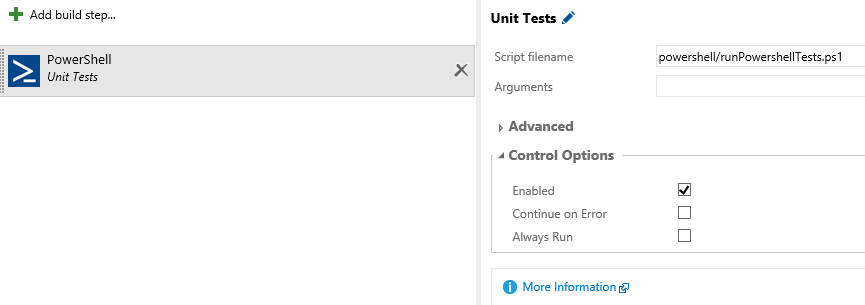
首先,我尝试简单地调用-Pester,看看VSO团队是否设想了这一点,并建立了通用的单元测试框架,但我得出了以下可预测的结果:
Invoke-Pester : The term 'Invoke-Pester' is not recognized as the name of a cmdlet, function, script file, or operable program. Check the spelling of the name, or if a path was included, verify that the path is correct and try again.
At C:\a\64df1c11\Operations Tools\powershell\runPowershellTests.ps1:1 char:1
+ Invoke-Pester
+ ~~~~~~~~~~~~~
+ CategoryInfo : ObjectNotFound: (Invoke-Pester:String) [], CommandNotFoundException
+ FullyQualifiedErrorId : CommandNotFoundException
我尝试使用PSGet:
(new-object Net.WebClient).DownloadString("http://psget.net/GetPsGet.ps1") | iex
install-module Pester
Invoke-Pester
但这也行不通:
New-Item : Access to the path 'PsGet' is denied.
At line:17 char:5
+ New-Item -Path ($Destination + "\PsGet\") -ItemType Directory -Force | Out-N ...
如何远程安装和执行Pester以运行单元测试?
回答 2
Stack Overflow用户
发布于 2015-06-30 14:25:30
用PsGet试试这个:
(new-object Net.WebClient).DownloadString("http://psget.net/GetPsGet.ps1") | iex
Install-Module Pester -Global或者使用巧克力味
iex ((new-object net.webclient).DownloadString('https://chocolatey.org/install.ps1'))
choco install pester页面原文内容由Stack Overflow提供。腾讯云小微IT领域专用引擎提供翻译支持
原文链接:
https://stackoverflow.com/questions/31140200
复制相关文章
相似问题
腾讯云开发者

Copyright © 2013 - 2026 Tencent Cloud. All Rights Reserved. 腾讯云 版权所有
深圳市腾讯计算机系统有限公司 ICP备案/许可证号:粤B2-20090059  粤公网安备44030502008569号
腾讯云计算(北京)有限责任公司 京ICP证150476号 | 京ICP备11018762号