
如何在UITableViewController中加入手风琴效果?
如何在UITableViewController中加入手风琴效果?
提问于 2015-06-26 07:59:46
以下是当前屏幕:
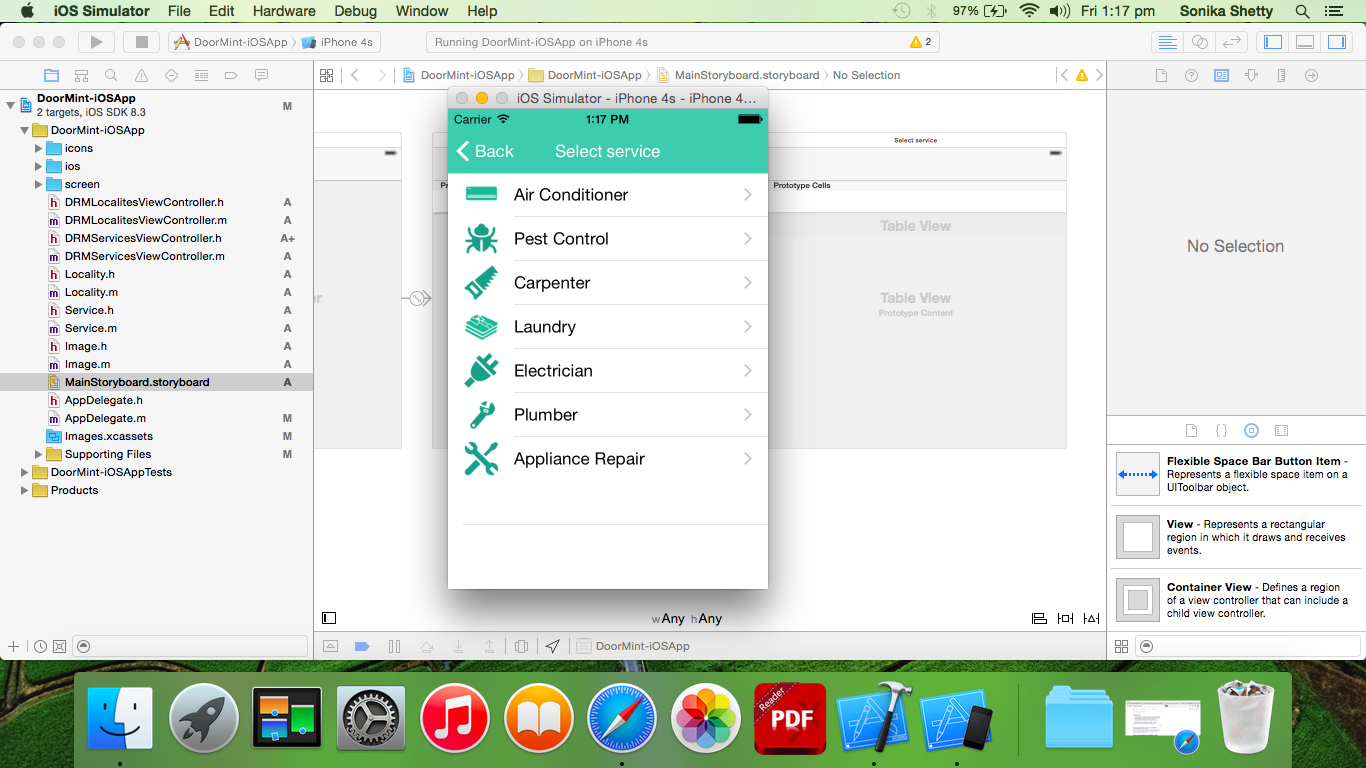
如您所见,这是提供的服务列表。我从公司的api中检索数据,并动态填充表视图单元格。
以下是它的工作原理:
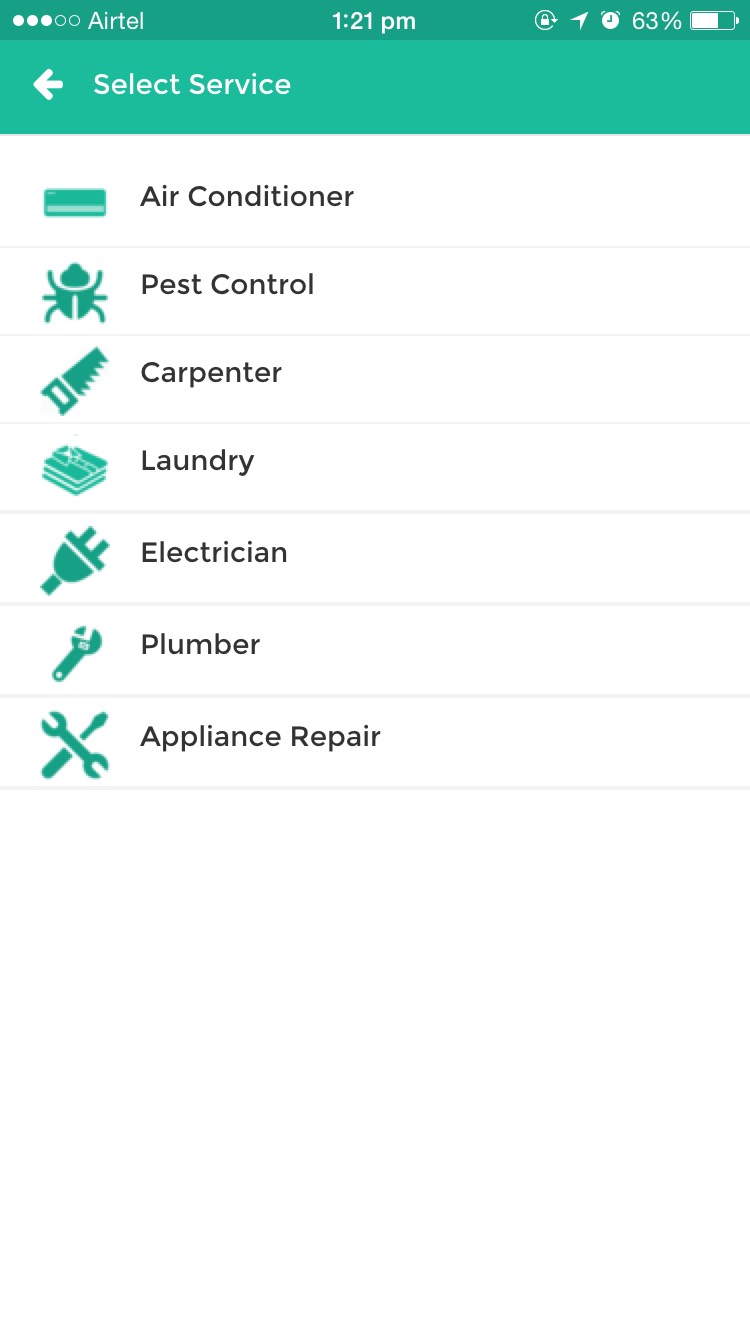
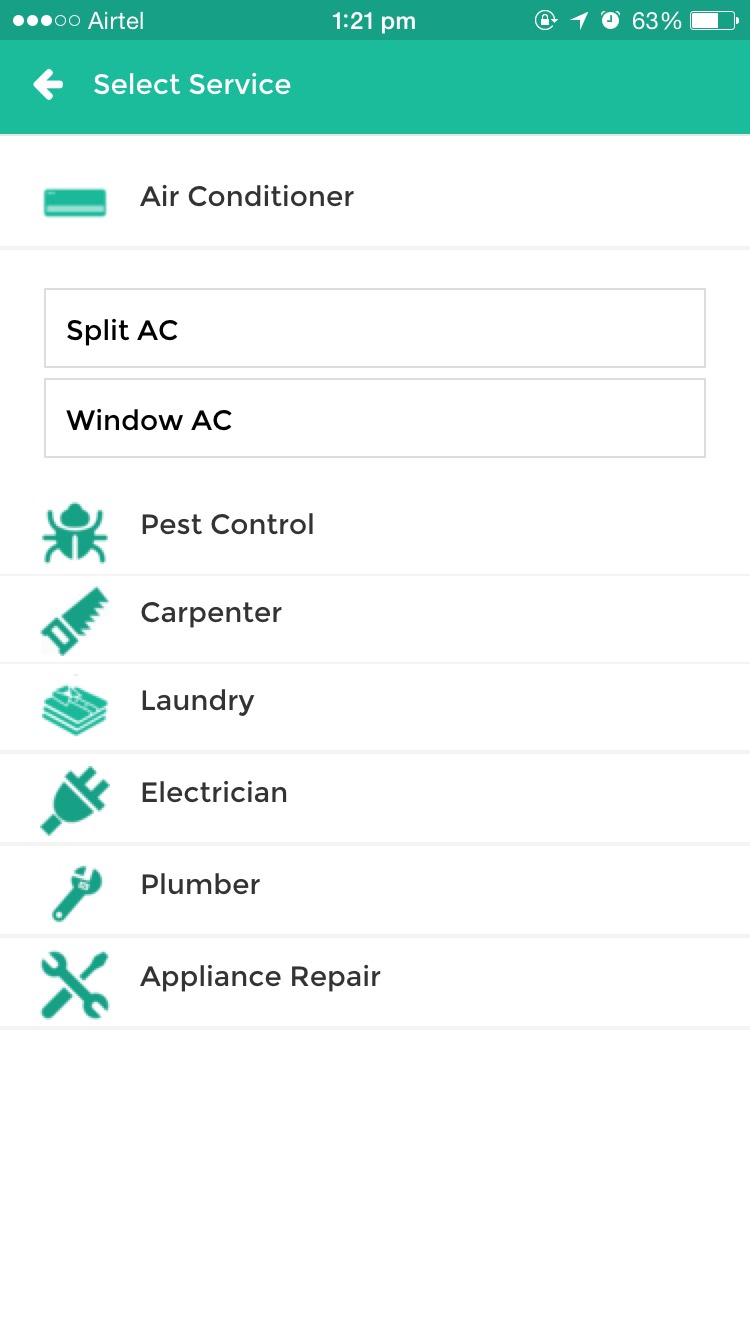
单击其中一个单元格时,手风琴样的效果应该会扩展单元格,并显示特定服务的更多细节。再次单击它或单击其他服务应该会关闭它。我应该如何实现这一点?
这是cellForRowAtIndexPath的代码
- (UITableViewCell *)tableView:(UITableView *)tableView cellForRowAtIndexPath:(NSIndexPath *)indexPath {

UITableViewCell *cell = [tableView dequeueReusableCellWithIdentifier:@"ServiceCell" forIndexPath:indexPath];

// Configure the cell...
Service * serviceObject;
serviceObject = [servicesArray objectAtIndex:indexPath.row];

//Configuring the images
Image * air = [[Image alloc] initWithLocation:@"icons/air.png" andWithServiceID:21];
Image * pest = [[Image alloc] initWithLocation:@"icons/pest.png" andWithServiceID:18];
Image * carpenter = [[Image alloc] initWithLocation:@"icons/carpenter" andWithServiceID:16];
Image * laundry = [[Image alloc] initWithLocation:@"icons/laundry" andWithServiceID:20];
Image * electrician = [[Image alloc] initWithLocation:@"icons/electrician.png" andWithServiceID:17];
Image * plumber = [[Image alloc] initWithLocation:@"icons/plumber.png" andWithServiceID:14];
Image * appliance = [[Image alloc] initWithLocation:@"icons/appliance.png" andWithServiceID:15];

NSArray * images = [[NSArray alloc] initWithObjects:[UIImage imageNamed:air.location], [UIImage imageNamed:pest.location], [UIImage imageNamed:carpenter.location], [UIImage imageNamed:laundry.location], [UIImage imageNamed:electrician.location], [UIImage imageNamed:plumber.location], [UIImage imageNamed:appliance.location], nil];

if([serviceObject.serviceID isEqualToNumber:[[NSNumber alloc] initWithInt:air.serviceID]]){
    cell.imageView.image = images[0];
}else if([serviceObject.serviceID isEqualToNumber:[[NSNumber alloc] initWithInt:pest.serviceID]]){
    cell.imageView.image = images[1];
}else if([serviceObject.serviceID isEqualToNumber:[[NSNumber alloc] initWithInt:carpenter.serviceID]]){
    cell.imageView.image = images[2];
}else if([serviceObject.serviceID isEqualToNumber:[[NSNumber alloc] initWithInt:laundry.serviceID]]){
    cell.imageView.image = images[3];
}else if([serviceObject.serviceID isEqualToNumber:[[NSNumber alloc] initWithInt:electrician.serviceID]]){
    cell.imageView.image = images[4];
}else if([serviceObject.serviceID isEqualToNumber:[[NSNumber alloc] initWithInt:plumber.serviceID]]){
    cell.imageView.image = images[5];
}else{
    cell.imageView.image = images[6];
}

//Setting the row labels
cell.textLabel.text = serviceObject.serviceName;

cell.accessoryType = UITableViewCellAccessoryDisclosureIndicator;

return cell;
}
我目前正在使用Xcode 6.3.2和最新的iPhone SDK。
任何帮助都是非常感谢的。谢谢。
回答 1
Stack Overflow用户
回答已采纳
发布于 2015-06-26 08:09:26
您应该插入新的单元格(或多个)到您的表视图ob单击。并注册单击,以便您知道选择了哪个单元格。
- (void)tableView:(UITableView *)tableView didSelectRowAtIndexPath:(NSIndexPath *)indexPath {

    [tableView beginUpdates];
    if(self.selectedCellPath) { //Index path for already expanded cell

        [tableView deleteRowsAtIndexPaths:@[self.selectedCellPath] withRowAnimation: UITableViewRowAnimationTop];
    }

    //if we clicked already expanded cell we just clear everything
    if([self.selectedCellPath isEqual:indexPath]) {
       self.selectedCellPath = nil;
    }
    else {
        self.selectedCellPath = indexPath;

        [tableView insertRowsAtIndexPaths:@[self.selectedCellPath] withRowAnimation: UITableViewRowAnimationTop];
    }
    [tableView endUpdates];
}
而且,在你的cellForRowAtIndexPath
if([indexPath isEqual:self.selectedCellPath]) {
   //Create your specific cell with text fields
}
else {
   //Create your common cell
   //Your code for cell creation from question post actually goes here
}
更新1
一些性能建议--将所有这些Image *代码移到viewDidLoad方法中。并使您的NSArray *images成为控制器的属性。因为在您的变体中,您创建它的每个时刻表视图都要求单元格。您不需要这样做。只做一次- viewDidLoad是做这些事情的合适地方。
页面原文内容由Stack Overflow提供。腾讯云小微IT领域专用引擎提供翻译支持
原文链接:
https://stackoverflow.com/questions/31068002
复制相关文章
相似问题
腾讯云开发者

Copyright © 2013 - 2026 Tencent Cloud. All Rights Reserved. 腾讯云 版权所有
深圳市腾讯计算机系统有限公司 ICP备案/许可证号:粤B2-20090059  粤公网安备44030502008569号
腾讯云计算(北京)有限责任公司 京ICP证150476号 | 京ICP备11018762号