
Haxeflixel与Neko构建,屏幕大小不适合
我使用Haxeflixel,选择构建目标Neko和Neko 64。
我编码了1280x720分辨率,但执行的屏幕不适合。改变资源。
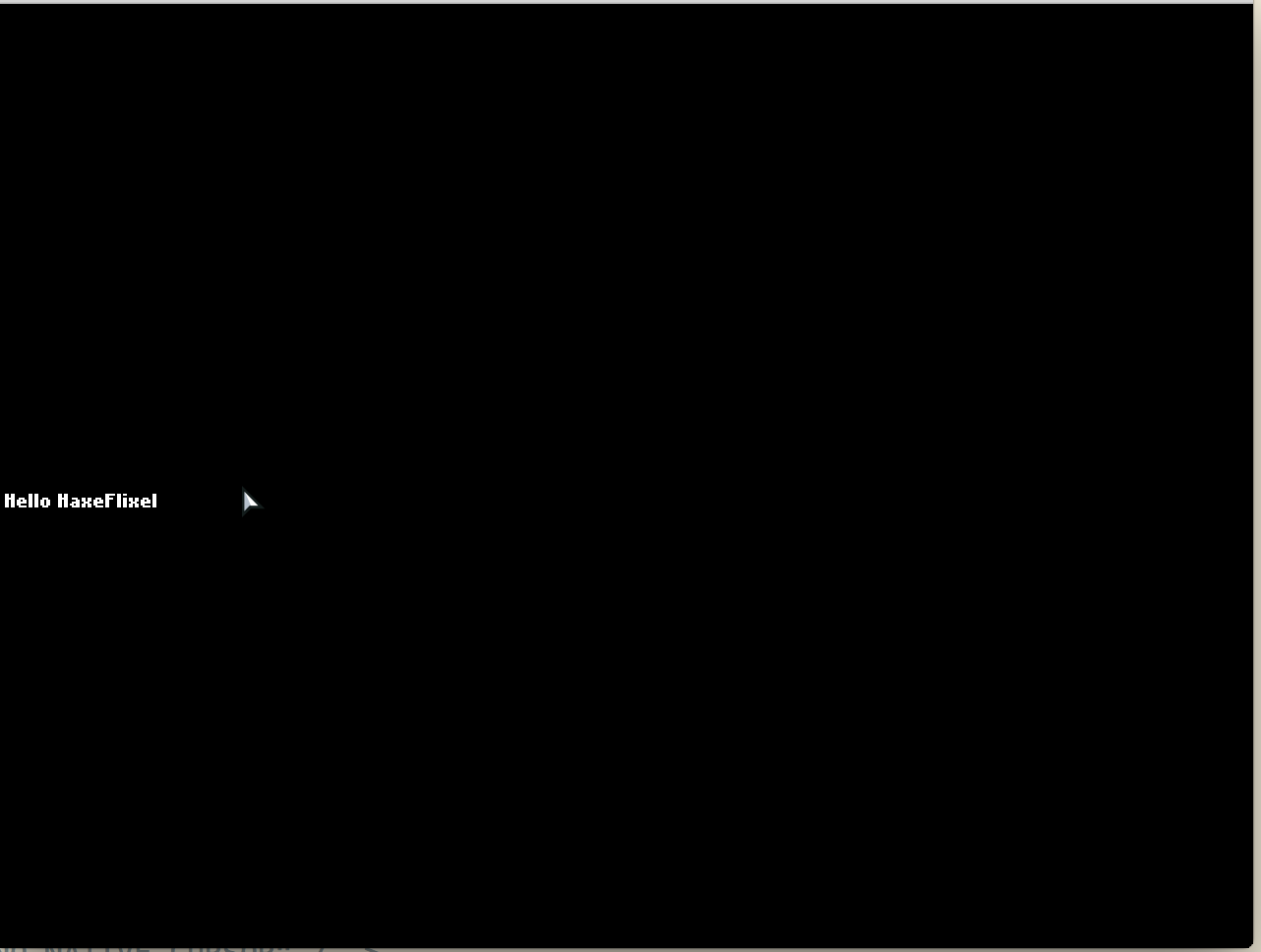
我只是重新安装我的os x yosemite系统。是因为这个吗?我无法理解这种情况
var gameWidth:Int = 1280;//游戏的宽度以像素为单位(在实际像素中可能更少/更多,这取决于您的缩放)。
var gameHeight:Int = 720; // Height of the game in pixels (might be less / more in actual pixels depending on your zoom).
var initialState:Class<FlxState> = PlayState; // The FlxState the game starts with.
var zoom:Float = -1; // If -1, zoom is automatically calculated to fit the window dimensions.
var framerate:Int = 60; // How many frames per second the game should run at.
var skipSplash:Bool = false; // Whether to skip the flixel splash screen that appears in release mode.
var startFullscreen:Bool = false; // Whether to start the game in fullscreen on desktop targets
非常默认的设置..。
回答 2
Stack Overflow用户
发布于 2015-06-12 01:19:29
这是酸橙2.4.4问题。
下载http://www.openfl.org/builds/lime/lime-2.4.0-6-g837aa96.zip
和终端上的haxelib local lime-2.4.0-6-g837aa96.zip
见下文..。http://community.openfl.org/t/running-openfl-error-on-mac/1409/14
Stack Overflow用户
发布于 2015-06-09 10:18:01
如果我理解你的问题,问题是gameWidth和gameHeight设置了游戏的逻辑屏幕大小,而不是游戏运行窗口的像素大小。
尝试更改项目的Project.xml文件中的窗口设置,以设置与游戏坐标匹配的窗口的物理大小,它可能会开始查看您预期的结果:
<!--These window settings apply to all targets-->
<window width="1280" height="720" fps="60" background="#000000" hardware="true" vsync="true" />https://stackoverflow.com/questions/30727749
复制相似问题
腾讯云开发者

Copyright © 2013 - 2026 Tencent Cloud. All Rights Reserved. 腾讯云 版权所有
深圳市腾讯计算机系统有限公司 ICP备案/许可证号:粤B2-20090059  粤公网安备44030502008569号
腾讯云计算(北京)有限责任公司 京ICP证150476号 | 京ICP备11018762号