
使用边栏在文档中以内容为中心的问题
tl;dr -我如何在第三张图片中找到的蓝色div在空白(而不是页面)中居中?
我最近头疼得厉害。我创建了一个包含两个不同列的网站,但是,只有一个div元素才能实现。这可以在下面看到。
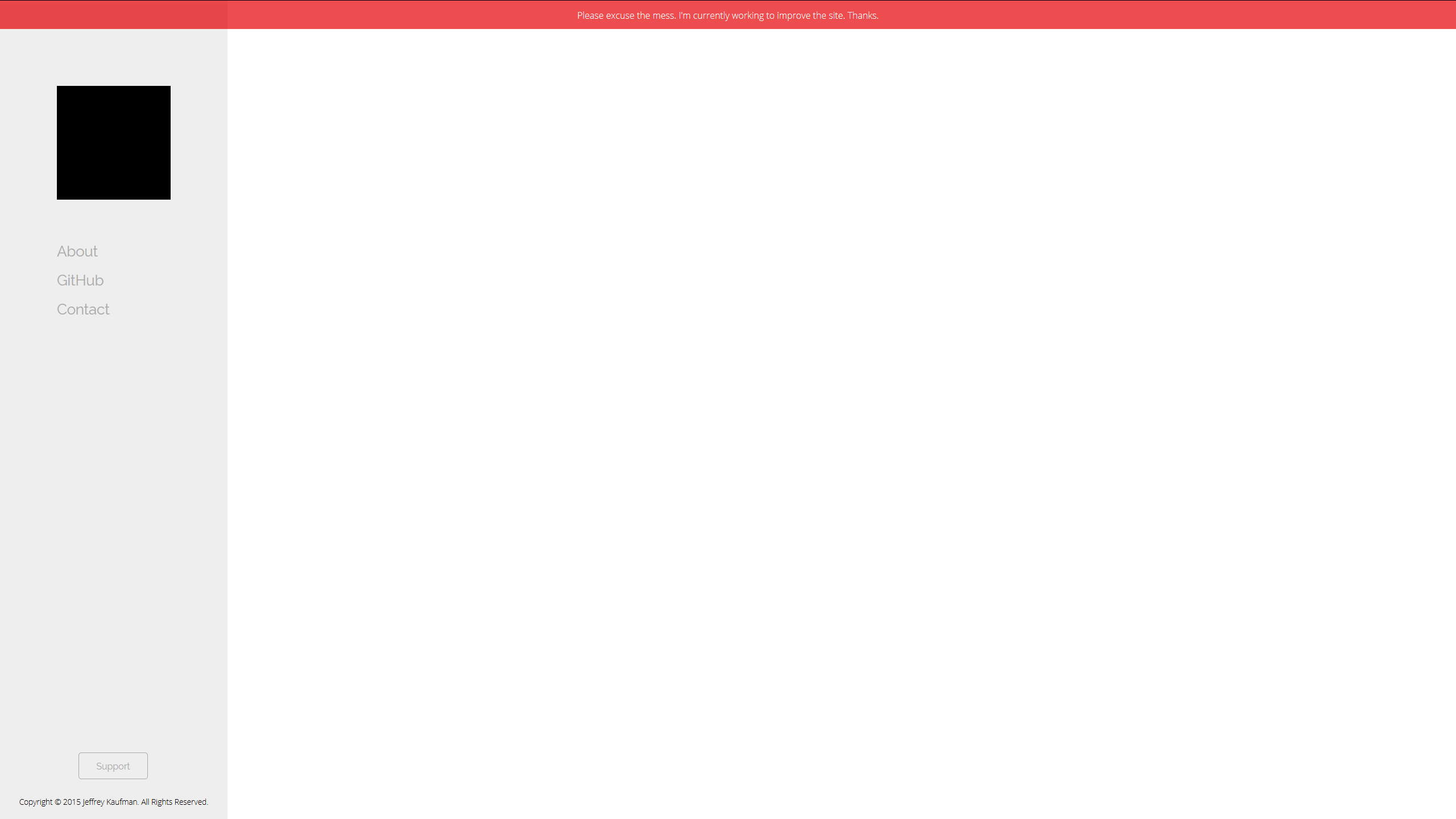
从图片中可以很明显地看出,第一列将被视为一个侧栏,因此具有类.sidebar。.sidebar具有固定的width属性400px。页面的其余部分就是带有类.container的.container的其余部分,该类通过width和height属性扩展到100%。由于我认为这是很难通过阅读这篇文章,我已经找到了一种方法来说明如何设置页面。
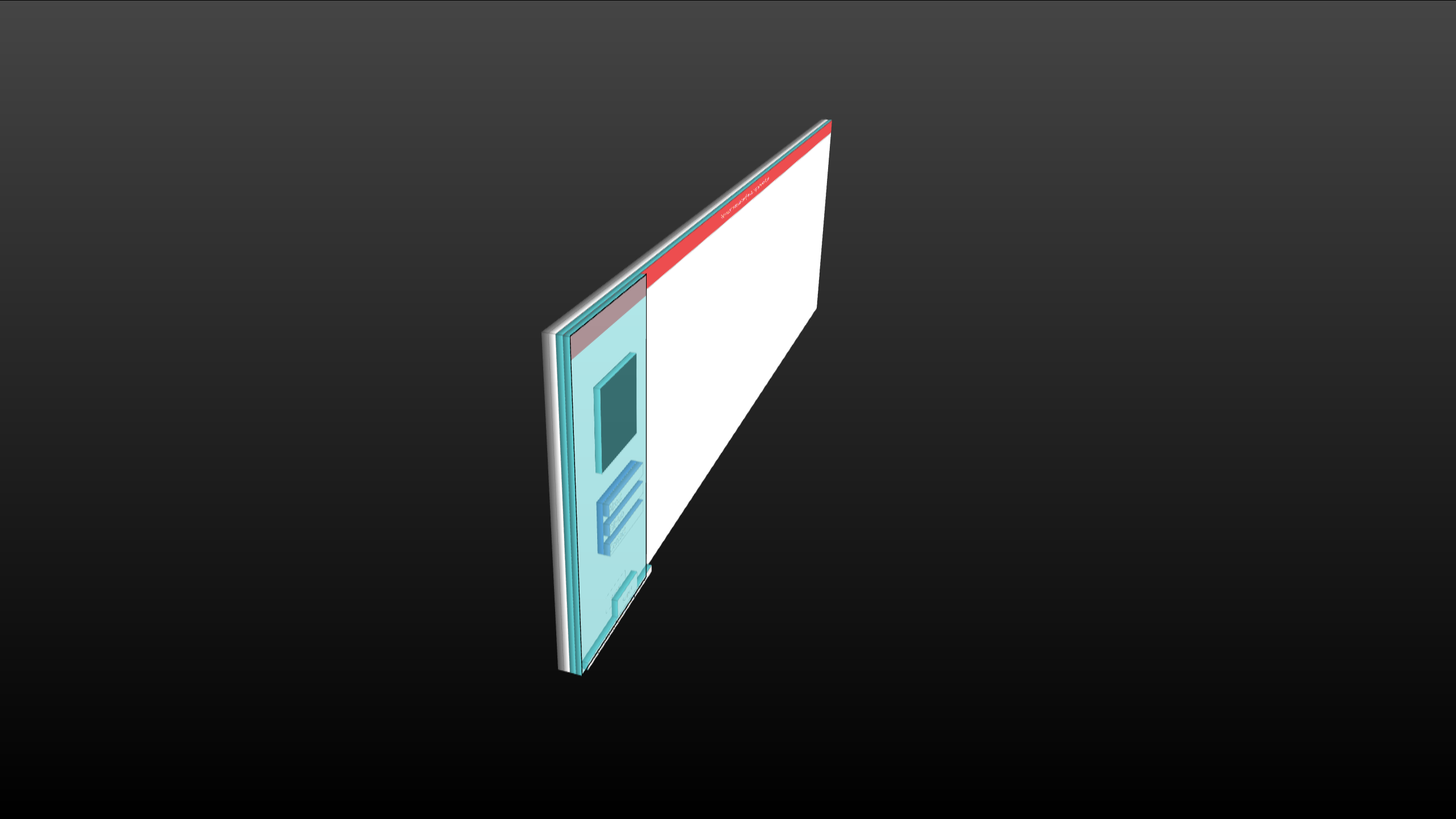
- 灰色是
html元素。 - White是
body元素。 - 白色上的水是带有类
div的.container。 - 下面的aqua是带有类
div的.sidebar。
现在让我们插入给我带来问题的div。
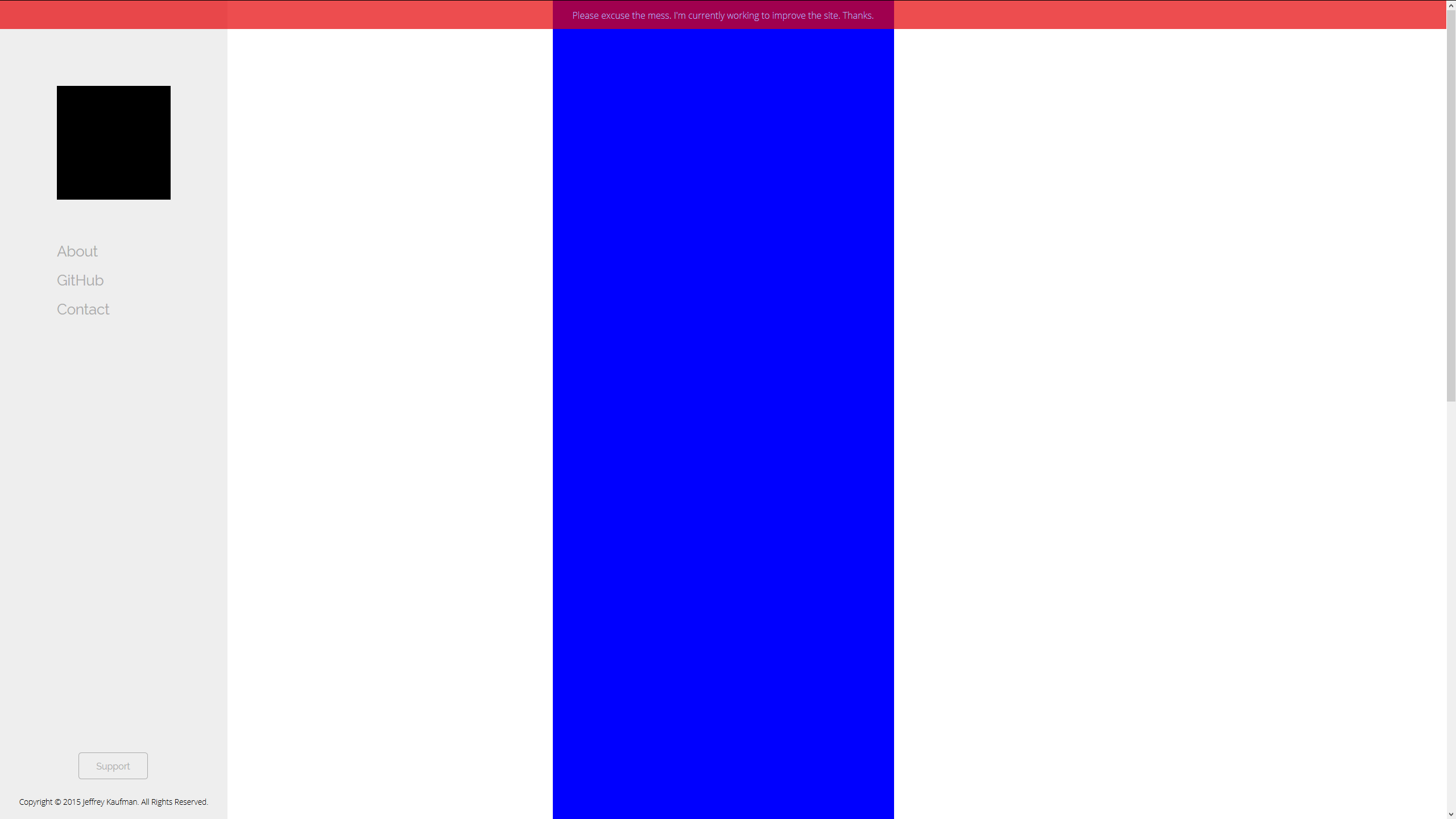
如您所见,已经添加了一个蓝色div。它有类.test,它只设置width、height和margin属性。正如您现在所看到的,当margin设置为0 auto时,div位于窗口的中心,而不是空白。显然,这是预期的行动。
我面临的问题是,我不知道如何在空白中对蓝色div进行居中。我不确定我将如何创建与空白完全相同的内容,因此,我不知道margin: 0 auto将有什么用途。我将如何将我的测试元素集中在空白中?这能通过CSS和HTML来实现吗?
<!DOCTYPE html PUBLIC "-//W3C//DTD XHTML 1.0 Transitional//EN" "http://www.w3.org/TR/xhtml1/DTD/xhtml1-transitional.dtd">
<html xmlns="http://www.w3.org/1999/xhtml">
<head>
<meta http-equiv="Content-Type" content="text/html; charset=utf-8" />
<meta name="viewport" content="width=device-width, initial-scale=1">
<title>Welcome.</title>
<link href='https://fonts.googleapis.com/css?family=Open+Sans:300|Raleway' rel='stylesheet' type='text/css'>
<link href="https://www.codekaufman.com/assets/css/core.css" rel="stylesheet" type="text/css" />
<link href="https://www.codekaufman.com/assets/css/alerts.css" rel="stylesheet" type="text/css" />
</head>
<body>
<div class="banner-alert">Please excuse the mess. I'm currently working to improve the site. Thanks.
</div>
<div class="container">
<div class="side-bar">
<div class="temp-logo"></div>
<ul class="nav">
<li class="nav-button-disabled">About</li>
<li class="nav-button-disabled">GitHub</li>
<li class="nav-button-disabled">Contact</li>
</ul>
<a href="https://www.codekaufman.com/support/"><div class="emphasis-button-disabled">Support</div></a>
<div class="legal">Copyright © 2015 Jeffrey Kaufman. All Rights Reserved.</div>
</div>
<div class="test"></div>
</div>
</body>
</html>@charset "utf-8";
* {
margin: 0;
padding: 0;
font-family: "Raleway", sans-serif;
color: #000;
}
html, body {
width: 100%;
height: 100%;
}
a {
text-decoration: none;
color: inherit;
}
.container {
height: 100%;
}
.side-bar {
position: fixed;
top: 0;
left: 0;
width: 400px;
height: 100%;
background: #EEE;
}
.temp-logo {
width: 200px;
height: 200px;
margin: 0 auto;
margin-top: 150px;
background: #000;
}
.nav {
width: 200px;
margin: 0 auto;
margin-top: 75px;
list-style-type: none;
}
.nav-button {
margin-top: 20px;
margin-bottom: 20px;
font-size: 1.6em;
cursor: pointer;
transition: 0.5s;
}
.nav-button:hover {
margin-left: 20px;
}
.nav-button-disabled {
margin-top: 20px;
margin-bottom: 20px;
font-size: 1.6em;
cursor: default;
color: #AAA;
}
.nav-category {
margin-top: 40px;
margin-bottom: 20px;
font-size: 2em;
cursor: default;
border-bottom: 1px #000 solid;
}
.emphasis-button {
text-align: center;
position: absolute;
width: 120px;
height: 45px;
left: 138px;
line-height: 45px;
bottom: 70px;
border-radius: 5px;
border: 1px solid #C30;
color: #C30;
transition: 0.4s;
cursor: pointer;
}
.emphasis-button-enabled {
text-align: center;
position: absolute;
width: 120px;
height: 45px;
left: 138px;
line-height: 45px;
bottom: 70px;
border-radius: 5px;
border: 1px solid #C30;
transition: 0.4s;
cursor: pointer;
color: #EEE;
background: #C30;
}
.emphasis-button-disabled {
text-align: center;
position: absolute;
width: 120px;
height: 45px;
line-height: 45px;
left: 138px;
bottom: 70px;
border-radius: 5px;
border: 1px solid #AAA;
color: #AAA;
cursor: default;
}
.emphasis-button:hover {
color: #EEE;
background: #C30;
}
.legal {
font-family: 'Open Sans', sans-serif;
position: absolute;
font-size: 0.85em;
text-align: center;
width: 400px;
height: 20px;
left: 0;
bottom: 20px;
}
.test {
width: 600px;
height: 200%;
background: blue;
margin: 0 auto;
}回答 3
Stack Overflow用户
发布于 2015-06-02 06:59:10
在另一个元素中使用position=absolute,right、top和bottom值为0,left值为400px。
<div style="position:absolute;right:0;top:0;bottom:0;left:400px;">
    <div class="test"></div>
</div>Stack Overflow用户
发布于 2015-06-02 06:58:21
你的边栏已经固定好了,所以请把左边的垫子加到你的容器里,这样就可以了。
.container {
   height: 100%;
   padding-left: 400px; /*width of your .sidebar*/
}Stack Overflow用户
发布于 2015-06-02 07:07:49
尝试将宽度更改为百分比,并添加一个覆盖其余空白的新div,这样您就可以在该新div上将蓝色元素居中。
.side-bar {
position: fixed;
top: 0;
left: 0;
width: 20%;
height: 100%;
background: #EEE;
}
.new-div{width:80%;float:left;}在新的div中设置测试
<div class="new-div"><div class="test"></div></div>https://stackoverflow.com/questions/30589250
复制相似问题
腾讯云开发者

Copyright © 2013 - 2026 Tencent Cloud. All Rights Reserved. 腾讯云 版权所有
深圳市腾讯计算机系统有限公司 ICP备案/许可证号:粤B2-20090059  粤公网安备44030502008569号
腾讯云计算(北京)有限责任公司 京ICP证150476号 | 京ICP备11018762号