
更改ListView的滚动条/FastScroll颜色?
更改ListView的滚动条/FastScroll颜色?
提问于 2015-06-01 14:37:41
回答 3
Stack Overflow用户
回答已采纳
发布于 2015-06-01 18:37:41
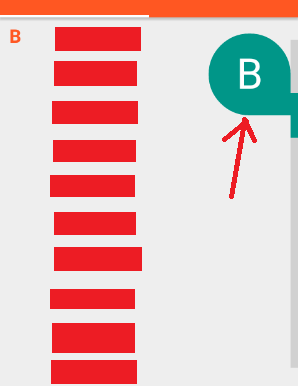
滚动条拇指颜色设置为应用程序主题中的android:colorAccent属性。你确信这是正确的,对吧?
注意,如果使用AppCompat,则必须从属性中排除android:前缀。
您可以找到有关可用颜色属性这里的更多信息。
Stack Overflow用户
发布于 2015-06-01 14:51:14
在xml文件中的listView属性中设置此值。
android:scrollbarSize="10dp"
android:scrollbarThumbVertical="@drawable/custom_scroll_style"
这里,custom_scroll_style是可绘图文件夹下的xml文件。让我们创建custom_scroll_style.xml
<shape xmlns:android="http://schemas.android.com/apk/res/android" >

<gradient
    android:angle="45"
    android:endColor="@color/endColor" //define what you want
    android:centerColor="@color/centercolor"
    android:startColor="@color/startColor" />

<corners android:radius="8dp" />
<size android:width="4dp"/>
<padding
    android:left="0.5dp"
    android:right="0.5dp" />

</shape>
希望能帮上忙!
Stack Overflow用户
发布于 2017-03-31 13:13:10
android:scrollbarThumbVertical会工作的很好。但是,如果在listView中启用了快速滚动,您应该在AppTheme或任何主题中定义android:fastScrollThumbDrawable,并将其用于包含listview和快速滚动启用的活动(在AndroidManifest中)。
部分styles.xml
<style name="AppTheme" parent="Theme.AppCompat.Light.DarkActionBar">
    <item name="colorAccent">@color/colorAccent</item>
    <item name="android:fastScrollThumbDrawable">@drawable/fast_scrollbar_vertical</item>
</style>
部分舱单
    <activity
        android:name=".ListActivity"
        android:label="@string/title_activity_list"
        android:theme="@style/AppTheme" />
滚动条绘图应该是渐变的。
<shape xmlns:android="http://schemas.android.com/apk/res/android" >

<gradient
    android:angle="45"
    android:endColor="@color/scroll_color"
    android:centerColor="@color/scroll_color"
    android:startColor="@color/scroll_color" />

<corners android:radius="8dp" />
<size android:width="8dp" android:height="100dp"/>
<padding
    android:left="0.5dp"
    android:right="0.5dp" />

</shape>页面原文内容由Stack Overflow提供。腾讯云小微IT领域专用引擎提供翻译支持
原文链接:
https://stackoverflow.com/questions/30576352
复制相关文章
相似问题
腾讯云开发者

Copyright © 2013 - 2026 Tencent Cloud. All Rights Reserved. 腾讯云 版权所有
深圳市腾讯计算机系统有限公司 ICP备案/许可证号:粤B2-20090059  粤公网安备44030502008569号
腾讯云计算(北京)有限责任公司 京ICP证150476号 | 京ICP备11018762号