
Visual代码-调试
Visual代码-调试
提问于 2015-05-22 19:09:44
我下载了Visual代码,但不知道如何配置调试器。
我正在学习编程,我不知道如何配置它?
有人帮我解决这个问题吗?
这就是您需要配置的。
{
"version": "0.1.0",
// List of configurations. Add new configurations or edit existing ones.
// ONLY "node" and "mono" are supported, change "type" to switch.
"configurations": [
    {
        // Name of configuration; appears in the launch configuration drop down menu.
        "name": "Launch app.js",
        // Type of configuration. Possible values: "node", "mono".
        "type": "node",
        // Workspace relative or absolute path to the program.
        "program": "app.js",
        // Automatically stop program after launch.
        "stopOnEntry": true,
        // Command line arguments passed to the program.
        "args": [],
        // Workspace relative or absolute path to the working directory of the program being debugged. Default is the current workspace.
        "cwd": ".",
        // Workspace relative or absolute path to the runtime executable to be used. Default is the runtime executable on the PATH.
        "runtimeExecutable": null,
        // Environment variables passed to the program.
        "env": { }
    },
    {
        "name": "Attach",
        "type": "node",
        // TCP/IP address. Default is "localhost".
        "address": "localhost",
        // Port to attach to.
        "port": 5858
    }
]
}回答 2
Stack Overflow用户
发布于 2015-06-03 21:14:30
你需要对你的问题更加具体。
您正在调试哪种代码?
现在Visual代码在所有平台上都有对Node.js (JavaScript和TypeScript)的调试支持,在OS和Linux上对mono (C#和F#)的实验性支持,以及很快的ASP.NET 5。
如果您使用的是其中之一,您应该能够开始使用调试功能。
有关更多信息,以下是指向正式调试文档的直接链接:https://code.visualstudio.com/Docs/debugging
Stack Overflow用户
发布于 2020-04-14 10:42:08
如果使用php编写代码,则可以执行以下步骤
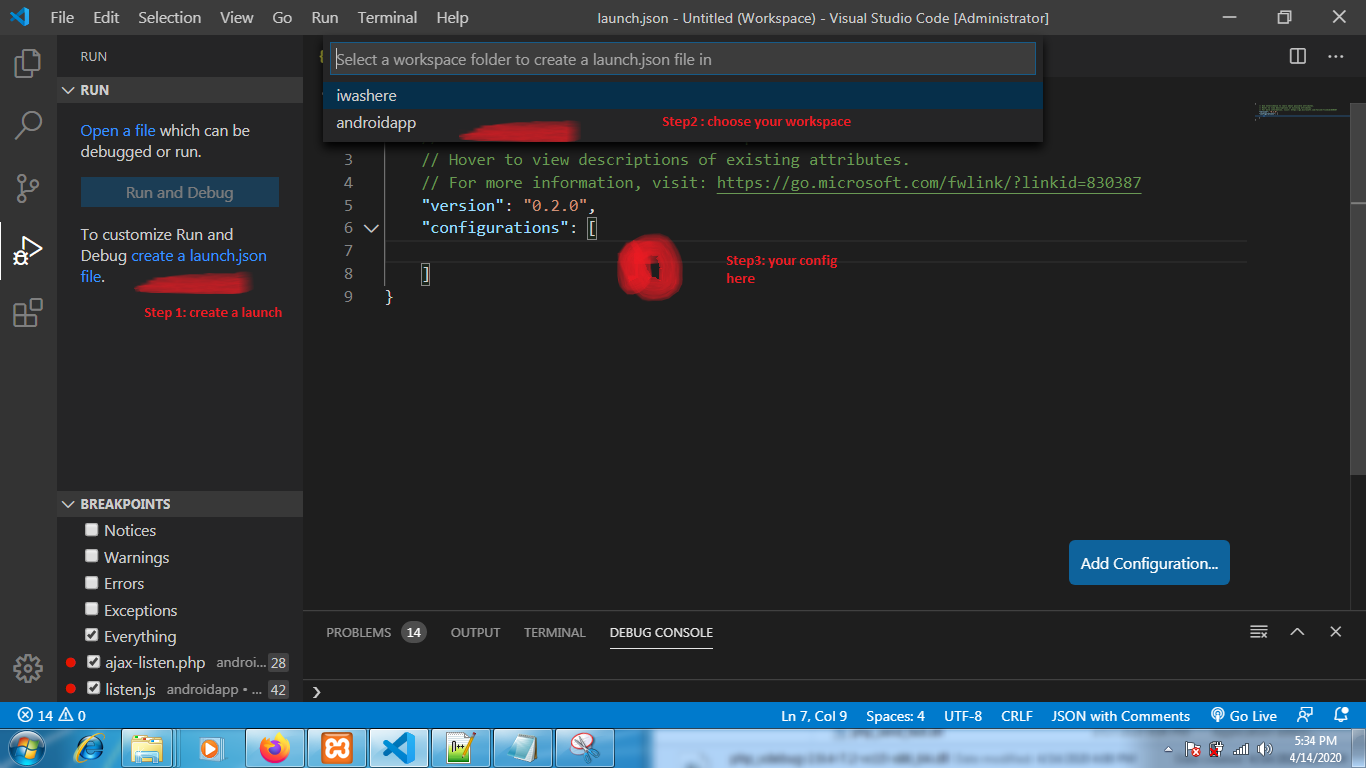
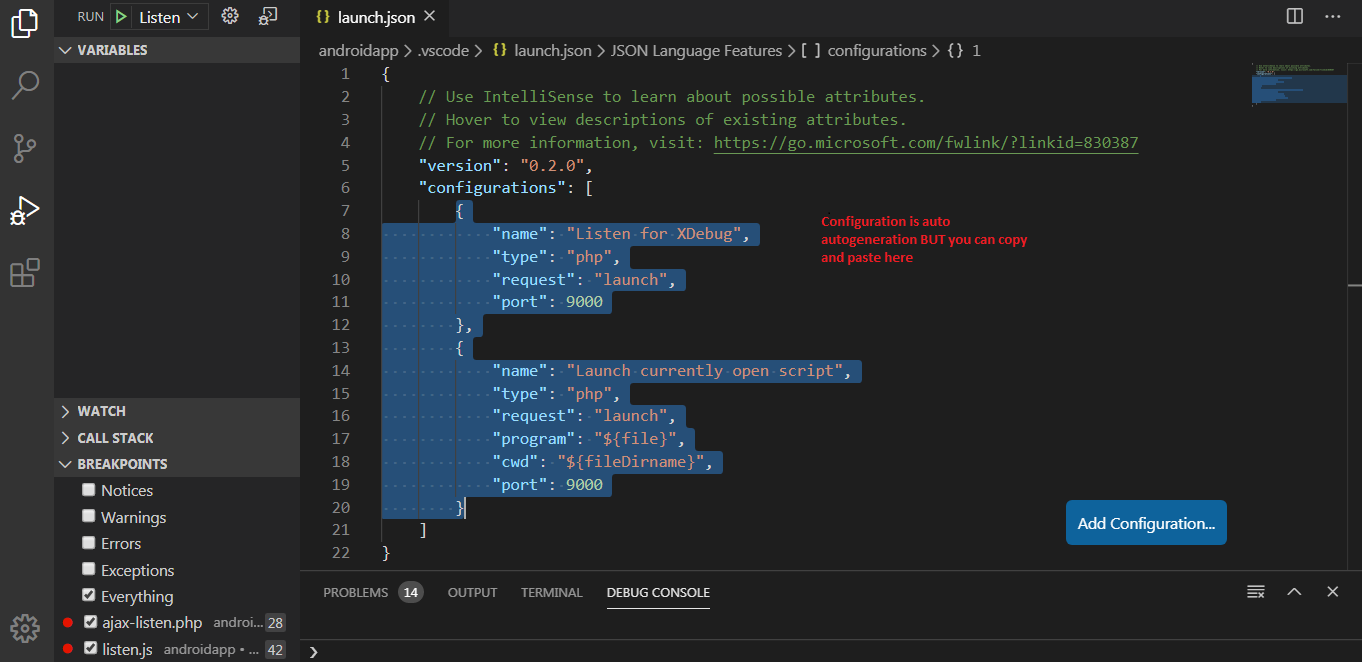
您可以复制和粘贴代码:
"version": "0.2.0",
"configurations": [
    {
        "name": "Listen for XDebug",
        "type": "php",
        "request": "launch",
        "port": 9000
    },
    {
        "name": "Launch currently open script",
        "type": "php",
        "request": "launch",
        "program": "${file}",
        "cwd": "${fileDirname}",
        "port": 9000
    }
]页面原文内容由Stack Overflow提供。腾讯云小微IT领域专用引擎提供翻译支持
原文链接:
https://stackoverflow.com/questions/30404212
复制相关文章
相似问题
腾讯云开发者

Copyright © 2013 - 2026 Tencent Cloud. All Rights Reserved. 腾讯云 版权所有
深圳市腾讯计算机系统有限公司 ICP备案/许可证号:粤B2-20090059  粤公网安备44030502008569号
腾讯云计算(北京)有限责任公司 京ICP证150476号 | 京ICP备11018762号