
带JBChartView库的分组条形图
带JBChartView库的分组条形图
提问于 2015-05-03 07:18:20
我需要在我正在做的iOS项目中绘制分组条形图。所以我使用的iOS第三方库是来自Jawbone的JBChartView。据我在这方面的研究所获得的知识,我在图书馆内没有找到任何已经得到支持的方法。
然而,,我尝试了如下所示:
- (NSUInteger)numberOfBarsInBarChartView:(JBBarChartView *)barChartView
{
    return [self.chartLegend count]; // number of bars in chart    "BB", "HB", "FB", "RO"
}

- (CGFloat)barChartView:(JBBarChartView *)barChartView heightForBarViewAtIndex:(NSUInteger)index
{
    CGFloat height = (isnan((([[chartData objectAtIndex:index] doubleValue]/total)*100))) ? 0.0 : (([[chartData objectAtIndex:index] doubleValue]/total)*100);
    NSLog(@"height : %f", height);
    return height;
}

- (UIView *)barChartView:(JBBarChartView *)barChartView barViewAtIndex:(NSUInteger)index {
    CGFloat height = (isnan((([[chartData objectAtIndex:index] doubleValue]/total)*100)))
                        ? 0.0
                        : (([[chartData objectAtIndex:index] doubleValue]/total)*100);

    UIView *view = [[UIView alloc]initWithFrame:CGRectMake(0, 0, 50, height)];
    [view setBackgroundColor:[UIColor grayColor]];

    UIView *firstHalf = [[UIView alloc] initWithFrame:CGRectMake(0, height, 25, height)];
    [firstHalf setBackgroundColor:[UIColor redColor]];

    UIView *secondHalf = [[UIView alloc] initWithFrame:CGRectMake(25, height, 25, height/2)];
    if (index == 0) {
        [secondHalf setBackgroundColor:UIColorFromRGB(0xF15854)];
    } else if (index == 1) {
        [secondHalf setBackgroundColor:UIColorFromRGB(0x5DA5DA)];
    } else if (index == 2) {
        [secondHalf setBackgroundColor:UIColorFromRGB(0xFAA43A)];
    } else if (index == 3) {
        [secondHalf setBackgroundColor:UIColorFromRGB(0x60BD68)];
    }

    [view addSubview:firstHalf];
    [view addSubview:secondHalf];

    return view;
}
注意:请忽略我为确定红色和其他颜色条的高度而放置的数据值。UIColorFromRGB是我在开发中使用的一种自定义方法。
,但它给出的图形如下:
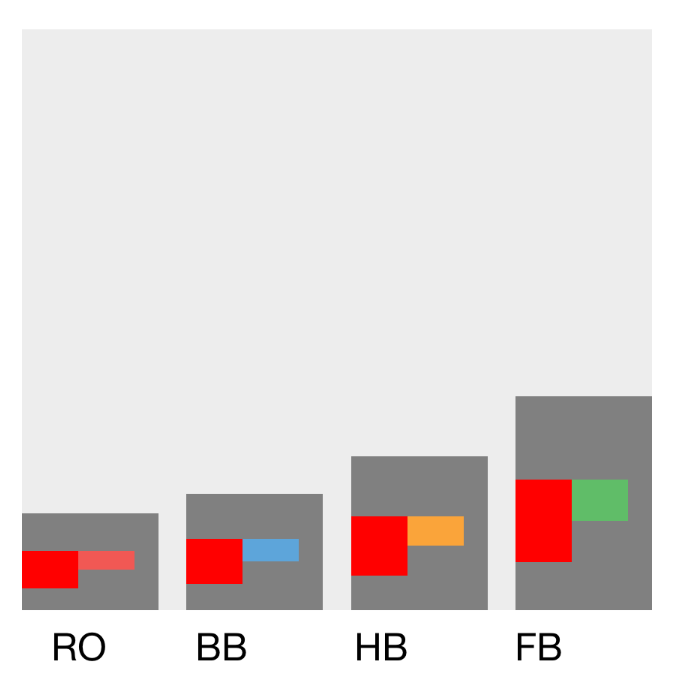
但是我真正想使用JBChartView库绘制的是如下所示:
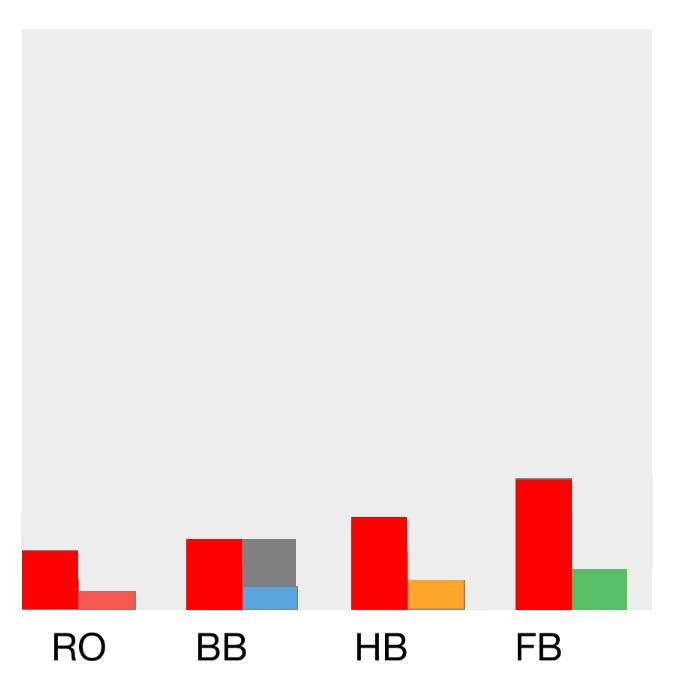
任何帮助都是带着感激和尊重接受的,但不要建议使用任何其他的库来完成这件事。我喜欢JBChartView库的简单性。:-)
提前感谢!
回答 1
Stack Overflow用户
回答已采纳
发布于 2015-07-24 11:36:15
据我所知,这是不可能的使用标准的方式,但可以工作。请参阅https://github.com/Jawbone/JBChartView/issues/139
页面原文内容由Stack Overflow提供。腾讯云小微IT领域专用引擎提供翻译支持
原文链接:
https://stackoverflow.com/questions/30011245
复制相关文章
相似问题
腾讯云开发者

Copyright © 2013 - 2026 Tencent Cloud. All Rights Reserved. 腾讯云 版权所有
深圳市腾讯计算机系统有限公司 ICP备案/许可证号:粤B2-20090059  粤公网安备44030502008569号
腾讯云计算(北京)有限责任公司 京ICP证150476号 | 京ICP备11018762号