
过多的绿色颜色提取实现
我想把图像像素分割成植被和非植被。对于这种过度的绿色颜色提取算法是developed.the算法如下所示。
Outimage (x,y,z) = inimage (x,y,z)
如果{ inimage (x,y,r) < (x,y,g)在映像(x,y,b) < (x,y,g) }
(x,y,z) =0否则*
其中,outimage (x,y,z)是以jpg格式保存的过度绿色分割后的输出图像,inimage(x,y,z)是摄像机获取的图像,x是每行像素的no,y是每列像素的no,z是红色的主色平面,z等于1,对于绿色z是2,对于蓝色z是3。
我不知道如何实现这一点,所以请帮助我实现it.or,只是给出一些粗略的想法或建议,我可以如何实现它。
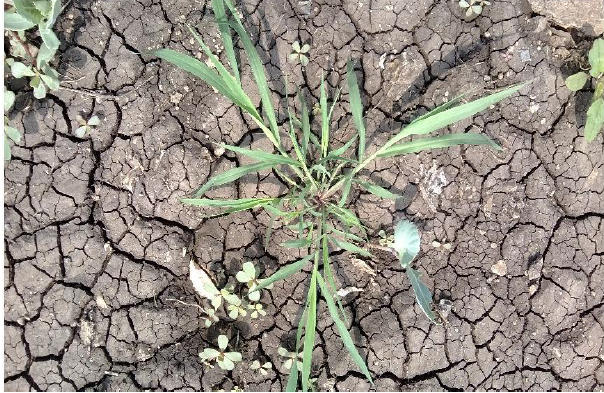
输入图像:
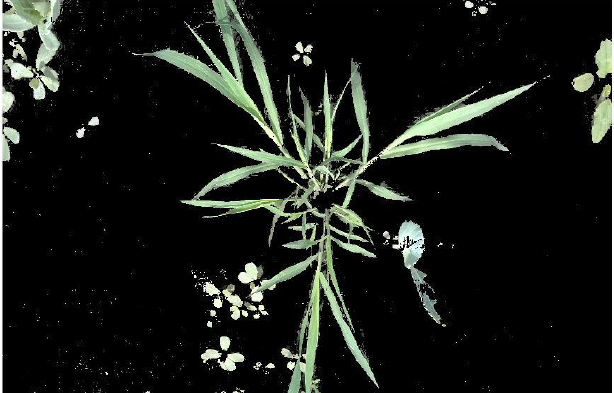
产出:
在应用上述算法后,我希望输出为这种格式。
回答 2
Stack Overflow用户
发布于 2015-04-25 15:51:46
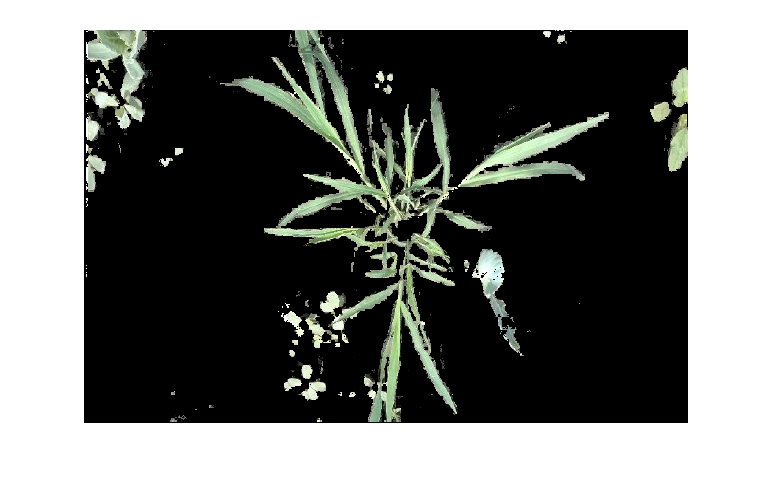
构建一个2D掩码,然后使用bsxfun将其应用于所有颜色组件(第三个暗片):
inimage = imread('filename'); %// type uint8
mask = inimage(:,:,1)<inimage(:,:,2) & inimage(:,:,3)<inimage(:,:,2); %// 2D mask
outimage = bsxfun(@times, inimage, uint8(mask)); %// apply mask replicated along 3rd dim
Stack Overflow用户
发布于 2015-04-27 18:17:51
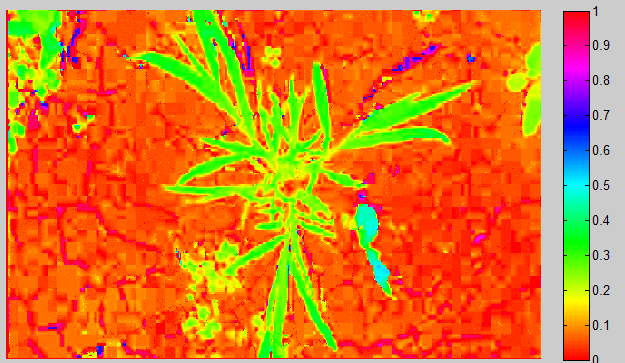
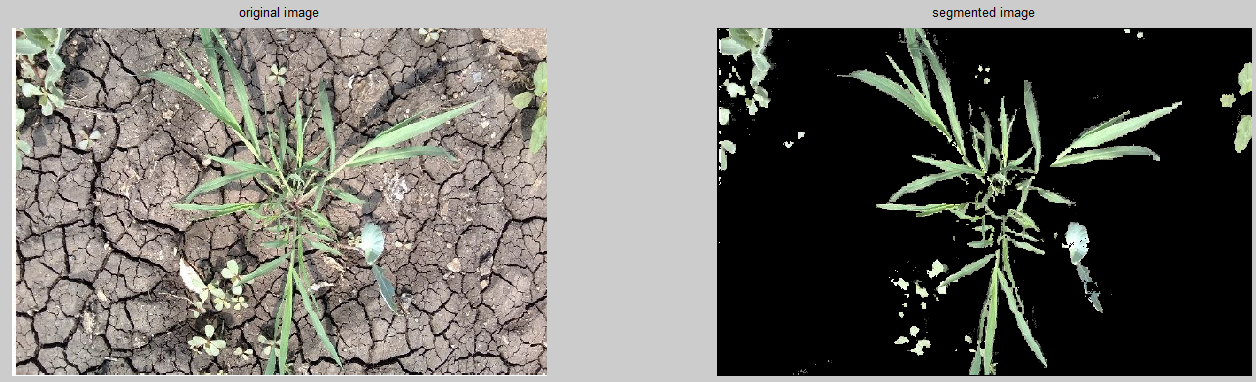
另一种解决方案是将图像转换为HSV颜色空间,如果您不熟悉它,它会将RGB值转换为色调(颜色)、饱和度(颜色有多生动)、亮度(光照级别)。这件事的好处是你可以在所有的照明条件下寻找相同的颜色。
除了我们如何获得我们的面具(使用绿色色调),这是完全相同的过程,与rgb版本采取的
inimage = imread('plants.png');
hsv_im = rgb2hsv(inimage);

%plots only the hues so we can get an idea of what to segment out
hue_channel = 1;
figure(1)
imshow(hsv_im(:,:,hue_channel));   %displays only the hue channel/layer
colormap(hsv)            %uses the hue colormap
colorbar                 %displays the colorbar

%masks the greenish regions (this is subjective)
mask = hsv_im(:,:,hue_channel) < 0.5 & hsv_im(:,:,hue_channel) > 0.2;

%applies the mask to all 3 color layers
outimage = bsxfun(@times, inimage, uint8(mask));
figure(2)
subplot(1,2,1);imshow(inimage);title('original image')
subplot(1,2,2),imshow(outimage);title('segmented image')
https://stackoverflow.com/questions/29866544
复制相似问题
腾讯云开发者

Copyright © 2013 - 2026 Tencent Cloud. All Rights Reserved. 腾讯云 版权所有
深圳市腾讯计算机系统有限公司 ICP备案/许可证号:粤B2-20090059  粤公网安备44030502008569号
腾讯云计算(北京)有限责任公司 京ICP证150476号 | 京ICP备11018762号