
用python自动化png格式
用python自动化png格式
提问于 2015-04-16 15:04:33
我试图找出一种方法来自动格式化一个png,以添加标题,字幕和页脚栏的标志,图像和来源。我想用python进行图像格式化,因为我最熟悉这种语言。我在这里寻找一些方向,在什么模块将是好使用的东西,这样的事情?理想情况下,对于脚本的用户来说,这个过程应该是这样的。
1)用户将有一个类似于以下内容的png图像:
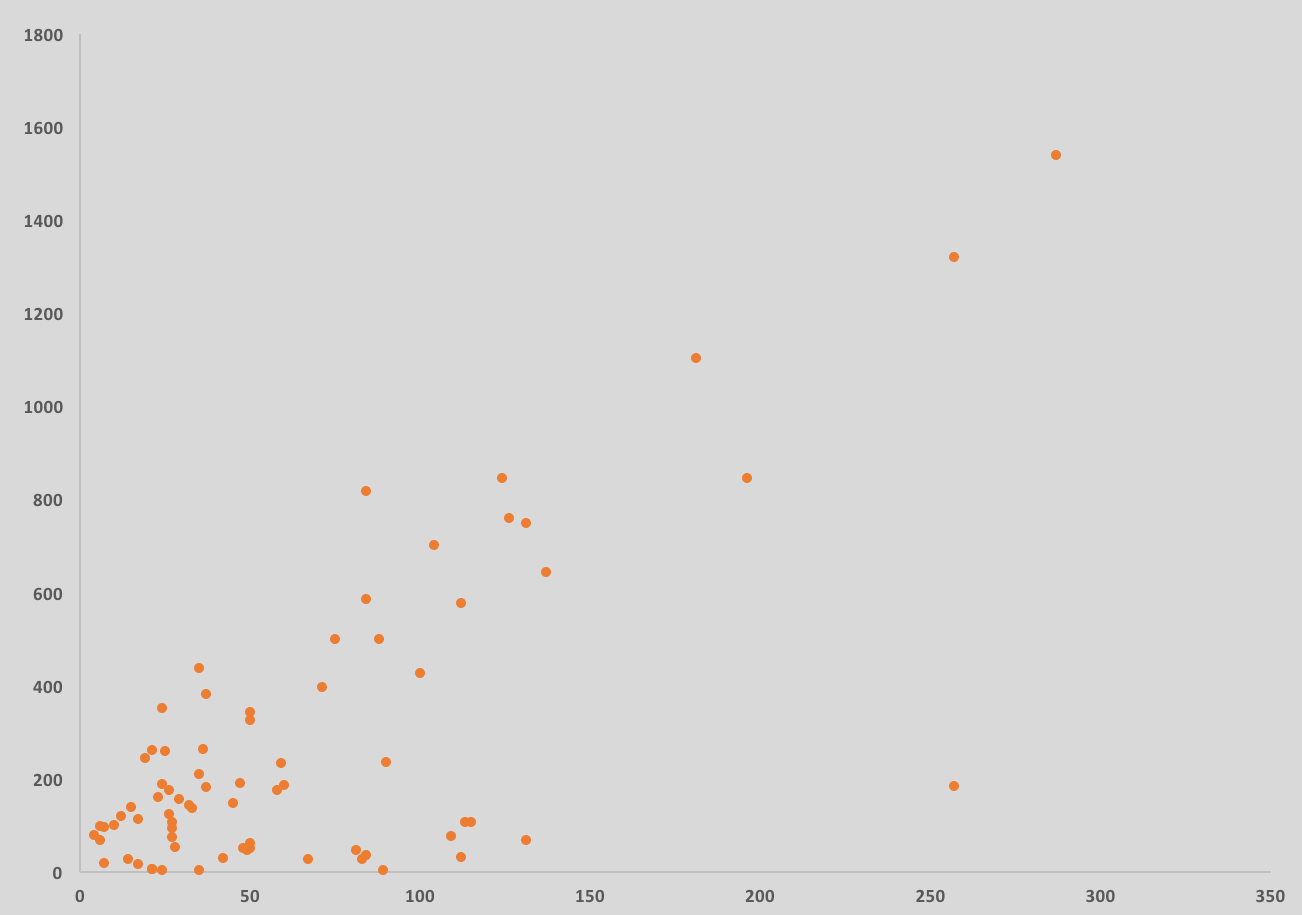
2)用户将启动脚本:
python autochart_formatting.py3)脚本将提示用户提供以下信息:
- 输入图表标题:
- 输入图表副标题:
- 输入来源:
- 调查名称:
- 样本n=:
- 输入要格式化的png图表的路径:
- 输入要保存格式化图像的路径:
3)根据这些信息,巴布亚新几内亚将被格式化如下:
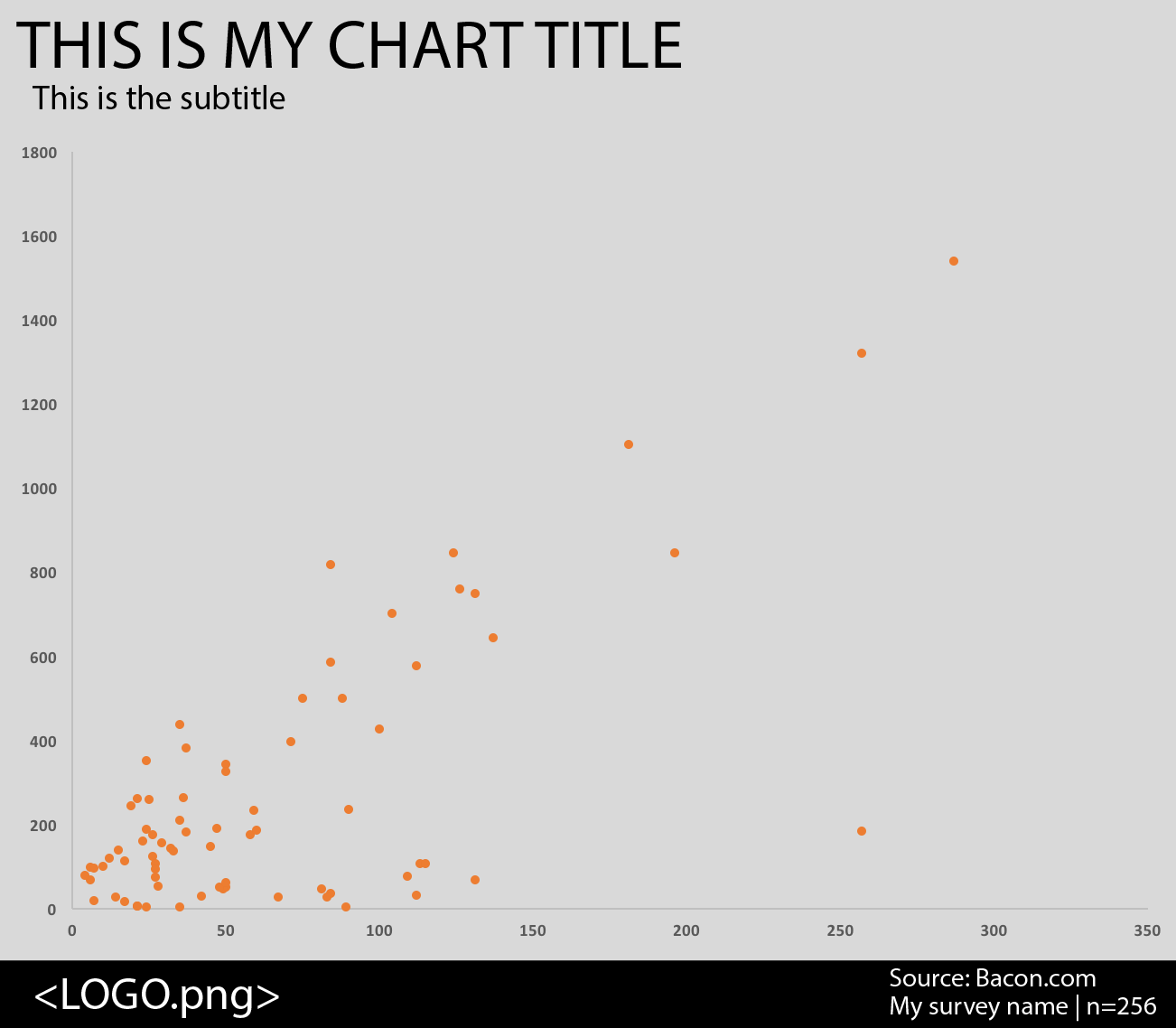
回答 2
Stack Overflow用户
回答已采纳
发布于 2015-04-16 15:31:37
枕头( PIL: Python成像库的后续维护)完全可以处理您想要的东西。
您可以扩展您的图像,并在检索用户输入后放置文本。下面是添加标题的示例:
from PIL import Image, ImageFont, ImageDraw

img = Image.open('my_chart.png')
w,h= img.size

# put pixels into 2D array for ease of use
data = list(img.getdata())
xy_data = []
for y in xrange(h):
    temp = []
    for x in xrange(w):
        temp.append(data[y*w + x])
    xy_data.append(temp)

# get the title
title = raw_input("Title:")

# load the font
font_size = 20
font = ImageFont.truetype("/path/to/font.ttf",font_size)

#  Get the required height for you images
height_needed = font.getsize(title)[1] + 2  # 2 px for padding

# get the upperleft pixel to match color
bg = xy_data[0][0]

# add rows to the data to prepare for the text
xy_data = [[bg]*w for i in range(height_needed+5)] + xy_data  # +5 for more padding

# resize image
img = img.resize((w,h+height_needed+5))

# convert data back to 1D array
data = []
for line in xy_data:
    data += line

# put the image back in the data
img.putdata(data)

# get the ImageDraw item for this image
draw = ImageDraw.Draw(img)

# draw the text
draw.text((5,0),title,font=font,fill=(0,0,0))  # fill is black

img.save('titled_plot.png')Stack Overflow用户
发布于 2015-04-16 15:11:34
这一切都在枕头 (仍在维护的Python的分支)的功能范围内。
如果您不想滚动自己的图形代码,也可以使用matplotlib完成此操作。在图形的格式化方式上,它会给您带来稍微少一点的灵活性,但是创建起来会更快。
页面原文内容由Stack Overflow提供。腾讯云小微IT领域专用引擎提供翻译支持
原文链接:
https://stackoverflow.com/questions/29678775
复制相关文章
相似问题
腾讯云开发者

Copyright © 2013 - 2026 Tencent Cloud. All Rights Reserved. 腾讯云 版权所有
深圳市腾讯计算机系统有限公司 ICP备案/许可证号:粤B2-20090059  粤公网安备44030502008569号
腾讯云计算(北京)有限责任公司 京ICP证150476号 | 京ICP备11018762号