
删除CPropertySheet /选项卡式对话框中页下的空白
删除CPropertySheet /选项卡式对话框中页下的空白
提问于 2015-03-13 19:15:14
我有一个CPropertySheet,我用它来展示三个CPropertyPages。我删除了默认的“应用”和“帮助”按钮。我的问题是,现在,他们被移除,我有一个巨大的差距,他们曾经的位置。有没有办法消除这一差距?谢谢!
下面是我所说的差距的图片:
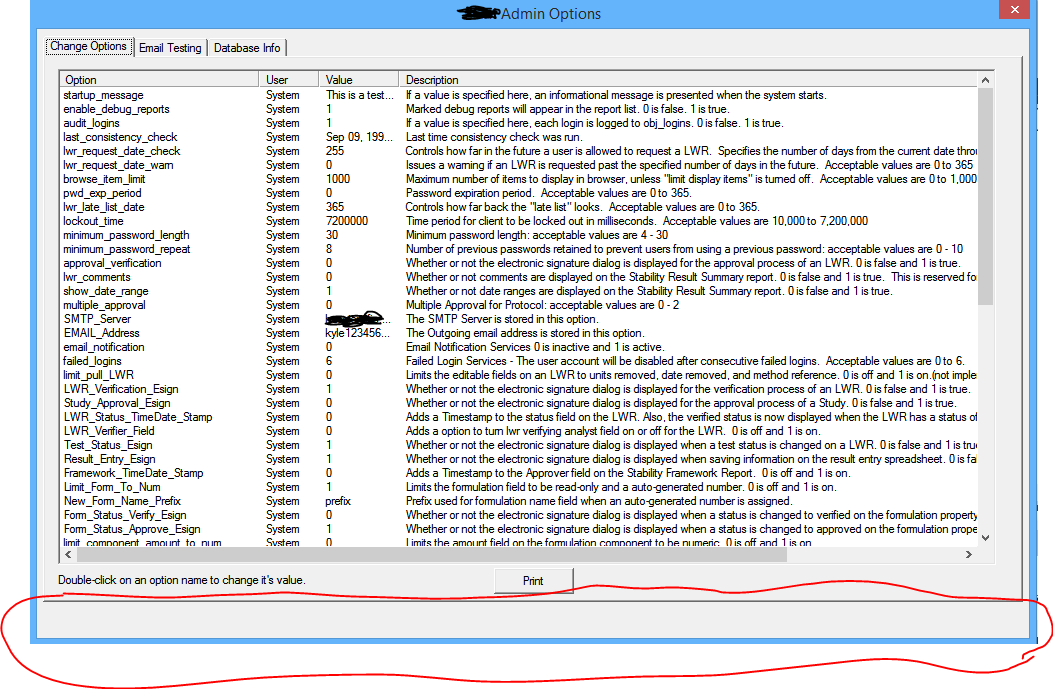
在按钮被移除之前,它们位于空隙的右侧。请注意,“更改选项”页面是在Visual的设计器中创建的,页面的结尾就在“打印”按钮下。主管理选项CPropertySheet完全由代码创建。下面是初始化CPropertySheet和页面的代码(以及删除“帮助”和“应用”按钮):
BEGIN_MESSAGE_MAP(CSLIMOptCplusplusApp, CWinApp)
//ON_COMMAND(ID_HELP, &CWinApp::OnHelp) Commented out to remove the "Help" button
END_MESSAGE_MAP()BOOL OptCplusplusApp::InitInstance()
{
CWinApp::InitInstance();
SQLHENV m_1;
EnvGetHandle(m_1);
Login lgn; //Creates a Login dialog for the user to enter credentials.
lgn.DoModal();
CImageSheet* imagedlg = new CImageSheet( "SLIM Admin Options" );
CImageDisplay* pageImageDisplay = new CImageDisplay;
CImageDimensions* pageImageDimensions = new CImageDimensions;
ListOption* pageListOption = new ListOption;
ASSERT( imagedlg );
ASSERT( pageImageDisplay );
ASSERT( pageImageDimensions );
ASSERT( pageListOption );
imagedlg->AddPage( pageListOption);
imagedlg->AddPage( pageImageDisplay );
imagedlg->AddPage( pageImageDimensions );
imagedlg->m_psh.dwFlags |= PSH_NOAPPLYNOW; //Removes the default Apply button
imagedlg->Create();
imagedlg->ShowWindow( SW_SHOW );
m_pMainWnd = imagedlg;如果需要进一步的细节,我会编辑。谢谢。
回答 1
Stack Overflow用户
回答已采纳
发布于 2015-03-13 20:13:44
用一张财产表来达到这样的目的.
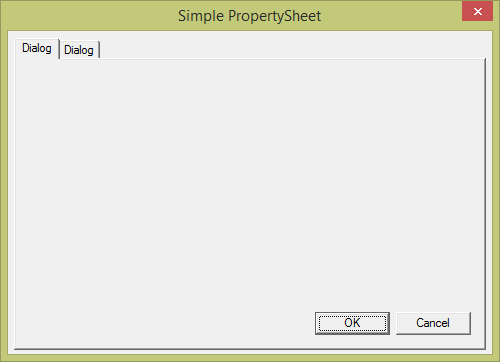
您需要处理工作表中的OnitDialog并重新调整其大小。例如,结合使用CPropertySheet::GetPage和CWnd::移动窗口就可以实现您想要的结果。
BOOL MyPropSheet::OnInitDialog()
    {
    BOOL bResult = CPropertySheet::OnInitDialog();

    // TODO:  Add your specialized code here
    CPropertyPage* pg1 = GetPage(0);
    CRect rect(0, 0, 0, 0);

    pg1->GetWindowRect(&rect);

    CRect thisRect(0, 0, 0, 0);
    GetWindowRect(&thisRect);

    thisRect.bottom = rect.bottom + 16;
    MoveWindow(&thisRect);
return bResult;
}页面原文内容由Stack Overflow提供。腾讯云小微IT领域专用引擎提供翻译支持
原文链接:
https://stackoverflow.com/questions/29040239
复制相关文章
相似问题
腾讯云开发者

Copyright © 2013 - 2026 Tencent Cloud. All Rights Reserved. 腾讯云 版权所有
深圳市腾讯计算机系统有限公司 ICP备案/许可证号:粤B2-20090059  粤公网安备44030502008569号
腾讯云计算(北京)有限责任公司 京ICP证150476号 | 京ICP备11018762号