
Datastax Opscenter -代理未连接
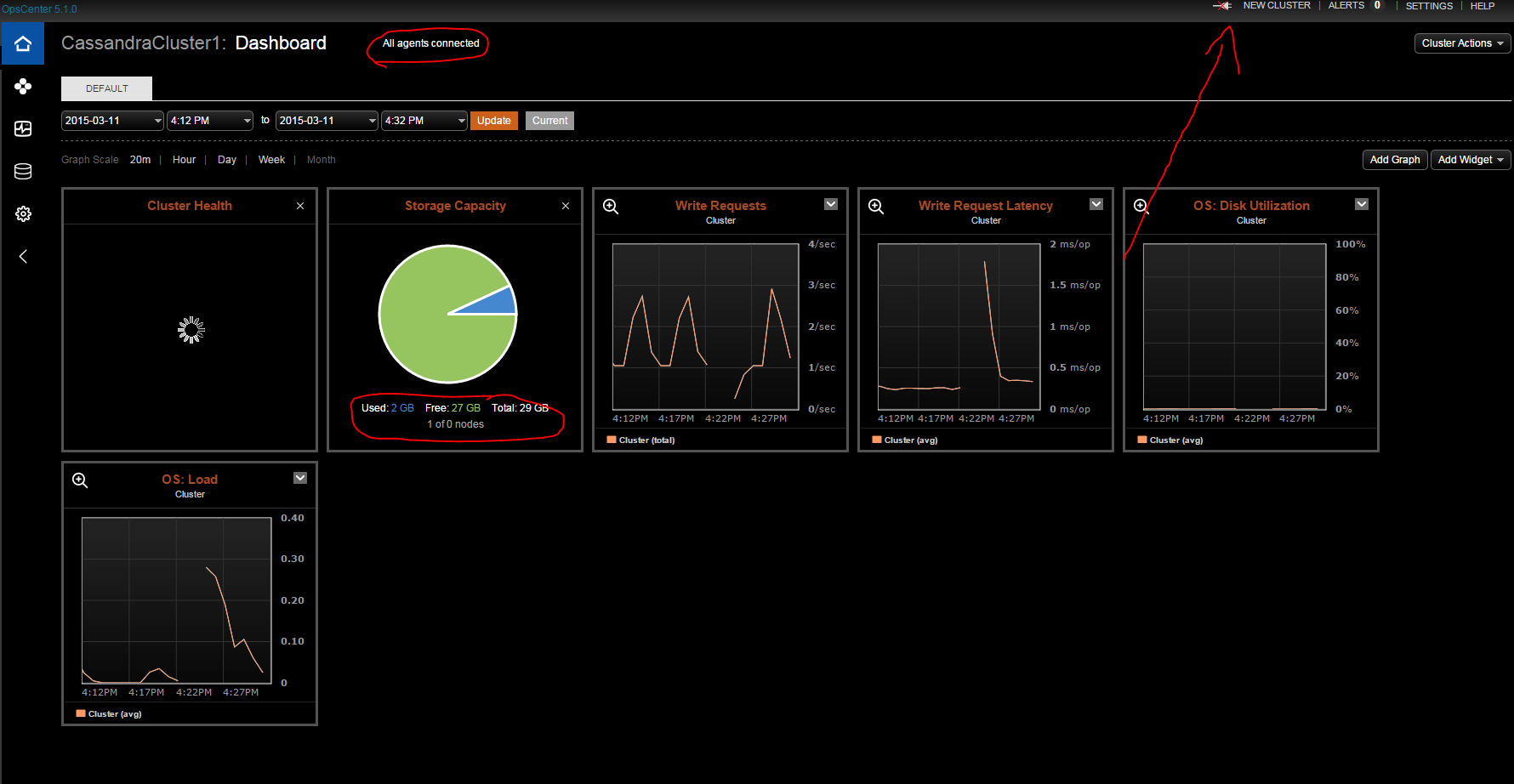
我在我的OpsCenter亚马逊机器上安装了Cassandra、DataStax和所需的DataStax代理。目前只有一台机器。
一切看起来都很好,除了节点列表是空的,Opscenter中的键空间也是空的。cassandra、datastax和opscenter日志没有显示错误,我仔细地跟踪了安装/配置。然后尝试所有建议的修正。
我猜想问题在于代理和操作中心之间的沟通。
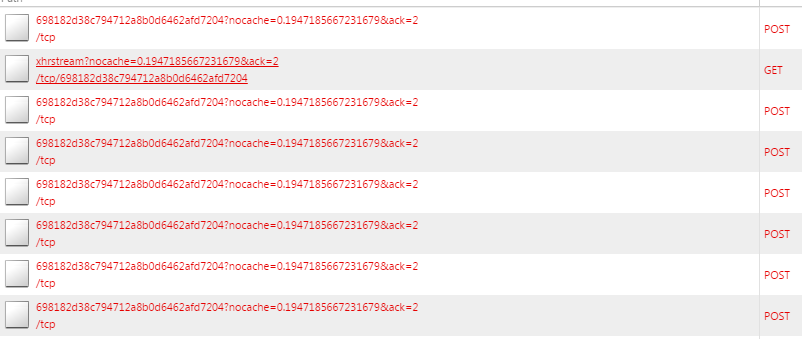
过了一会儿,这些请求失败了:
etc/cassandra/cassandra.yaml: (简化)
cluster_name: 'CassandraCluster'
    seed_provider:
        - class_name: org.apache.cassandra.locator.SimpleSeedProvider
          parameters:
              - seeds: "1.2.3.4"
listen_address: 1.2.3.4
rpc_address: 0.0.0.0
endpoint_snitch: Ec2Snitch
etc/opscenter/opscenterd.conf: (简化)
[webserver]
port = 81
interface = 0.0.0.0

[authentication]
enabled = False

[stat_reporter]

[agents]
use_ssl = false
var/lib/datastax-agent/conf/address.yaml: (简化)
stomp_interface: 1.2.3.4
local_interface:  1.2.3.4
use_ssl: 0
节点工具状态输出:
Note: Ownership information does not include topology; for complete information, specify a keyspace
Datacenter: eu-west_1_cassandra
===============================
Status=Up/Down
|/ State=Normal/Leaving/Joining/Moving
--  Address       Load       Tokens  Owns   Host ID                               Rack
UN  1.2.3.4       2.06 MB    256     100.0%  8a121c12-7cbf-4a2a-b111-4ad111c111d8  1a
除了agent.log中重复出现以下行外,日志中没有任何异常:
 INFO [install-location-finder] 2015-03-11 15:26:04,690 New JMX connection (127.0.0.1:7199)
 INFO [install-location-finder] 2015-03-11 15:27:04,698 New JMX connection (127.0.0.1:7199)
 INFO [install-location-finder] 2015-03-11 15:28:04,709 New JMX connection (127.0.0.1:7199)
 INFO [install-location-finder] 2015-03-11 15:29:04,716 New JMX connection (127.0.0.1:7199)
 INFO [install-location-finder] 2015-03-11 15:30:04,724 New JMX connection (127.0.0.1:7199)
 INFO [install-location-finder] 2015-03-11 15:31:04,731 New JMX connection (127.0.0.1:7199)
要提供所有信息,这里是日志:
- opscenterd.log
- agent.log
- cassandra/system.log
回答 2
Stack Overflow用户
发布于 2015-03-17 14:32:17
在某些环境中,浏览器和opscenterd之间的持久连接可能会失败。我们正在努力实现一个在所有环境中都能工作的更健壮的连接,但与此同时,您可以使用以下解决方法:
http://www.datastax.com/documentation/opscenter/5.1/opsc/troubleshooting/opscTroubleshootingZeroNodes.html
Stack Overflow用户
发布于 2015-03-26 10:58:02
我发现工作的最小配置是为address.yaml设置下面的选项
stomp_interface: [opscenter-ip]
stomp_port: 61620
use_ssl: 0
cassandra_conf: /etc/cassandra/cassandra.yaml
jmx_host: [cassandra-node-ip]
jmx_port: 7199
确保您也安装了sysstat。
https://stackoverflow.com/questions/28991953
复制相似问题
腾讯云开发者

Copyright © 2013 - 2026 Tencent Cloud. All Rights Reserved. 腾讯云 版权所有
深圳市腾讯计算机系统有限公司 ICP备案/许可证号:粤B2-20090059  粤公网安备44030502008569号
腾讯云计算(北京)有限责任公司 京ICP证150476号 | 京ICP备11018762号