
谷歌驱动器保存到驱动按钮
谷歌驱动器保存到驱动按钮
提问于 2015-03-07 01:19:17
因此,我正在学习,并学习如何在网页中嵌入一个Save按钮。我安装了WAMP,并在地址栏输入以下内容: localhost/gdrive.html
<!DOCTYPE HTML>
<html>
    <script src="https://apis.google.com/js/platform.js"></script>
        <div class="g-savetodrive"
             data-src="http://localhost/test.txt"
             data-filename="test.txt"
             data-sitename="Test document">
        </div>
</html>
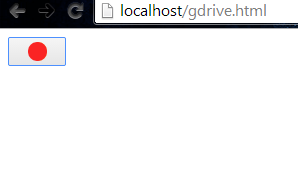
gdrive.html应该将一个名为test.txt的文件保存到我的Google驱动器(test.txt位于WAMP服务器的www文件夹中)。然而,当我登录并点击保存按钮,它不工作。它只是花了很长时间(谷歌驱动器加载图标在下面的图片)。它实际上并没有保存到我的谷歌驱动器。这是我第一次学习Google的API,这是有原因的(因为本地主机)。
回答 1
Stack Overflow用户
发布于 2015-03-07 01:55:11
我没看到你的客户名单。你会想要确保你已经下载了谷歌提供的库。有两个主要步骤。
- 指定选项,确保包括客户端ID:
var realtimeOptions = {
  /**
   * Client ID from the console.
   */
  clientId: 'INSERT YOUR CLIENT ID HERE'

  /**
   * Add any other options you want.
   */
}
- 初始化实时加载程序:
function startRealtime() {
  var realtimeLoader = new rtclient.RealtimeLoader(realtimeOptions);
  realtimeLoader.start();
}
确保包含了必要的Google库:
<!-- Load the Realtime libraries. -->
<script type="text/javascript"
        src="https://apis.google.com/js/api.js"></script>

<!-- Load the utility library. -->
<script type="text/javascript"
        src="realtime-client-utils.js"></script>
所有的信息都可以找到这里。
页面原文内容由Stack Overflow提供。腾讯云小微IT领域专用引擎提供翻译支持
原文链接:
https://stackoverflow.com/questions/28910313
复制相关文章
相似问题
腾讯云开发者

Copyright © 2013 - 2026 Tencent Cloud. All Rights Reserved. 腾讯云 版权所有
深圳市腾讯计算机系统有限公司 ICP备案/许可证号:粤B2-20090059  粤公网安备44030502008569号
腾讯云计算(北京)有限责任公司 京ICP证150476号 | 京ICP备11018762号