
使用AsyncDisplayKit添加自定义按钮
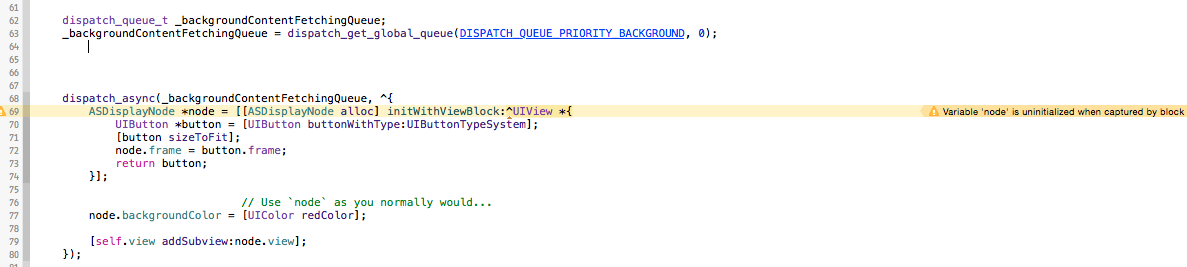
我正在开发一个IOS应用程序。我使用Facebook AsyncDisplayKit库。我想在ASNodeCell Bu中设置一个按钮,当被块捕获时,我得到“变量‘节点”未初始化。如何在ASNodeCell中添加UIButton或UIWebView控件。请帮助我。
dispatch_queue_t _backgroundContentFetchingQueue;
    _backgroundContentFetchingQueue = dispatch_get_global_queue(DISPATCH_QUEUE_PRIORITY_BACKGROUND, 0);

dispatch_async(_backgroundContentFetchingQueue, ^{
    ASDisplayNode *node = [[ASDisplayNode alloc] initWithViewBlock:^UIView *{
        UIButton *button = [UIButton buttonWithType:UIButtonTypeSystem];
        [button sizeToFit];
        node.frame = button.frame;
        return button;
    }];

                           // Use `node` as you normally would...
    node.backgroundColor = [UIColor redColor];

    [self.view addSubview:node.view];
});
回答 1
Stack Overflow用户
发布于 2015-03-09 10:53:43
注意,在您的示例中,不需要使用UIButton,您可以使用ASTextNode作为按钮,因为它是从ASControlNode继承的(ASImageNode也是如此)。这将在指南的第一页的底部描述:http://asyncdisplaykit.org/guide/。这还允许您在后台线程而不是主线程上进行文本调整(在主队列上执行您在示例中提供的块)。
为了完整起见,我还将评论您提供的代码。
在创建节点时,您尝试在块中设置节点的框架,所以在初始化时尝试在其上设置框架。这会引起你的问题。我不认为在使用initWithViewBlock时实际上需要在节点上设置框架:因为在内部,ASDisplayNode使用块直接创建其_view属性,该属性最终添加到视图层次结构中。
我还注意到您正在调用addSubview:在调用该方法之前,应该始终在后台队列中调度回主队列。为了方便起见,AsyncDisplayKit还将addSubNode:添加到UIView中。
我已经更改了您的代码,以反映这些更改,不过我建议您在这里使用ASTextNode。
dispatch_queue_t _backgroundContentFetchingQueue;
_backgroundContentFetchingQueue = dispatch_get_global_queue(DISPATCH_QUEUE_PRIORITY_BACKGROUND, 0);

dispatch_async(_backgroundContentFetchingQueue, ^{
ASDisplayNode *node = [[ASDisplayNode alloc] initWithViewBlock:^UIView *{
    UIButton *button = [UIButton buttonWithType:UIButtonTypeSystem];
    [button sizeToFit];
    //node.frame = button.frame; <-- this caused the problem
    return button;
}];

                       // Use `node` as you normally would...
node.backgroundColor = [UIColor redColor];

// dispatch to main queue to add to view
dispatch_async(dispatch_get_main_queue(),
    [self.view addSubview:node.view];
    // or use [self.view addSubnode:node];
  );
});https://stackoverflow.com/questions/28831366
复制相似问题
腾讯云开发者

Copyright © 2013 - 2026 Tencent Cloud. All Rights Reserved. 腾讯云 版权所有
深圳市腾讯计算机系统有限公司 ICP备案/许可证号:粤B2-20090059  粤公网安备44030502008569号
腾讯云计算(北京)有限责任公司 京ICP证150476号 | 京ICP备11018762号