
银河S5上的科多瓦CSS杂志
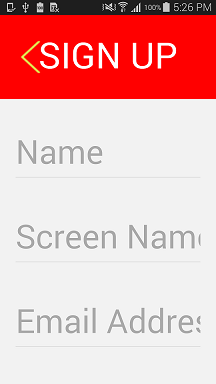
对于cordova android应用程序,我创建了一个css,用于1080 x 1920屏幕分辨率和使用媒体查询访问。
@media screen and (max-width: 680px) and (orientation:portrait) //Galaxy S5 compatible或
@media screen and (device-height : 1920px) and (device-width : 1080px) and (orientation:portrait) // Galaxy S4 compatibleCSS在S4设备上运行良好,但在具有与S4相同屏幕分辨率的S5设备上,它似乎被放大和破坏。
元数据定义为<meta name="viewport" content="user-scalable=no, initial-scale=1, maximum-scale=1, minimum-scale=1, width=device-width, height=device-height" />。
请建议我需要做哪些改变来解决这个问题,并在Galaxy S4和S5设备上使用相同的CSS。
回答 2
Stack Overflow用户
发布于 2015-02-10 06:36:11
问题是在AndroidOS4.4Webkit上进行升级。我通过调整App的初始缩放来找到分辨率
 Display display = ((WindowManager) getSystemService(Context.WINDOW_SERVICE)).getDefaultDisplay();
 int width = display.getWidth();
 int height = display.getHeight();

 // calculate target scale (only dealing with portrait orientation)
 double globalScale = Math.ceil( ( width / ORIG_APP_W ) * 100 );

 // set the scale
this.appView.setInitialScale( (int)globalScale );如在:Phonegap中Android设备的缩放修复上解释的那样
谢谢你的支持
Stack Overflow用户
发布于 2015-02-09 12:32:00
更新
尝试使用@media screen和min/max-device-width。
例如:
/* Android Tablet (landscape) style */
@media only screen and (min-device-width : 800px) and (max-device-width : 1280px) and (orientation : landscape) {
}设备宽度:是屏幕或整个页面,而不仅仅是呈现区域作为文档窗口。
第一答案
我也有过这个问题。试试这个:
<meta name="viewport" content="user-scalable=no, initial-scale=1, maximum-scale=1, minimum-scale=1, width=device-width, height=device-height, target-densitydpi=medium-dpi" />target-densitydpi=medium-dpi似乎解决了这个问题。让我知道。
用于媒体查询:在最大宽度之后使用最大设备宽度.请参见:
https://stackoverflow.com/questions/28409300
复制相似问题
腾讯云开发者

Copyright © 2013 - 2026 Tencent Cloud. All Rights Reserved. 腾讯云 版权所有
深圳市腾讯计算机系统有限公司 ICP备案/许可证号:粤B2-20090059  粤公网安备44030502008569号
腾讯云计算(北京)有限责任公司 京ICP证150476号 | 京ICP备11018762号