
UIToolbar偏置-黑带出现
UIToolbar偏置-黑带出现
提问于 2015-02-08 17:46:02
下面是我的Swift代码(AppDelegate.swift):
var window: UIWindow?
var rootViewController :UIViewController?

func application(application: UIApplication, didFinishLaunchingWithOptions launchOptions: [NSObject: AnyObject]?) -> Bool {

    if ((UIDevice.currentDevice().systemVersion as NSString).floatValue >= 7) {
        //yes, I'm using a newer iOS - greater/equal to iOS 7
        rootViewController  = Login(nibName:"Login",bundle:nil)
        let x = UIScreen.mainScreen().bounds.size.width
        let y = UIScreen.mainScreen().bounds.size.height
        let frame = CGRectMake(0,20,x,y)
        window = UIWindow(frame: frame)

        window!.rootViewController = rootViewController
        window!.makeKeyAndVisible()

        //window!.frame =  CGRectMake(0,20,window!.frame.size.width,window!.frame.size.height-20);
     }

     return true
}
我正试着在20便士之前把屏幕抵消掉。
下面是我的模拟器使用上述代码的样子(错误!):
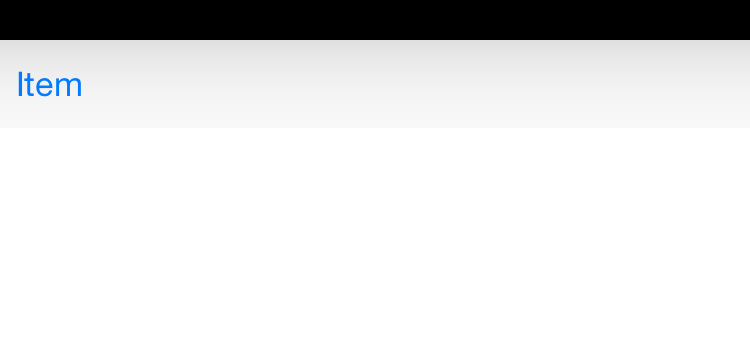
如果我什么都不做(做错了!)
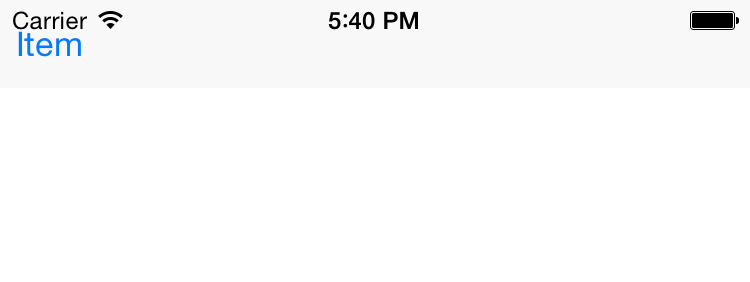
这就是我想要的样子!
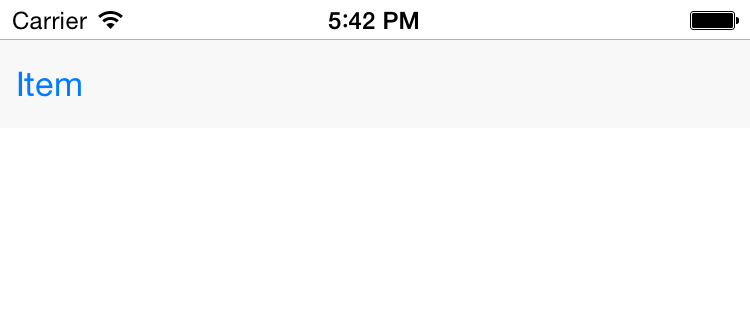
我已经干了好几个小时了。
我希望有一种强有力的、易于管理的方式,在20%之前将所有的东西都降下来。
(p.s.我是,而不是使用故事板的)
回答 1
Stack Overflow用户
发布于 2015-02-08 19:00:01
这似乎是可行的:
        rootViewController  = Login(nibName:"Login",bundle:nil)

        if ((UIDevice.currentDevice().systemVersion as NSString).floatValue >= 8) {
            //For iOS 8
            rootViewController?.providesPresentationContextTransitionStyle = true
            rootViewController?.definesPresentationContext = true;
            rootViewController?.modalPresentationStyle = UIModalPresentationStyle.CurrentContext
        }else{
            //For iOS 7
            rootViewController?.modalPresentationStyle = UIModalPresentationStyle.CurrentContext
        }
        let x = UIScreen.mainScreen().bounds.size.width
        let y = UIScreen.mainScreen().bounds.size.height
        let frame = CGRectMake(0, 0, x, y)
        window = UIWindow(frame: frame)
        window!.rootViewController = rootViewController
window!.makeKeyAndVisible()页面原文内容由Stack Overflow提供。腾讯云小微IT领域专用引擎提供翻译支持
原文链接:
https://stackoverflow.com/questions/28397202
复制相关文章
相似问题
腾讯云开发者

Copyright © 2013 - 2026 Tencent Cloud. All Rights Reserved. 腾讯云 版权所有
深圳市腾讯计算机系统有限公司 ICP备案/许可证号:粤B2-20090059  粤公网安备44030502008569号
腾讯云计算(北京)有限责任公司 京ICP证150476号 | 京ICP备11018762号