
利用JLayer在图像上放置网格
利用JLayer在图像上放置网格
提问于 2015-01-30 15:54:03
我想在图像上放置一个网格。我使用了一个使用JLabel方法保存图像的paintComponent方法,我使用了这个方法,因为在我的项目的不同阶段,图像将发生变化,对于JLayer类GridDrawer extends LayerUI,它帮助绘制网格(例如,我只使用了drawRect()方法)。
我的守则:
GridPhoto(Main)类:
 /*
 * To change this license header, choose License Headers in Project Properties.
 * To change this template file, choose Tools | Templates
 * and open the template in the editor.
 */
package gridphoto;

import java.io.IOException;
import java.util.logging.Level;
import java.util.logging.Logger;
import javax.swing.SwingUtilities;

/**
 *
 * @author VJ
 */
public class GridPhoto {

    /**
     * @param args the command line arguments
     */
    public static void main(String[] args) {
        SwingUtilities.invokeLater(new Runnable() {
            public void run() {
                try {
                    new GUI();
                } catch (IOException ex) {
                    Logger.getLogger(GridPhoto.class.getName()).log(Level.SEVERE, null, ex);
                }
            }

        });
    }

}
桂班:
   package gridphoto;

    import java.awt.image.BufferedImage;
    import java.awt.BorderLayout;
    import java.awt.Graphics;
    import java.io.File;
    import java.io.IOException;
    import javax.imageio.ImageIO;
    import javax.swing.JFrame;
    import javax.swing.JLabel;
    import javax.swing.JPanel;
    import javax.swing.JLayer;
    import javax.swing.plaf.LayerUI;

    public class GUI {
    JFrame frame;
    JPanel panel;
    JLayer<JLabel> GridLayer;
    JLabel imagelabel;
    LayerUI<JLabel> GridUI;
    BufferedImage img;

    public GUI() throws IOException {
        frame = new JFrame("GridImage Test");
        panel = new JPanel();
        img = ImageIO.read(new File("/Users/VJ/Desktop/gs.png"));
        imagelabel = new JLabel() {
            public void paintComponent(Graphics g) {
               g.drawImage(img.getScaledInstance(500, 500, BOTTOM), 0, 0, null);
            }
        };
        GridUI = new GridDrawer();
        GridLayer = new JLayer(imagelabel, GridUI);
        panel.setLayout(new BorderLayout());
        frame.setLayout(new BorderLayout());
        frame.setResizable(false);
        frame.setLocationRelativeTo(null);
        frame.setDefaultCloseOperation(JFrame.EXIT_ON_CLOSE);
        frame.setSize(500, 700);
     panel.add(GridLayer);
        frame.add(panel);
        frame.setVisible(true);

    }

    public class GridDrawer extends LayerUI<JLabel> {

        public void paintComponent(Graphics g) {
            g.drawRect(0, 0, 250, 250);
        }

    }

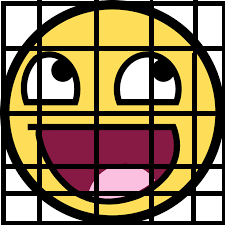
}我的问题是,即使在将JLayer添加到JPanel之后,它也只显示图像,而不显示网格。例如,paintComponent类的GridDrawer方法只绘制Rectangle。
请告诉我代码中有什么问题,或者除了使用JLayer在Image上放置网格之外,还有其他方法吗?
输出。
回答 1
Stack Overflow用户
回答已采纳
发布于 2015-01-30 16:09:13
LayerUI没有paintComponent(...)方法。
每当重写方法时,请确保使用@Override,以便知道正在重写正确的方法:
@Override
public void paint(...)
不要忘记调用super.paint(.)。
有关更多信息和工作示例,请阅读关于如何用JLayer类装饰组件的Swing教程。
页面原文内容由Stack Overflow提供。腾讯云小微IT领域专用引擎提供翻译支持
原文链接:
https://stackoverflow.com/questions/28239699
复制相关文章
相似问题
腾讯云开发者

Copyright © 2013 - 2026 Tencent Cloud. All Rights Reserved. 腾讯云 版权所有
深圳市腾讯计算机系统有限公司 ICP备案/许可证号:粤B2-20090059  粤公网安备44030502008569号
腾讯云计算(北京)有限责任公司 京ICP证150476号 | 京ICP备11018762号