
D3.geo :给定一个geojson对象的响应帧?
D3.geo :给定一个geojson对象的响应帧?
提问于 2015-01-25 21:36:11
我使用Mike的代码来在给定一个d3对象的geoJSON中将地图居中。
守则的重要部分是:
var width = 960,
    height = 500;

var svg = d3.select("body").append("svg")
    .attr("width", width)
    .attr("height", height);

d3.json("/d/4090846/us.json", function(error, us) {
  var states = topojson.feature(us, us.objects.states),
      state = states.features.filter(function(d) { return d.id === 34; })[0];

/* ******************* AUTOCENTERING ************************* */
// Create a unit projection.
var projection = d3.geo.albers()
    .scale(1)
    .translate([0, 0]);

// Create a path generator.
var path = d3.geo.path()
    .projection(projection);

// Compute the bounds of a feature of interest, then derive scale & translate.
var b = path.bounds(state),
    s = .95 / Math.max((b[1][0] - b[0][0]) / width, (b[1][1] - b[0][1]) / height),
    t = [(width - s * (b[1][0] + b[0][0])) / 2, (height - s * (b[1][1] + b[0][1])) / 2];

// Update the projection to use computed scale & translate.
projection
    .scale(s)
    .translate(t);
/* ******************* END *********************************** */

// Landmass
  svg.append("path")
      .datum(states)
      .attr("class", "feature")
      .attr("d", path);

// Focus
  svg.append("path")
      .datum(state)
      .attr("class", "outline")
      .attr("d", path);
});例如,bl.ocks.org/4707858放大如下:
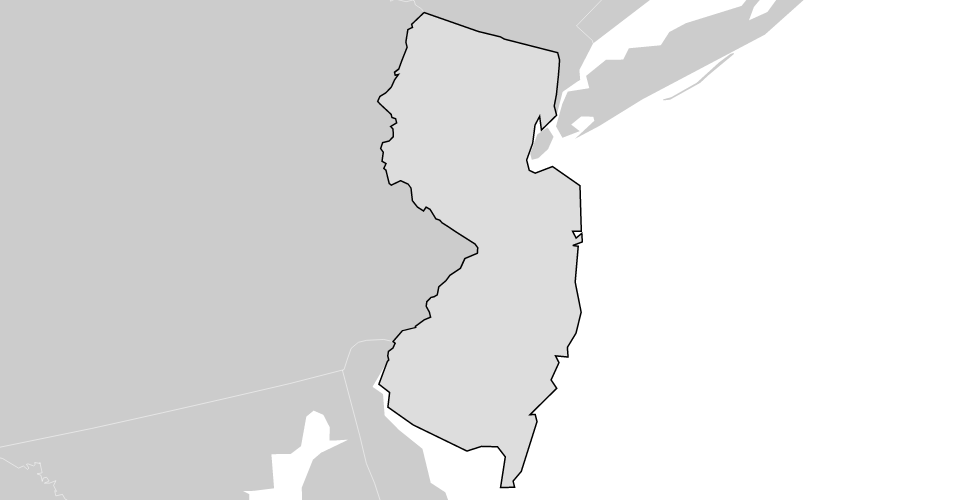
如何对目标topo/geo.json进行中心和缩放,并调整svg帧的尺寸,使其适合每个大小5%的裕度?
回答 1
Stack Overflow用户
回答已采纳
发布于 2015-01-25 23:02:05
迈克解释
基本上,Mike的代码通过
var width = 960, height = 500;
var svg = d3.select("body").append("svg")
    .attr("width", width)
.attr("height", height);一旦框架很难设置,那么您就可以查看最大限制比,这样您的geojson形状就能在其最大维度上填充您的svg框架,相对于svg帧维的宽度和高度。如果形状的宽度对帧宽或形状高度对帧高是最高的。这反过来又有助于通过1/highest ratio重新计算规模,使形状尽可能小。一切都是通过以下方式完成的:
var b = path.bounds(state),
    s = .95 / Math.max((b[1][0] - b[0][0]) / width, (b[1][1] - b[0][1]) / height);
// b as [[left, bottom], [right, top]]
// (b[1][0] - b[0][0]) = b.left - b.right = shape's width
// (b[1][3] - b[0][4]) = b.top - b.bottom = shape's height然后,刷新您的规模和转换您得到的迈克·博斯托克变焦
新框架
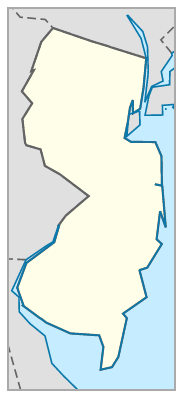
围绕geojson形状的框架实际上是对Mike代码的简化。首先,设置临时svg维度:
var width = 200;
var svg = d3.select("body").append("svg")
    .attr("width", width);
然后,获取形状的尺寸并在其周围计算:
var b = path.bounds(state);
    // b.s = b[0][1]; b.n = b[1][1]; b.w = b[0][0]; b.e = b[1][0];
    b.height = Math.abs(b[1][1] - b[0][1]); b.width = Math.abs(b[1][0] - b[0][0]);
var r = ( b.height / b.width );
var s = 0.9 / (b.width / width);                                // dimension of reference: `width` (constant)
//var s = 1 / Math.max(b.width / width, b.height / height );    // dimension of reference: largest side.
var t = [(width - s * (b[1][0] + b[0][0])) / 2, (width*r - s * (b[1][1] + b[0][1])) / 2]; //translation
刷新投影和svg的高度:
 var proj = projection
      .scale(s)
      .translate(t);
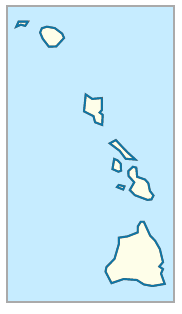
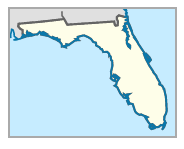
svg.attr("height", width*r);它已经完成,适合预先分配的,找到所需的高度,并适当缩放。**参见http://bl.ocks.org/hugolpz/9643738d5f79c7b594d0
页面原文内容由Stack Overflow提供。腾讯云小微IT领域专用引擎提供翻译支持
原文链接:
https://stackoverflow.com/questions/28141812
复制相关文章
相似问题
腾讯云开发者

Copyright © 2013 - 2026 Tencent Cloud. All Rights Reserved. 腾讯云 版权所有
深圳市腾讯计算机系统有限公司 ICP备案/许可证号:粤B2-20090059  粤公网安备44030502008569号
腾讯云计算(北京)有限责任公司 京ICP证150476号 | 京ICP备11018762号