
应用材料主题时按钮呈现顺序错误
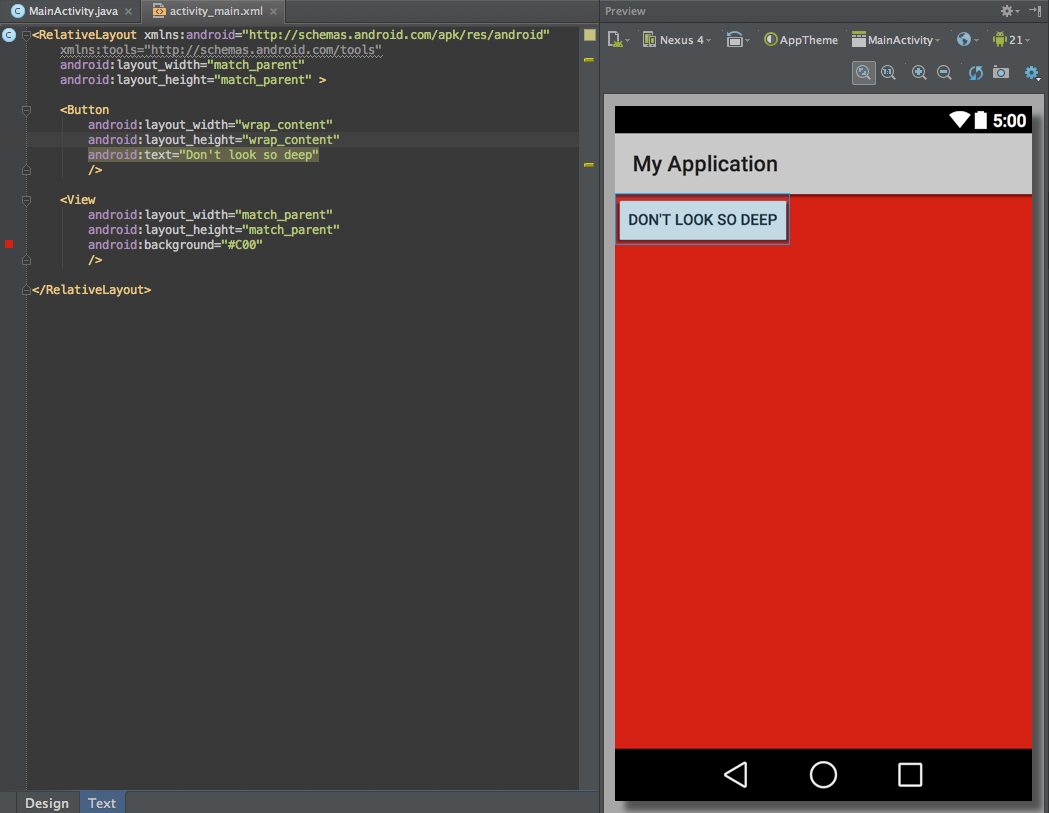
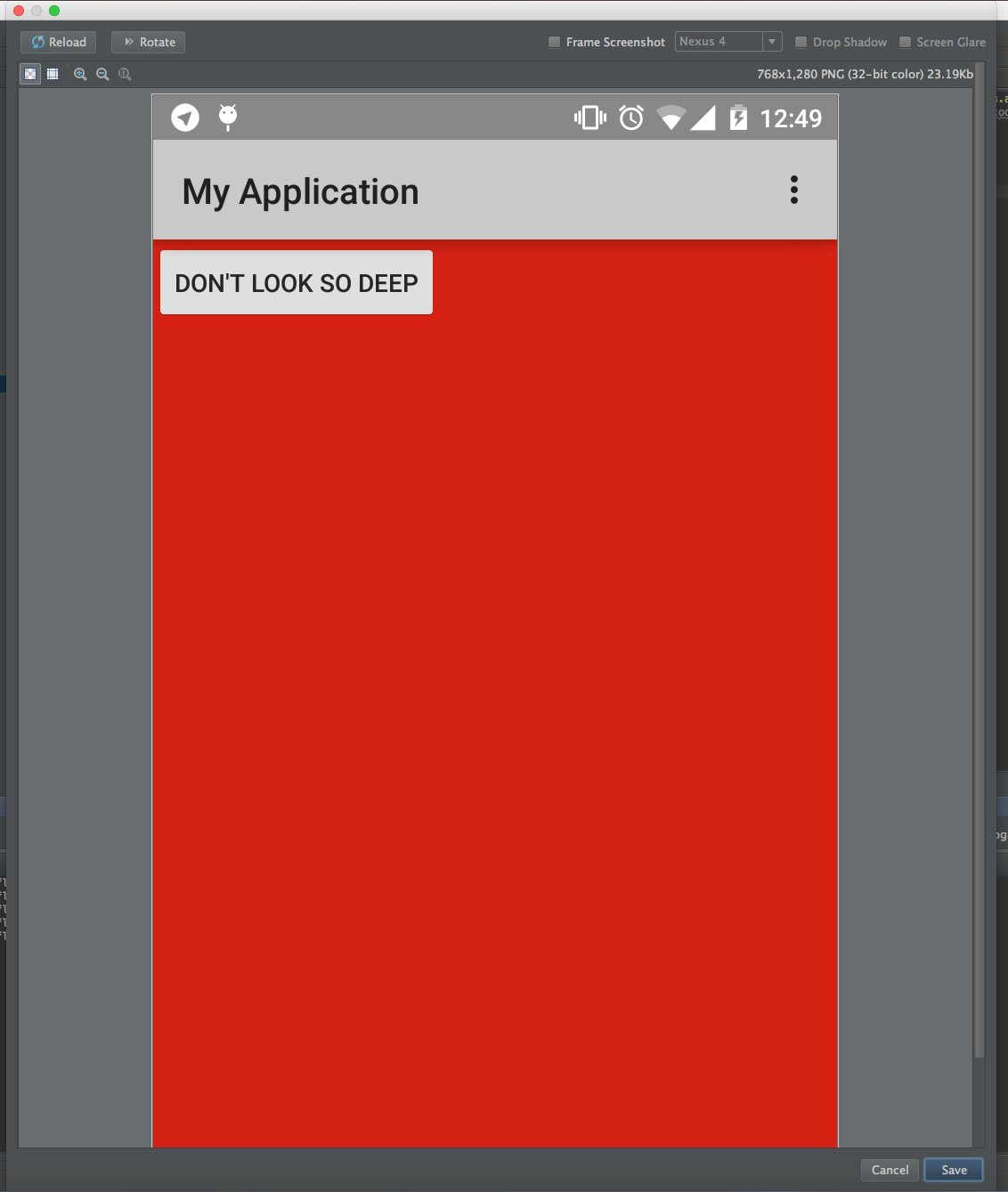
按钮小部件在任何其他小部件之上绘制,不管布局结构是什么。当材料暗/光主题被应用时,它在RelativeLayout和FrameLayout中都会重复。请查看下面的截图,以更好地说明这种奇怪的行为。
检查了Nexus 4和Nexus 5,但是我怀疑它与设备有关。
回答 2
Stack Overflow用户
发布于 2015-01-23 08:36:07
Android5.0LollipopandMaterialDesign引入了新的属性来指定小部件的标高(Z-索引)。被描述为这里。
要在按钮上绘制视图,可以将android:elevation="1dp"添加到视图中
<Button
    android:layout_width="wrap_content"
    android:layout_height="wrap_content"
    android:text="Don't look so deep"
    />
<View
    android:layout_width="match_parent"
    android:layout_height="match_parent"
    android:background="#C00"
    android:elevation="1dp"
    />
以下是较早前对误解问题的部分答覆,供日后参考
对于RelativeLayout,您必须指定元素相对于其他元素的位置。
因此,假设您希望按钮下面有View,则必须将id添加到元素中,并指定视图位于按钮下面:
<Button
    android:id="+id/myactivity_button"
    android:layout_width="wrap_content"
    android:layout_height="wrap_content"
    android:text="Don't look so deep"
    />
<View
    android:layout_width="match_parent"
    android:layout_height="match_parent"
    android:background="#C00"
    android:layout_below="@id/myactivity_button"
/>查看RelativeLayout开发者指南和适用于LayoutParameters的RelativeLayouts
FrameLayout通常不适合组织多个组件。FrameLayout的设计是为了屏蔽屏幕上的一个区域以显示单个项目。可以使用FrameLayout属性控制android:layout_gravity子程序的位置。
<Button
    android:layout_width="wrap_content"
    android:layout_height="wrap_content"
    android:layout_gravity="top"
    android:text="Don't look so deep"
    />
<View
    android:layout_width="match_parent"
    android:layout_height="match_parent"
    android:background="#C00"
    android:layout_gravity="bottom"
/>查看用于FrameLayout的Android文档和重力
Stack Overflow用户
发布于 2017-12-02 22:18:53
从Lollipop (API 21)开始,Android默认将提升/Z动画应用于按钮。为了避免这种情况,将以下内容添加到Button XML中:
<Button
    ...
    android:stateListAnimator="@null"
/>
这将使按钮尊重其Z索引。
https://stackoverflow.com/questions/28105551
复制相似问题
腾讯云开发者

Copyright © 2013 - 2026 Tencent Cloud. All Rights Reserved. 腾讯云 版权所有
深圳市腾讯计算机系统有限公司 ICP备案/许可证号:粤B2-20090059  粤公网安备44030502008569号
腾讯云计算(北京)有限责任公司 京ICP证150476号 | 京ICP备11018762号