
估计图像线梯度(不是像素梯度)
估计图像线梯度(不是像素梯度)
提问于 2015-01-23 07:19:02
我有一个问题,我想估计等高线的梯度。请注意,我不需要像素梯度,但变化率的线条。
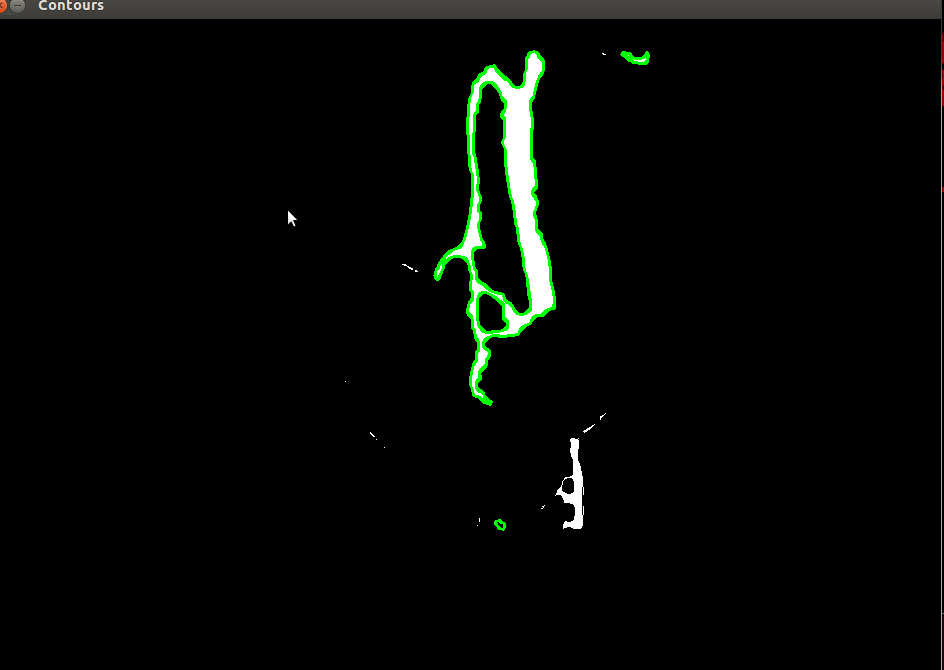
如果您看到附加的图像,您将看到一个二值图像与绿色轮廓。我想根据轮廓上像素的梯度来标记每个像素。
我之所以需要梯度,是因为我想要计算梯度方向从+到-或从-+到+的点。
我想不出一个很好的方法,来估计这一点在图像上。有人能帮我建议一下我如何估计这点吗?
回答 1
Stack Overflow用户
回答已采纳
发布于 2015-01-23 10:09:49
下面是一个小程序,它以非常简单的方式计算每个等高线像素位置的切线(可能还有其他更好的方法!)简单的方法是:differences):
- 对于等高线像素c_{i},获取邻居c_{i-1}和c_{i+1}。
- c_i处的切线方向为(c_{i-1} - c_{i+1} )
所以,这都是在等高线像素上,但如果你计算出与整个图像像素梯度的正交,也许你可以这样做。(对此不确定;)
下面是代码:
int main()
{
    cv::Mat input = cv::imread("../inputData/ContourTangentBin.png");

    cv::Mat gray;
    cv::cvtColor(input,gray,CV_BGR2GRAY);

    // binarize
    cv::Mat binary = gray > 100;

    // find contours
    std::vector<std::vector<cv::Point> > contours;
    std::vector<cv::Vec4i> hierarchy;
    findContours( binary.clone(), contours, hierarchy, CV_RETR_TREE, CV_CHAIN_APPROX_NONE );    // CV_CHAIN_APPROX_NONE to get each single pixel of the contour!!


    for( int i = 0; i< contours.size(); i++ )
    {
        std::vector<cv::Point> & cCont = contours[i];
        std::vector<cv::Point2f> tangents;

        if(cCont.size() < 3) continue;

        // 1. compute tangent for first point
        cv::Point2f cPoint = cCont.front();
        cv::Point2f tangent = cCont.back() - cCont.at(1);   // central tangent => you could use another method if you like to
        tangents.push_back(tangent);

        // display first tangent
        cv::Mat tmpOut = input.clone();
        cv::line(tmpOut, cPoint + 10*tangent, cPoint-10*tangent, cv::Scalar(0,0,255),1);
        cv::imshow("tangent",tmpOut);
        cv::waitKey(0);

        for(unsigned int j=1; j<cCont.size(); ++j)
        {
            cPoint = cCont[j];
            tangent = cCont[j-1] - cCont[(j+1)%cCont.size()];   // central tangent => you could use another method if you like to
            tangents.push_back(tangent);

            //display current tangent:
            tmpOut = input.clone();
            cv::line(tmpOut, cPoint + 10*tangent, cPoint-10*tangent, cv::Scalar(0,0,255),1);
            cv::imshow("tangent",tmpOut);
            cv::waitKey(0);
            //if(cv::waitKey(0) == 's') cv::imwrite("../outputData/ContourTangentTangent.png", tmpOut);
        }

        // now there are all the tangent directions in "tangents", do whatever you like with them
    }

    for( int i = 0; i< contours.size(); i++ )
    {
        drawContours( input, contours, i, cv::Scalar(0,255,0), 1, 8, hierarchy, 0 );
    }

    cv::imshow("input", input);
    cv::imshow("binary", binary);
    cv::waitKey(0);
    return 0;
}
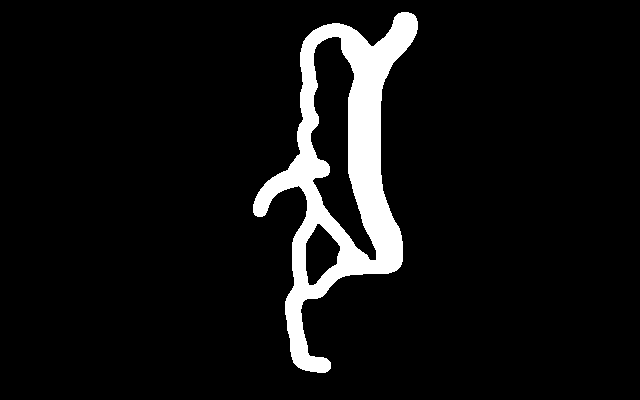
我用了这个图像:
得到了如下的输出:
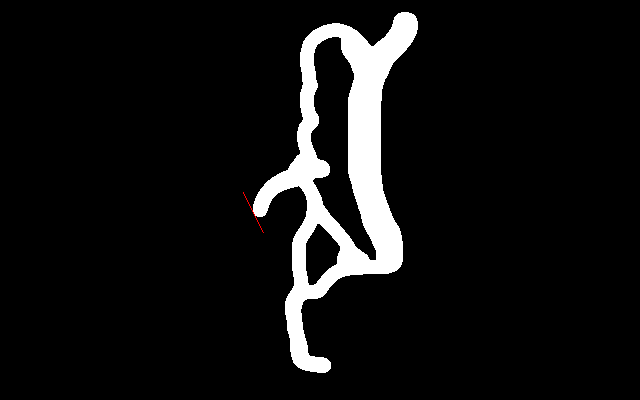
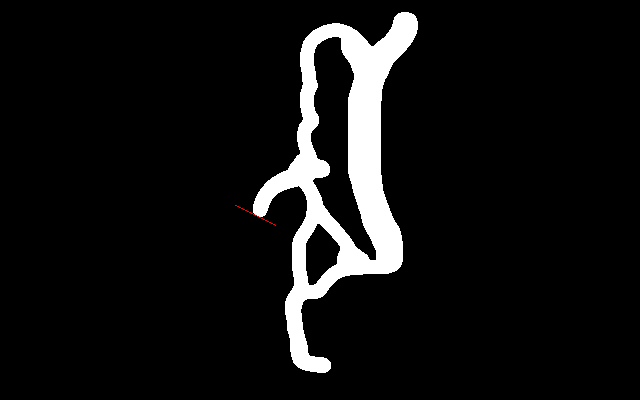
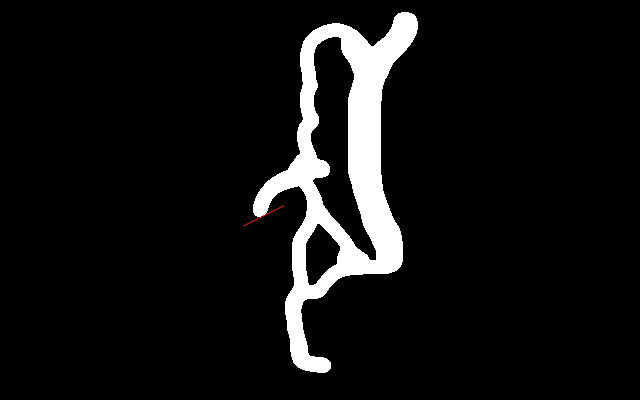
在结果中,您将得到一个包含该轮廓的每个像素的2D切线信息(线方向)的向量。
页面原文内容由Stack Overflow提供。腾讯云小微IT领域专用引擎提供翻译支持
原文链接:
https://stackoverflow.com/questions/28104828
复制相关文章
相似问题
腾讯云开发者

Copyright © 2013 - 2026 Tencent Cloud. All Rights Reserved. 腾讯云 版权所有
深圳市腾讯计算机系统有限公司 ICP备案/许可证号:粤B2-20090059  粤公网安备44030502008569号
腾讯云计算(北京)有限责任公司 京ICP证150476号 | 京ICP备11018762号