
安卓SlidingPaneLayout淡出
安卓SlidingPaneLayout淡出
提问于 2015-01-01 20:56:53
我正在用SlidingPaneLayout试用一个原型应用程序。我的SlidingPaneLayout是灰色的,身体的视图是纯白色的。但是当我滑进去的时候,身体页面上的小可见区域会稍微变暗或者覆盖在黑暗的屏幕上。我只想要纯原始的白色的身体视图。
我尝试了几种方法关闭这些,但似乎是不可能的。比如
SlidingPaneLayout sp = (SlidingPaneLayout) findViewById(R.id.mainSlider);
sp.setHorizontalFadingEdgeEnabled(false);
或跟随XML中的属性
<android.support.v4.widget.SlidingPaneLayout
    xmlns:android="http://schemas.android.com/apk/res/android"
    xmlns:tools="http://schemas.android.com/tools" android:layout_width="match_parent"
    android:layout_height="match_parent"
    android:id="@+id/mainSlider"
    android:requiresFadingEdge="none" <!-- try one -->
    android:fadingEdgeLength="0dp"  <!-- try two -->
    android:fadingEdge="none"  <!-- try three -->
    tools:context=".MainActivity">
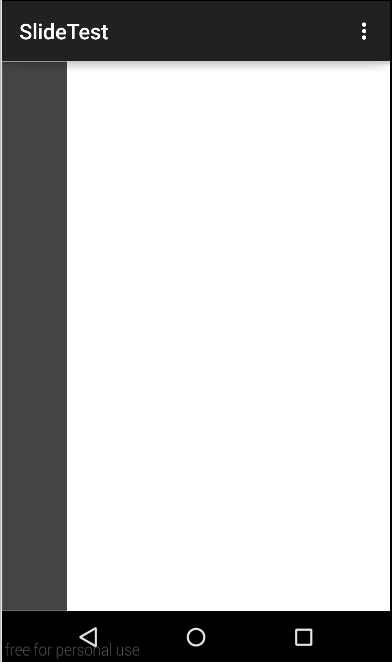
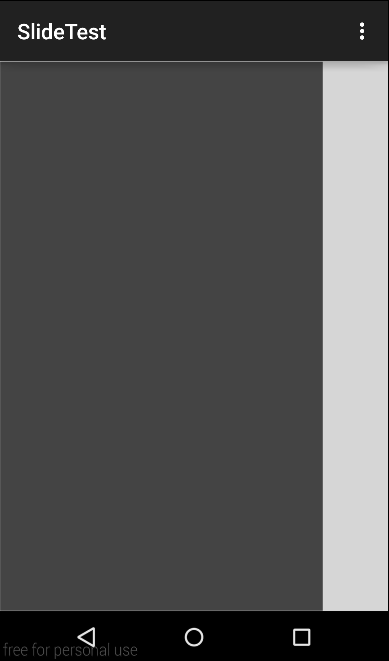
你们中有谁成功过吗?
回答 1
Stack Overflow用户
回答已采纳
发布于 2015-01-01 21:05:12
您可以将淡出颜色设置为透明:
SlidingPaneLayout sp = (SlidingPaneLayout) findViewById(R.id.mainSlider);
sp.setSliderFadeColor(getResources().getColor(android.R.color.transparent));页面原文内容由Stack Overflow提供。腾讯云小微IT领域专用引擎提供翻译支持
原文链接:
https://stackoverflow.com/questions/27734594
复制相关文章
相似问题
腾讯云开发者

Copyright © 2013 - 2026 Tencent Cloud. All Rights Reserved. 腾讯云 版权所有
深圳市腾讯计算机系统有限公司 ICP备案/许可证号:粤B2-20090059  粤公网安备44030502008569号
腾讯云计算(北京)有限责任公司 京ICP证150476号 | 京ICP备11018762号