
UINavigationBar setTitleTextAttributes与UnderLine文本
UINavigationBar setTitleTextAttributes与UnderLine文本
提问于 2014-12-16 05:49:14
我正在尝试使用以下代码在所有视图中使用setTextAttribute和UnderLine
 [[UINavigationBar appearance] setTitleTextAttributes:@{NSForegroundColorAttributeName : [UIColor redColor],
//        NSUnderlineStyleAttributeName: @(NSUnderlineStyleSingle),
        (NSString *) kCTUnderlineStyleAttributeName:@(kCTUnderlineStyleDouble),
NSFontAttributeName: [UIFont fontWithName:@"HelveticaNeue-Bold" size:17]}];但是它不起作用,我知道另一种使用NSAttributedString创建自定义NSAttributedString并在TitleView上设置它的方法,但是还有其他方法可以使用外观协议来实现这一点吗?
回答 1
Stack Overflow用户
发布于 2014-12-16 06:16:40
NSUnderlineStyleAttributeName应该为你做那份工作。
试试这个家伙:
    NSDictionary *attributes = @{
                                 NSUnderlineStyleAttributeName: @1,
                                 NSForegroundColorAttributeName : [UIColor redColor],
                                 NSFontAttributeName: [UIFont fontWithName:@"HelveticaNeue-Bold" size:17]
                                 };

    [[UINavigationBar appearance] setTitleTextAttributes:attributes];
更新:
我参考了苹果的文档,似乎不可能通过外观协议.
上面写着
“您可以在文本属性字典中为标题指定字体、文本颜色、文本阴影颜色和文本阴影偏移量,使用NSString UIKit添加引用中描述的文本属性键。”
我也尝试通过创建新的简单项目。看不见那条线。
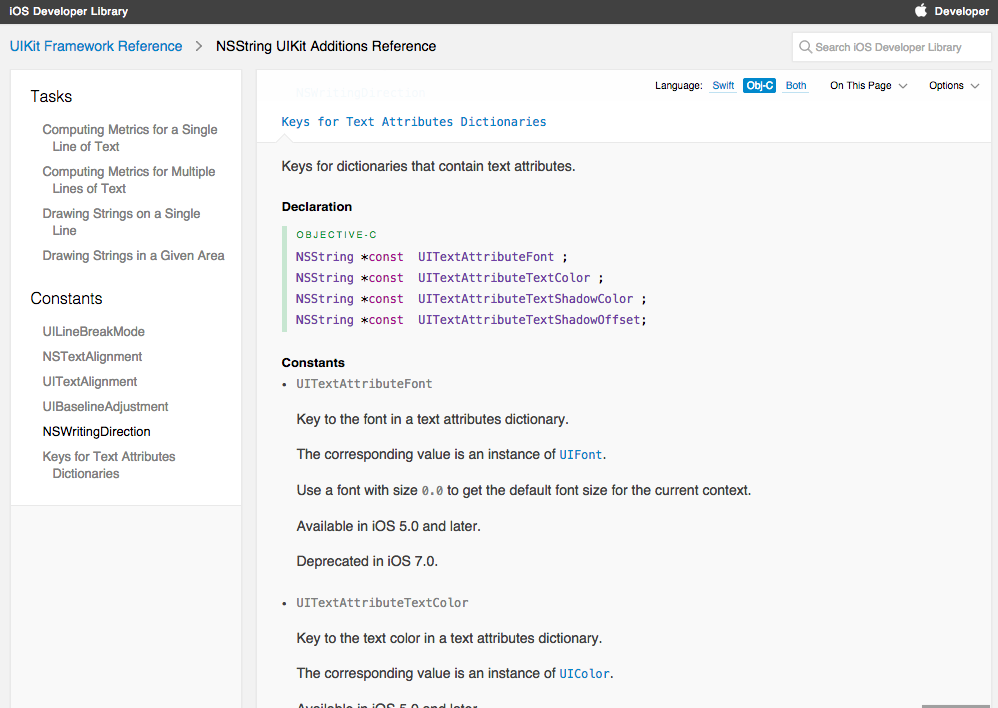
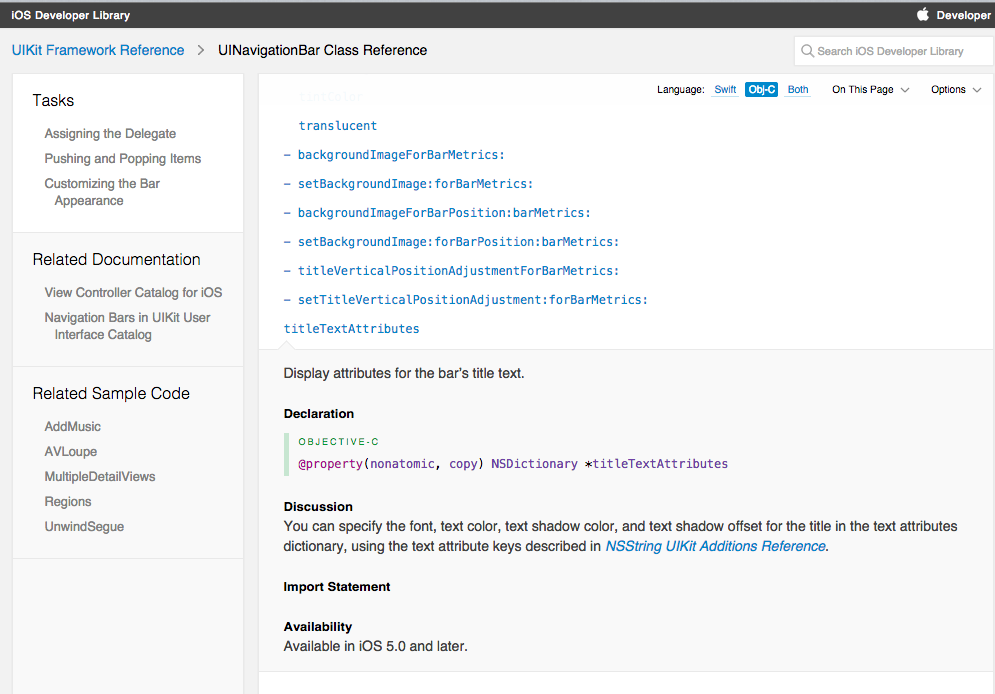
苹果文档:
页面原文内容由Stack Overflow提供。腾讯云小微IT领域专用引擎提供翻译支持
原文链接:
https://stackoverflow.com/questions/27498361
复制相关文章
相似问题
腾讯云开发者

Copyright © 2013 - 2026 Tencent Cloud. All Rights Reserved. 腾讯云 版权所有
深圳市腾讯计算机系统有限公司 ICP备案/许可证号:粤B2-20090059  粤公网安备44030502008569号
腾讯云计算(北京)有限责任公司 京ICP证150476号 | 京ICP备11018762号