
具有模糊效应的分层窗口
例如,我非常喜欢在iOS中可以看到的效果,它看起来像一个绘制在当前视图之上的图层,模糊了视觉内容,并将其用作背景。有什么办法在WPF中实现这样的目标吗?
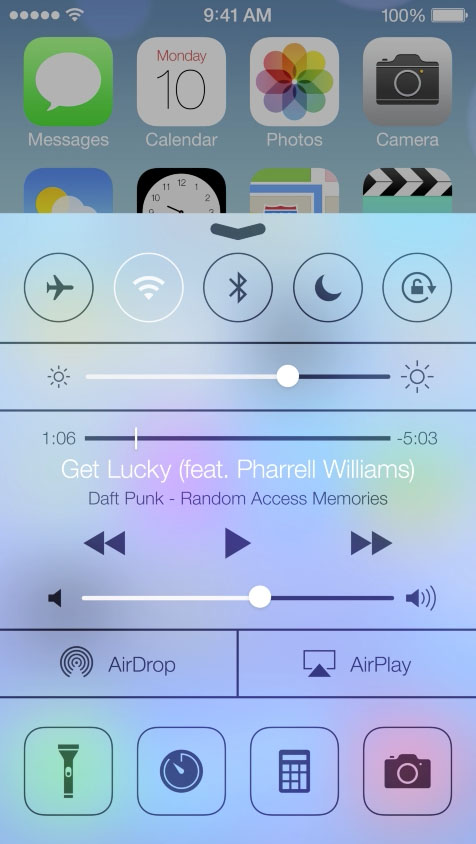
我见过很多人在窗口层次上处理这种模糊/透明的问题,但我需要它在窗口内。
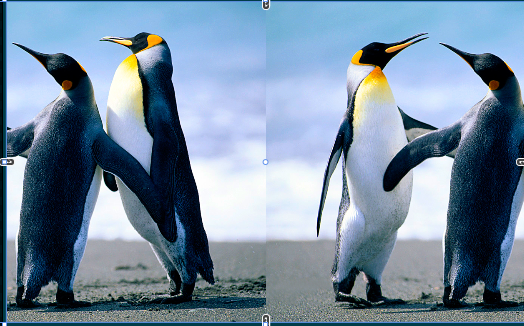
假设这是我窗口的内容。
<StackPanel HorizontalAlignment="Center" Orientation="Horizontal">
        <Image  Source="pack://application:,,,/Resources/Penguins.jpg"/>
        <Image  Source="pack://application:,,,/Resources/Penguins.jpg"/>
</StackPanel>
看起来就像
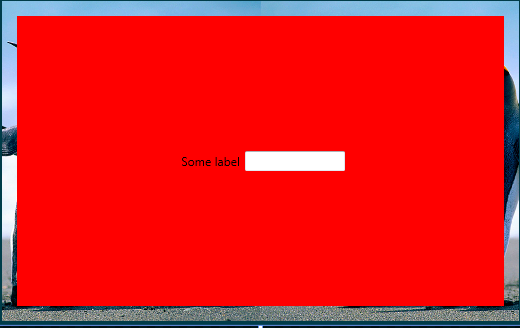
现在我想在上面画一些东西(而不是用红色背景)模糊它下面的任何东西,并使用它作为背景,保持它的内容不模糊。
    <DockPanel Margin="15" Background="Red">
        <StackPanel Orientation="Horizontal"  VerticalAlignment="Center" HorizontalAlignment="Center">
            <Label Content="Some label"/>
            <TextBox Width="100" Height="20"/>
        </StackPanel>
    </DockPanel>
回答 1
Stack Overflow用户
发布于 2014-12-12 16:22:30
结果:
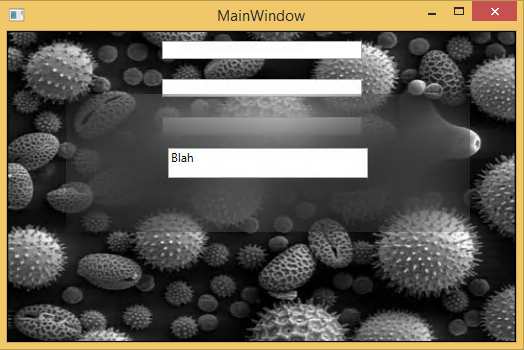
- 我们将在网格中使用分层。背景:您的主要申请内容。前景:你的伪对话框将有一个模糊的背景。
- 我们将把背景放在边境线上,用它的名字来指这条边界。这将用于一个
VisualBrush,并提供我们的未来模糊的图像. - 前景也将是一个分层网格。背景:一个长方形,充满了画笔和使用模糊的效果。前台:你想在前面做什么都行。
1. Add a reference to `System.Windows.Interactivity`.
2. Add the following behavior code:
使用系统;使用System.Collections.Generic;使用System.Linq;使用System.Windows;使用System.Windows.Controls;使用System.Windows.Data;使用System.Windows.Interactivity;使用System.Windows.Media;使用System.Windows.Media.Effects;使用System.Windows.Shapes;命名空间WpfApplication1 {公共类BlurBackgroundBehavior :行为{公共静态只读DependencyProperty BlurContainerProperty = DependencyProperty.Register( "BlurContainer",typeof (UIElement),typeof (BlurBackgroundBehavior),新PropertyMetadata(OnContainerChanged);私有静态只读DependencyProperty BrushProperty = DependencyProperty.Register(“刷”、类型(VisualBrush)、类型(BlurBackgroundBehavior)、新的PropertyMetadata());私有VisualBrush刷{ get { Brush (VisualBrush) this.GetValue(BrushProperty);} set { this.SetValue(BrushProperty,value);}} public UIElement BlurContainer { get { return (UIElement) this.GetValue(BlurContainerProperty);} set { this.SetValue(BlurContainerProperty,value);}}受保护的重写void OnAttached() { this.AssociatedObject.Effect =新BlurEffect { Radius = 80,KernelType = KernelType.Gaussian,RenderingBias = RenderingBias.Quality };this.AssociatedObject.SetBinding(Shape.FillProperty,新绑定{ Source = this,Path =新PropertyPath(BrushProperty) };BindingOperations.ClearBinding(this.AssociatedObject,this.AssociatedObject.LayoutUpdated += (发送方,args) => this.UpdateBounds();this.UpdateBounds();}保护重写OnDetaching() {this.UpdateBounds Border.BackgroundProperty;}私有静态空洞OnContainerChanged(DependencyObject d,DependencyPropertyChangedEventArgs e) {(BlurBackgroundBehavior) d).OnContainerChanged(( UIElement ) e.OldValue,(UIElement) e.NewValue);} if (newValue != null) { this.Brush =新VisualBrush(newValue) { ViewboxUnits = BrushMappingMode.Absolute };newValue.LayoutUpdated += this.OnContainerLayoutUpdated;this.UpdateBounds();} this.Brush = null;}私有无效OnContainerLayoutUpdated(对象发送方,EventArgs eventArgs) { this.UpdateBounds();}私有UpdateBounds() { if (this.AssociatedObject != null & this.BlurContainer != null & this.Brush != null!= null) { Point = this.AssociatedObject.TranslatePoint(new (),this.BlurContainer);this.Brush.Viewbox = new ( difference,this.AssociatedObject.RenderSize);}}}
3.在XAML中这样使用:
https://stackoverflow.com/questions/27432466
复制相似问题
腾讯云开发者

Copyright © 2013 - 2026 Tencent Cloud. All Rights Reserved. 腾讯云 版权所有
深圳市腾讯计算机系统有限公司 ICP备案/许可证号:粤B2-20090059  粤公网安备44030502008569号
腾讯云计算(北京)有限责任公司 京ICP证150476号 | 京ICP备11018762号