
在凸包(路径)中是svg元素吗?
在凸包(路径)中是svg元素吗?
提问于 2014-11-27 18:58:19
我有一个svg路径,我可以画。使用d3js,我用d3.geom.hull(...)计算了路径周围的凸包。现在我有一些svg对象,比如节点(svg:圆形),我想知道节点是否在船体中。我怎么能意识到这一点?这是我的svg视图中的一张图片:
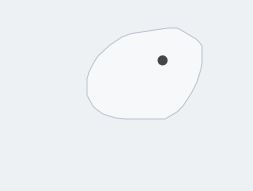
编辑:我的目标是船体中的节点元素(它们在路径中),而不仅仅是路径的边缘。
回答 2
Stack Overflow用户
回答已采纳
发布于 2014-12-01 16:47:23
下面是一个简单的方法:
- 计算你的船体几何,得到d3.geom.hull给你的坐标数组。
- 将新的点添加到原始数据数组中,并在此数组上再次计算d3.geom.hull。
- 将从步骤1返回的点数组与从步骤2返回的点数组进行比较,以查看计算出的船体是否发生了更改。如果有,那点就在凸包外面。如果没有变化,那么它就在凸包内。
如果您有一个非常大的数据集,这可能是性能密集型的。
下面是一些简单的代码来演示:
   // Some Random points
   var coords = d3.range(50).map(function() {return [Math.random(),Math.random()]})
   yourHull = d3.geom.hull(coords)
   // Random new point
   newCoord = [Math.random(),Math.random()]
   coords.push(newCoord)
   newHull = d3.geom.hull(coords)

   //The easy case to spot
   if (newHull.length != yourHull.length) {
      console.log("Outside")
   }
   //If the array lengths are the same, the point values may have changed
   else {
   var outside = false;
   for (var x = 0; x < yourHull.length;x++) {
      for (var y = 0; y < 2;y++) {
         if (yourHull[x][y] != newHull[x][y]) {
            outside = true;
            break;
         }
      }
   }

   if (outside) {
      console.log("outside")
   }
   else {
      console.log("on the hull")
   }
}Stack Overflow用户
发布于 2014-12-02 11:57:29
最快的方法是让浏览器完成所有的实际工作。特别是,使用方法document.getElementFromPoint()让渲染引擎确定重叠。
这个想法很简单--在船体后面加上你感兴趣的点,然后检查上面的方法是给你点还是给你船体。代码看起来是这样的。
function isInside(point) {
  var c = svg.insert("circle", "path.hull")
    .attr("r", 1)
    .attr("cx", point[0])
    .attr("cy", point[1]);

  var bounds = c.node().getBoundingClientRect();

  var atPoint = document.elementFromPoint(bounds.left, bounds.top);
  var inside = atPoint == c.node() ? false : true;

  c.remove();

  return inside;
}
唯一稍微棘手的一点是将点的相对坐标转换为绝对坐标--上面的代码假设SVG是页面本身的顶级元素,或者不被包含的元素转换。如果不是这种情况,则根据需要调整代码。
与另一个答案相比,运行时的最大优点是运行时不依赖于船体的大小(比如定义它的点数)。这只取决于你想要检查的点数。
完整的演示这里。
页面原文内容由Stack Overflow提供。腾讯云小微IT领域专用引擎提供翻译支持
原文链接:
https://stackoverflow.com/questions/27177348
复制相关文章
相似问题
腾讯云开发者

Copyright © 2013 - 2026 Tencent Cloud. All Rights Reserved. 腾讯云 版权所有
深圳市腾讯计算机系统有限公司 ICP备案/许可证号:粤B2-20090059  粤公网安备44030502008569号
腾讯云计算(北京)有限责任公司 京ICP证150476号 | 京ICP备11018762号