
MMDrawerController不能关闭抽屉
我正在尝试在我的应用程序中使用MMDrawerController,但是我无法在中间视图上用手势来关闭侧抽屉。我在我的应用程序中使用了其他地方的MMDrawerController,并取得了很大的成功,但我不明白为什么在这种情况下它不起作用。
顶层视图控制器是一个UINavigationController,其默认视图控制器是MasterViewController (下面的源代码)。这个类扩展了MMDrawerController并配置了我想要的视图(中间和右边,关闭手势,最大宽度)。中央视图有一个按钮可以打开抽屉。一旦抽屉打开了,我就不能用中间的手势来关闭它。我在抽屉里添加了一个按钮,它可以以编程的方式关闭抽屉,但是我需要能够在中间视图上选择/平移。
类MasterViewController: MMDrawerController {
override func viewDidLoad() {
    let centerView = storyboard!.instantiateViewControllerWithIdentifier("CenterControllerName") as? CenterControllerType
    super.setCenterViewController(centerView, withCloseAnimation: false, completion: nil)
    let drawer = storyboard!.instantiateViewControllerWithIdentifier("Drawer") as? DrawerType
    super.rightDrawerViewController = drawer
    super.setMaximumRightDrawerWidth(200, animated: true, completion: nil)
    super.closeDrawerGestureModeMask = MMCloseDrawerGestureMode.PanningCenterView | MMCloseDrawerGestureMode.TapCenterView
}
}
打开抽屉的功能:
@IBAction func drawerButtonPressed(sender: AnyObject) {
    drawer?.openDrawerSide(MMDrawerSide.Right, animated: true, completion: nil)
}回答 2
Stack Overflow用户
发布于 2014-11-25 22:06:24
通过在我的视图中放置一个ContainerView作为唯一的对象,然后从我的ViewController中配置MMDrawerContainer,我就能够解决这个问题。这似乎不是正确的答案,但从用户的角度来看,一切看起来和功能都是正确的。
Stack Overflow用户
发布于 2016-01-13 08:58:33
好的,我遇到了同样的问题,我几乎可以肯定,它来自于:
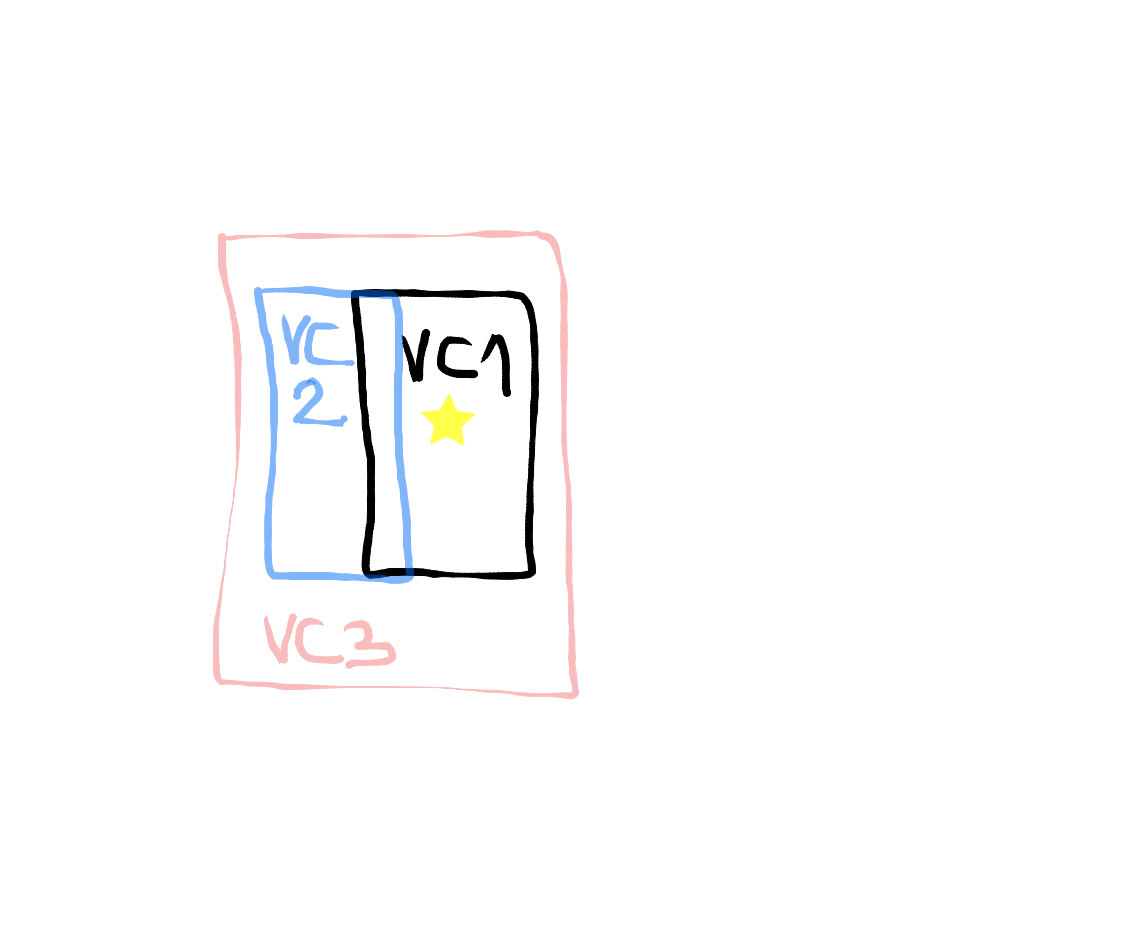
好的,VC1 (带星星)是我们的应用程序主页,VC2是左边的抽屉,VC3是DrawerController。
在很长一段时间里,我试图在VC1和VC2中添加手势函数,但是只有在VC1中打开,在VC2中才能关闭。我在VC1中使用的函数:
let rightSwipe = UISwipeGestureRecognizer(target: self, action: Selector("showDrawer:"))

rightSwipe.direction = .Right
view.addGestureRecognizer(rightSwipe)

...

  func showDrawer(sender: UISwipeGestureRecognizer) {
    if let m = mmdc {
      if !m.isLeftDrawerOpen() {
        m.toggleDrawerSide(MMDrawerSide.Left, animated: true, completion: nil)
      }
    }
  }
在VC2中也是一样的,但是有LeftSwipe和closeDrawer。
解决方案是将这些函数和手势识别器同时放在VC3 (DrawerController)中。
问题来自这样一个事实:您的手势是为给定的VC定义的,但是当您打开抽屉时,它会将当前的VC更改为一个新的VC,而前面的VC只是显示,但不能与之交互。通过在VC1/VC2的parentVC中添加一些东西,解决了这个问题。
https://stackoverflow.com/questions/27079150
复制相似问题
腾讯云开发者

Copyright © 2013 - 2026 Tencent Cloud. All Rights Reserved. 腾讯云 版权所有
深圳市腾讯计算机系统有限公司 ICP备案/许可证号:粤B2-20090059  粤公网安备44030502008569号
腾讯云计算(北京)有限责任公司 京ICP证150476号 | 京ICP备11018762号