
用uitoolbar自定义UIBarButtonItem
用uitoolbar自定义UIBarButtonItem
提问于 2014-11-10 05:43:24
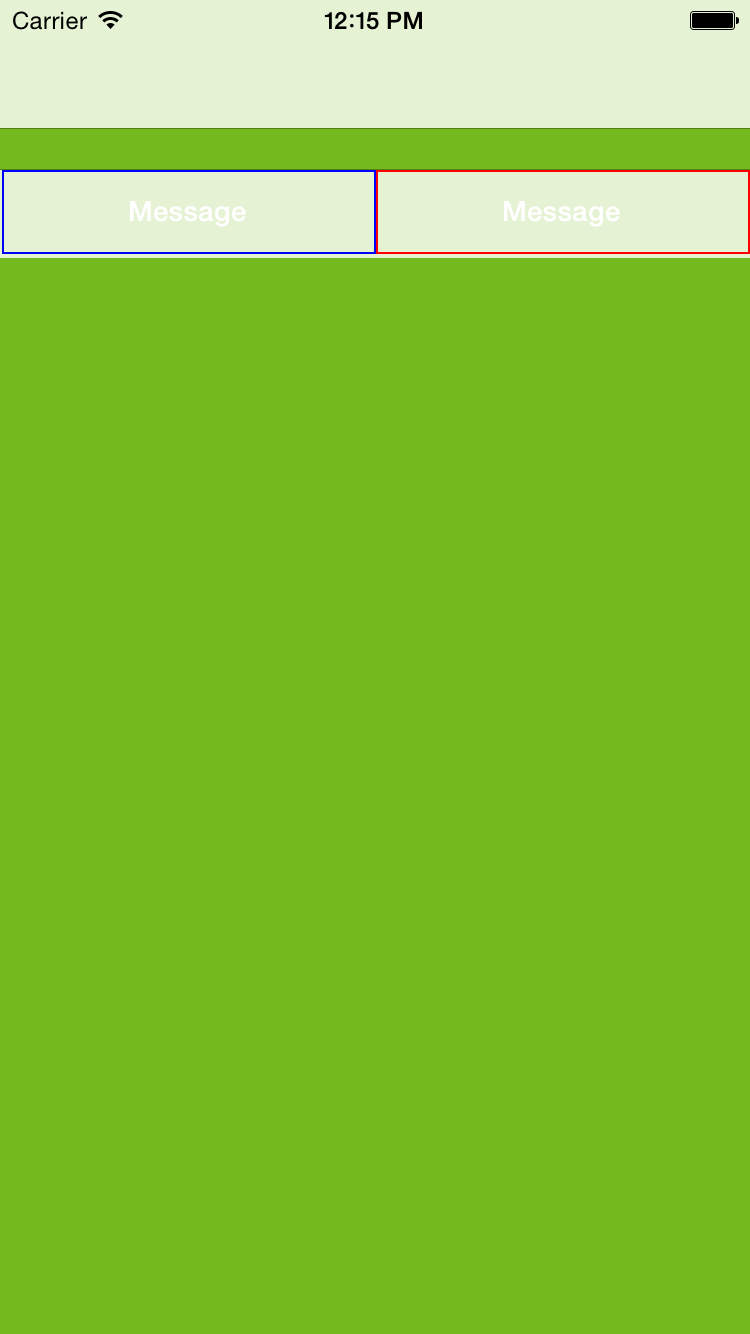
我正在尝试创建一个完全自定义的UIToolbar,其中包含2个完全定制的按钮。每个按钮的宽度应该是工具栏宽度的50%。
@property (weak, nonatomic) IBOutlet UIToolbar *ToolBar;
-(void)viewDidLoad
{
UIButton *button =[UIButton buttonWithType:UIButtonTypeCustom];

button.frame =CGRectMake(0, 0, self.ToolBar.frame.size.width/2-10,self.ToolBar.frame.size.height-2);
button.layer.borderColor=[UIColor blueColor].CGColor;
button.layer.borderWidth=1.0f;
[button setTitle:@"Message" forState:UIControlStateNormal];
button.titleLabel.font=[UIFont boldSystemFontOfSize:14];
UIBarButtonItem *MsgButton =[[UIBarButtonItem alloc]initWithCustomView:button];
[MsgButton setTitle:@"Msg"];

UIButton *button2 =[UIButton buttonWithType:UIButtonTypeCustom];
button2.frame=CGRectMake(0, 0, self.ToolBar.frame.size.width/2-10,self.ToolBar.frame.size.height-2);
button2.layer.borderColor=[UIColor redColor].CGColor;
button2.layer.borderWidth=1.0f;
[button2 setTitle:@"Message" forState:UIControlStateNormal];
button2.titleLabel.font=[UIFont boldSystemFontOfSize:14];
UIBarButtonItem *RelationButton =[[UIBarButtonItem alloc]initWithCustomView:button2];

self.ToolBar.items=@[MsgButton,RelationButton];
}屏幕截图这是一张屏幕截图,显示它现在在我的电脑上的样子。
以下是问题所在:
- 如何删除左边的空格和两个按钮之间的空格
- 我试着在按钮上显示一些不起作用的文字。
- 如果可能的话,我只能在按钮的左边或右边显示边框吗?
回答 1
Stack Overflow用户
回答已采纳
发布于 2014-11-10 06:35:32
尝尝这个
 UIButton *button =[UIButton buttonWithType:UIButtonTypeCustom];

    button.frame =CGRectMake(-15, 0, self.ToolBar.frame.size.width/2-20,self.ToolBar.frame.size.height-2);
    button.layer.borderColor=[UIColor blueColor].CGColor;
    button.layer.borderWidth=1.0f;
    [button setTitle:@"Message" forState:UIControlStateNormal];
    button.titleLabel.font=[UIFont boldSystemFontOfSize:14];

    UIButton *button2 =[UIButton buttonWithType:UIButtonTypeCustom];
    button2.frame=CGRectMake(self.ToolBar.frame.size.width/2-35, 0, self.ToolBar.frame.size.width/2-20,self.ToolBar.frame.size.height-2);
    button2.layer.borderColor=[UIColor redColor].CGColor;
    button2.layer.borderWidth=1.0f;
    [button2 setTitle:@"Message" forState:UIControlStateNormal];
    button2.titleLabel.font=[UIFont boldSystemFontOfSize:14];

    UIView *barView = [[UIView alloc] init];
     barView.frame = self.ToolBar.frame ;
    [barView addSubview:button];
    [barView addSubview:button2];
    UIBarButtonItem *RelationButton =[[UIBarButtonItem alloc]initWithCustomView:barView];

self.ToolBar.items=@[RelationButton];页面原文内容由Stack Overflow提供。腾讯云小微IT领域专用引擎提供翻译支持
原文链接:
https://stackoverflow.com/questions/26837477
复制相关文章
相似问题
腾讯云开发者

Copyright © 2013 - 2026 Tencent Cloud. All Rights Reserved. 腾讯云 版权所有
深圳市腾讯计算机系统有限公司 ICP备案/许可证号:粤B2-20090059  粤公网安备44030502008569号
腾讯云计算(北京)有限责任公司 京ICP证150476号 | 京ICP备11018762号