
Matlab中的图像超分辨率算法
在下面的文章中,我试图实现一个简单的图像超分辨率算法(基于DWT的分辨率增强)。
pp%20%20%20405-412.pdf
下面给出了使用Matlab.Code实现本文图3中的算法的方法。
img1 = imread('lena1.jpg'); %original High resolution image
[height, width, dim] = size(img1);

%%Downsampling the image by averaging
avgfilter = fspecial('average', [2 2]);
avgimg = filter2(avgfilter, img1);
img = avgimg(1:2:end,1:2:end); %Input low resolution image

[LL,LH,HL,HH] = dwt2(img,'haar'); %Decomposing

%Bicubic interpolation by factor 2 on each subbands
LL1 = imresize(LL,2,'bicubic');
LH1 = imresize(LH,2,'bicubic');
HL1 = imresize(HL,2,'bicubic');
HH1 = imresize(HH,2,'bicubic');

%% Calculating Difference image
for i=1:256
    for j=1:256
        img3(i,j,:) = img(i,j,:) - LL1(i,j,:);
    end
end


for i=1:256
    for j=1:256
        LH13(i,j,:) = img3(i,j,:) + LH1(i,j,:);
        HL13(i,j,:) = img3(i,j,:) + HL1(i,j,:);
        HH13(i,j,:) = img3(i,j,:) + HH1(i,j,:);
    end
 end

%bicubic interpolation(Here alpha = 2;Hence alpha/2 = 1)
 img31 = imresize(img3,1,'bicubic');
 LH131 = imresize(LH13,1,'bicubic');
 HL131 = imresize(HL13,1,'bicubic');
 HH131 = imresize(HH13,1,'bicubic');

img4 = idwt2(img31,LH131,HL131,HH131,'haar'); %IDWT
t = uint8(img4)
imshow(t);
imsave;
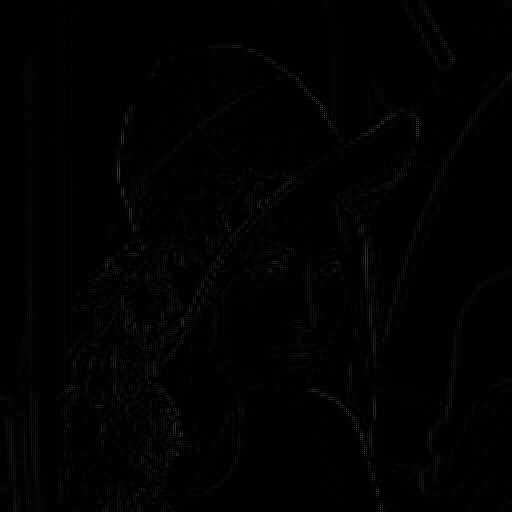
但是我得到了一个完全出乎意料的输出,image.Why,这是happening.Please help.Thanks。
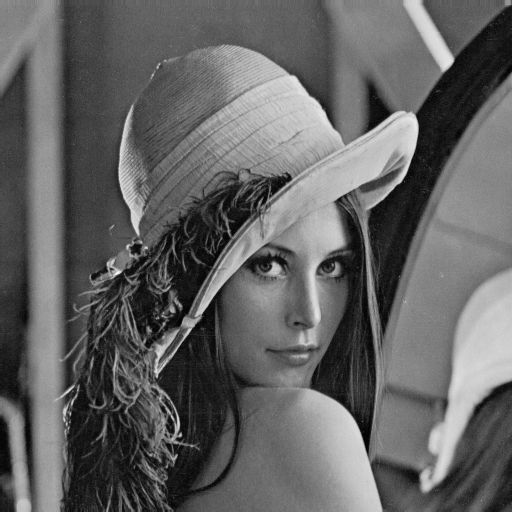
输入图像:
输出图像:
回答 1
Stack Overflow用户
发布于 2014-11-07 15:41:42
我看了一下报纸上的方框图。你正在用错误的形象重建。在最后一步中,您应该使用原始的下采样图像作为IDWT -而不是差异图像的一部分。下面是自我包容的图表:
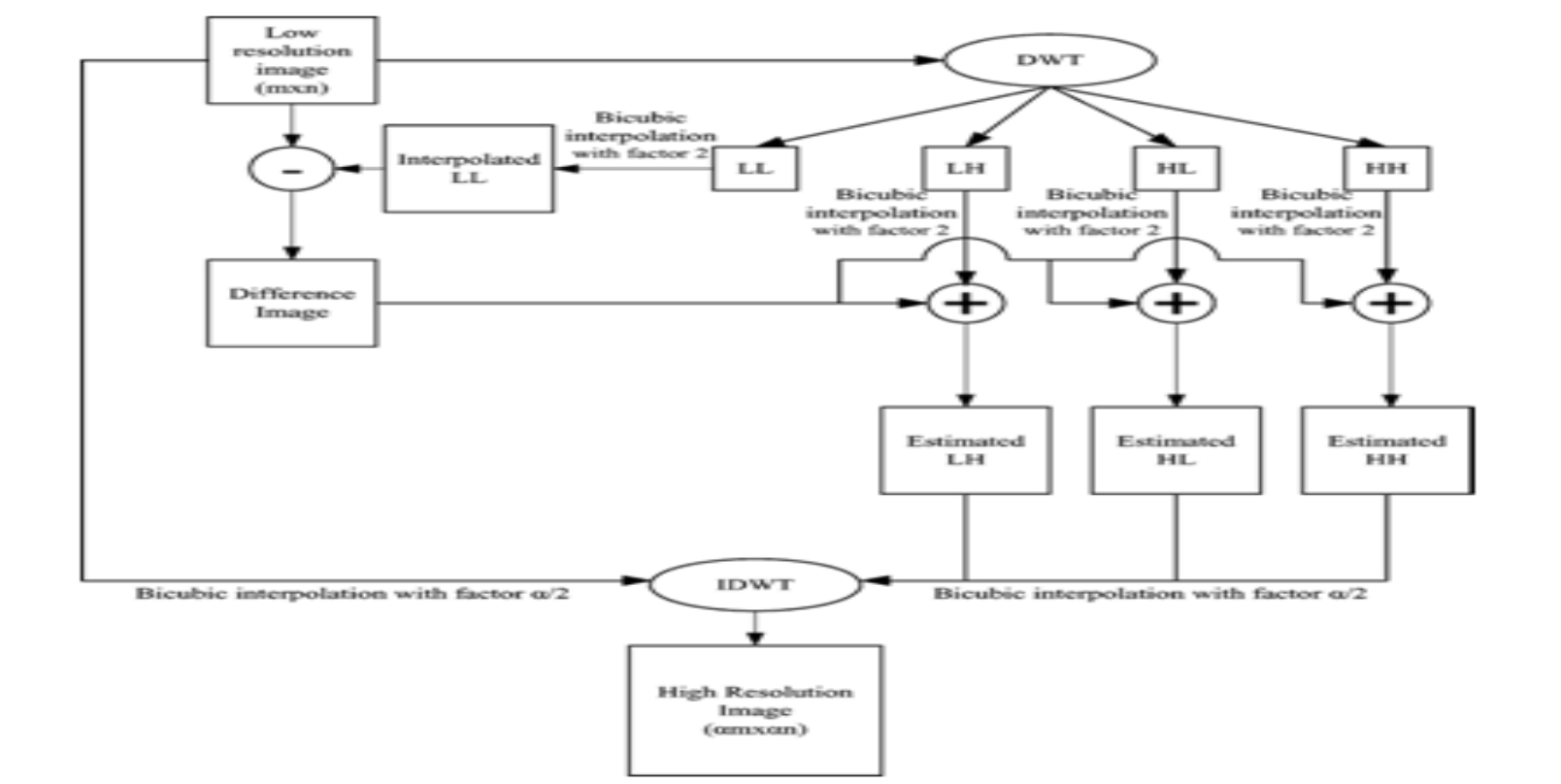
看看算法的最后一步。您将使用低分辨率图像,与LH,HL和HH的组成部分,从上一步。从上一步开始,通过添加上一步的DWT组件(没有LL组件)中的每个子带和不同的图像,您可以获得每个子带,所以这是正确的。
还有一些其他的评论,我建议你改变你的形象,以便它的动态范围从[0,1]。您可以使用im2double来完成这个任务。当矢量化操作完成时,您还使用for循环来低效率地计算差异。最后,您将在代码末尾使用1因子执行内插。这是一个无用的操作,因为您将得到相同的图像回来。我从你的提速代码中删除了这个。因此,这就是我所拥有的代码。请记住,你没有包括你的莉娜形象,所以我从互联网上提取了一个。
下面是您修改过的代码:
clear all;
close all;
img1 = imread('http://www.ece.rice.edu/~wakin/images/lenaTest3.jpg'); %original High resolution image
[height, width, dim] = size(img1);

%// Change - convert to [0,1]
img1 = im2double(img1);

%%Downsampling the image by averaging
avgfilter = fspecial('average', [2 2]);
avgimg = filter2(avgfilter, img1);
img = avgimg(1:2:end,1:2:end); %Input low resolution image

[LL,LH,HL,HH] = dwt2(img,'haar'); %Decomposing

%Bicubic interpolation by factor 2 on each subbands
LL1 = imresize(LL,2,'bicubic');
LH1 = imresize(LH,2,'bicubic');
HL1 = imresize(HL,2,'bicubic');
HH1 = imresize(HH,2,'bicubic');

% // Change - Vectorized operations
img3 = img - LL1;
LH13 = img3 + LH1;
HL13 = img3 + HL1;
HH13 = img3 + HH1;

%bicubic interpolation(Here alpha = 2;Hence alpha/2 = 1)
%// Change - commented out
%// Also, used ORIGINAL downsampled image, not the difference image
 %img31 = imresize(img,1,'bicubic');
 %LH131 = imresize(LH13,1,'bicubic');
 %HL131 = imresize(HL13,1,'bicubic');
 %HH131 = imresize(HH13,1,'bicubic');

%// Change - used original downsampled image
img4 = idwt2(img,LH13,HL13,HH13,'haar'); %IDWT
t = im2uint8(img4); %// Change - Convert back to uint8 when finished
imshow(t,[]);
这就是我得到的图像:
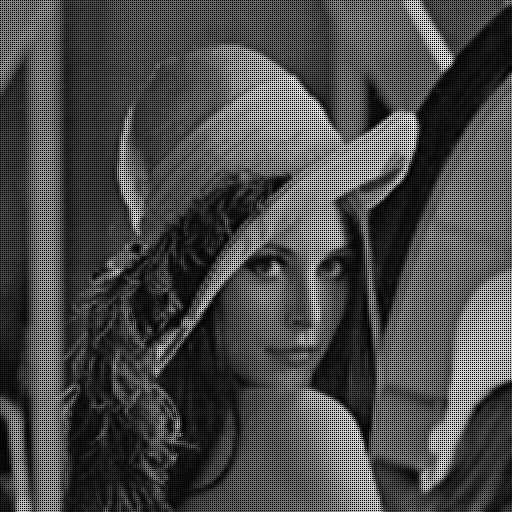
我和莉娜的原始照片一点关系都没有。因此,我怀疑要么您必须调整一些参数,要么算法有缺陷。考虑到这种方法是在一本无名杂志上发表的,我怀疑后者。
这应该能让你开始。祝好运!
https://stackoverflow.com/questions/26779199
复制相似问题
腾讯云开发者

Copyright © 2013 - 2026 Tencent Cloud. All Rights Reserved. 腾讯云 版权所有
深圳市腾讯计算机系统有限公司 ICP备案/许可证号:粤B2-20090059  粤公网安备44030502008569号
腾讯云计算(北京)有限责任公司 京ICP证150476号 | 京ICP备11018762号