
将1920 *1080 p照片缩放为1080 p Windows Phone上的锁定屏幕图像
我想使用必应图像作为我的应用程序的锁定屏幕图像的背景,但我在使图像在1080 p设备上达到理想的比例时遇到了问题。
这是一个1080 1080p图片的例子:1920x1080.jpg。这是一张1920 * 1080的照片。
我所做的是裁剪它,使我使用的照片是1080 * 1080像素,然后创建一个新的锁定屏幕图像,是1080 * 1920。这是代码:
    public static void SaveToJpeg(Stream stream)
    {
        using (IsolatedStorageFile iso = IsolatedStorageFile.GetUserStoreForApplication())
        {
            using (IsolatedStorageFileStream isostream = iso.CreateFile("lockscreen.jpg"))
            {
                try
                {
                    BitmapImage bitmap = new BitmapImage();
                    bitmap.SetSource(stream);
                    WriteableBitmap wb = new WriteableBitmap(bitmap);

                    // Cropping image so that only 1080 out of the 1920 horizontal pixels are used.
                    wb = CropImage(wb, 1080, 1920, 1080, 1080);

                    // 1080 * 1920 are the phone's dimesions.
                    Extensions.SaveJpeg(wb, isostream, 1080, 1920, 0, 100);
                    isostream.Close();
                }
                catch( Exception e )
                {
                }
            }
        }
    }

    public static WriteableBitmap CropImage(WriteableBitmap source, int phoneWidth, int phoneHeight,
                                                     int width, int height)
    {

        // Based on the phone's width/height and image's width/height, will determine
        // the correct x and y offsets.
        int xOffset = 0, yOffset = 0;

        if( phoneWidth >= source.PixelWidth )
        {
            xOffset = 0;
        }
        else
        {
            xOffset = source.PixelWidth - phoneWidth;
            xOffset = xOffset / 2 + xOffset / 4;
        }

        if (phoneHeight >= height)
        {
            yOffset = 0;
        }
        else
        {
            yOffset = height - phoneHeight;
            yOffset = yOffset / 2;
        }


        var sourceWidth = source.PixelWidth;

        // Get the resultant image as WriteableBitmap with specified size
        var result = new WriteableBitmap(width, height);

        // Create the array of bytes
        for (var x = 0; x <= height - 1; x++)
        {
            var sourceIndex = xOffset + (yOffset + x) * sourceWidth;
            var destinationIndex = x * width;

            Array.Copy(source.Pixels, sourceIndex, result.Pixels, destinationIndex, width);
        }
        return result;
    }
毫不奇怪,鉴于Bing图像的高度为1080像素(而不是1920像素),这就是锁屏的样子:
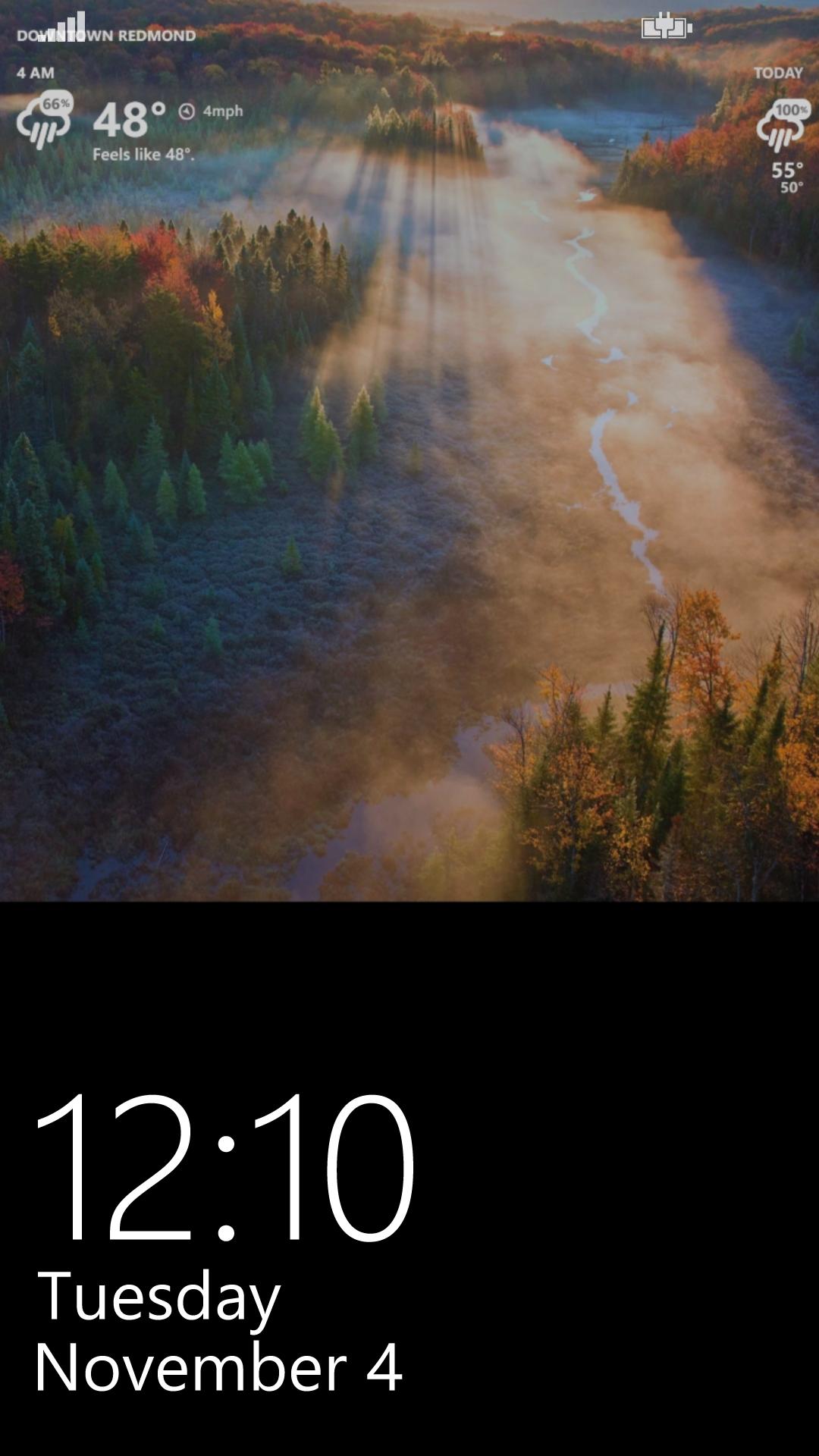
而且,是的,创建锁定屏幕图像的自定义用户控件将其Grid背景图像拉伸以填充:
        <Grid.Background>
            <ImageBrush
                x:Name="Background"
                Stretch="Fill"/>
        </Grid.Background>
我需要做什么才能让Bing图像优雅地填充屏幕?也就是说,我不想不成比例地调整原始图像的大小(像素),以使其与1080 p手机的尺寸匹配。
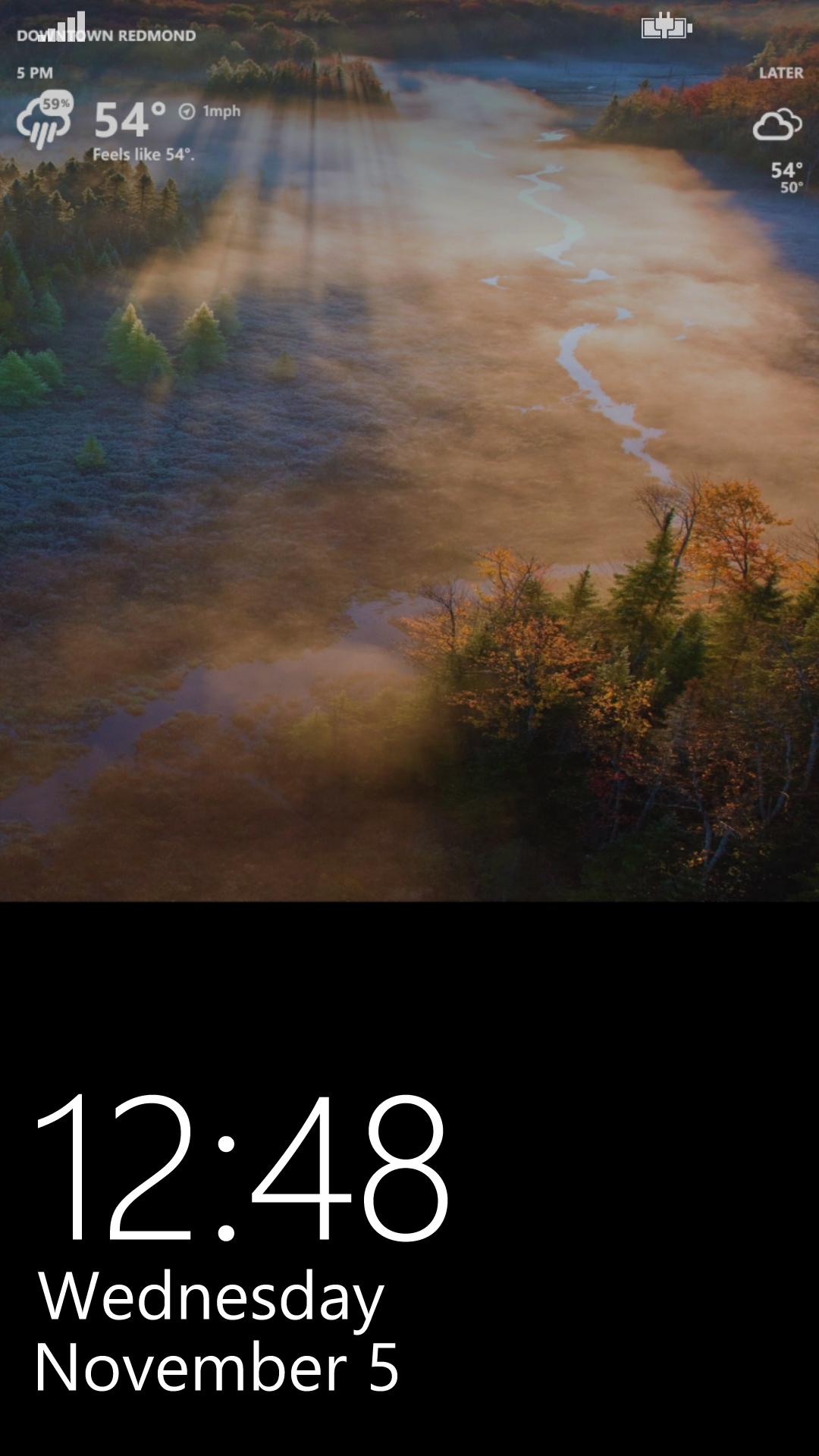
更新:我找到了另一张1080x1920的图片,用于一天中的必应图像(即1080 p手机的锁定屏幕的精确尺寸):1080x1920.jpg。
然而,使用它似乎并不能解决根本的问题(注意:我不是从这个图像中剪切任何东西,而是使用这个图像,因为尺寸是完美的)。见下文:
回答 1
Stack Overflow用户
发布于 2014-11-05 01:15:07
好吧,这太傻了。在锁屏幕用户控件的xaml中,我只需增加网格最后一行的高度:
        <Grid.RowDefinitions>
            <RowDefinition Height="auto"/>
            <RowDefinition Height="0"/>
            <RowDefinition Height="30"/>
            <RowDefinition Height="160"/>
            <RowDefinition Height="18"/>
            <RowDefinition Height="1920"/>
        </Grid.RowDefinitions>
它以前被设置为900。
https://stackoverflow.com/questions/26747406
复制相似问题
腾讯云开发者

Copyright © 2013 - 2026 Tencent Cloud. All Rights Reserved. 腾讯云 版权所有
深圳市腾讯计算机系统有限公司 ICP备案/许可证号:粤B2-20090059  粤公网安备44030502008569号
腾讯云计算(北京)有限责任公司 京ICP证150476号 | 京ICP备11018762号