
具有图标图像的LI响应文本宽度
具有图标图像的LI响应文本宽度
提问于 2014-11-04 05:39:20
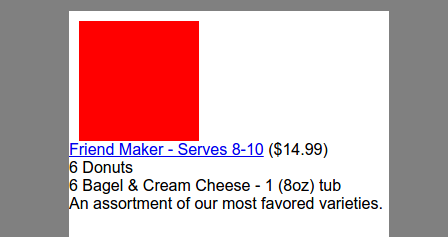
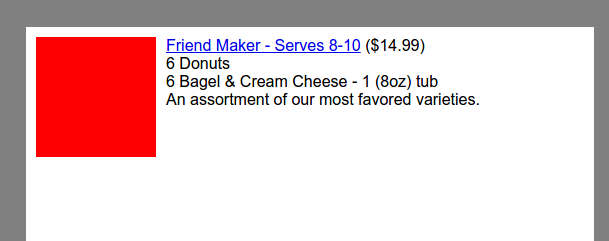
我有一个产品列表,我想显示在每个项目的左边有一个拇指图标。
如何使产品描述显示在右边,而不将文本包装在较小的屏幕上。
HTML
<ul>
<li class="cf">
<span id="customizeImage1" class="product-customize-image"></span>
<div class="product-menu-txt">
<a href="/Product/Customize/769497">Friend Maker - Serves 8-10</a>
($14.99)<br>
6 Donuts<br>
6 Bagel & Cream Cheese - 1 (8oz) tub<br>
An assortment of our most favored varieties.
</div>
</li>
</ul>CSS
* {
  margin:0;
  padding:0;
  font-family: Tahoma,Sans-Serif;
}

.cf:before,
.cf:after {
    content: " "; /* 1 */
    display: table; /* 2 */
}

.cf:after {
    clear: both;
}

/**
 * For IE 6/7 only
 * Include this rule to trigger hasLayout and contain floats.
 */
.cf {
    *zoom: 1;
}

li {
  width: 100%;
  list-style-type: none;
  padding: 10px 0;
}

.product-customize-image {
  width:120px;
  height:120px;
  background:red;
  display:block;
  float:left;
  margin: 0 10px;
}

.product-menu-txt {
  float: left;
  width: 50%;
}
http://jsbin.com/girum/4/edit
回答 1
Stack Overflow用户
回答已采纳
发布于 2014-11-04 05:49:04
最简单的方法是使用table布局,并将图像和文本显示为table-cell。
相关CSS
li {
  display: table;
}

.product-customize-image {
  display:table-cell;
}

.product-menu-txt {
  display: table-cell;
  padding-left: 8px;
}演示:http://jsbin.com/banuvoharo/1/
页面原文内容由Stack Overflow提供。腾讯云小微IT领域专用引擎提供翻译支持
原文链接:
https://stackoverflow.com/questions/26728432
复制相关文章
相似问题
腾讯云开发者

Copyright © 2013 - 2026 Tencent Cloud. All Rights Reserved. 腾讯云 版权所有
深圳市腾讯计算机系统有限公司 ICP备案/许可证号:粤B2-20090059  粤公网安备44030502008569号
腾讯云计算(北京)有限责任公司 京ICP证150476号 | 京ICP备11018762号