
图例散点图
我想要创建一个Matplotlib散点图,图例显示每个类的颜色。例如,我有一个x和y值的列表,以及一个classes值的列表。x、y和classes列表中的每个元素对应于图中的一个点。我希望每个类都有自己的颜色,这是我已经编码过的,但是我希望这些类显示在一个图例中。为了实现这一点,我应该将哪些参数传递给legend()函数?
到目前为止,我的代码如下:
import matplotlib.pyplot as plt
x = [1, 3, 4, 6, 7, 9]
y = [0, 0, 5, 8, 8, 8]
classes = ['A', 'A', 'B', 'C', 'C', 'C']
colours = ['r', 'r', 'b', 'g', 'g', 'g']
plt.scatter(x, y, c=colours)
plt.show()回答 6
Stack Overflow用户
发布于 2014-10-25 04:11:20
首先,我有一种感觉,你的意思是使用撇号,而不是背面时宣布颜色。
对于一个图例,你需要一些形状以及类。例如,下面为recs中的每种颜色创建一个称为class_colours的矩形列表。
import matplotlib.patches as mpatches

classes = ['A','B','C']
class_colours = ['r','b','g']
recs = []
for i in range(0,len(class_colours)):
    recs.append(mpatches.Rectangle((0,0),1,1,fc=class_colours[i]))
plt.legend(recs,classes,loc=4)
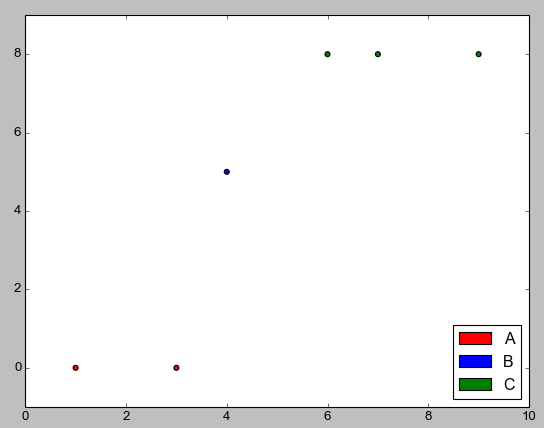
还有第二种创建图例的方法,在这种方法中,您可以为一组点指定“标签”,对每个集合使用一个单独的分散命令。这方面的一个例子如下。
classes = ['A','A','B','C','C','C']
colours = ['r','r','b','g','g','g']
for (i,cla) in enumerate(set(classes)):
    xc = [p for (j,p) in enumerate(x) if classes[j]==cla]
    yc = [p for (j,p) in enumerate(y) if classes[j]==cla]
    cols = [c for (j,c) in enumerate(colours) if classes[j]==cla]
    plt.scatter(xc,yc,c=cols,label=cla)
plt.legend(loc=4)
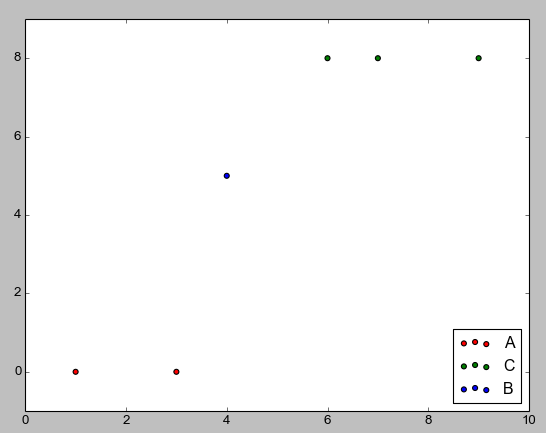
第一种方法是我自己使用过的方法,第二种是我刚刚看到的matplotlib文档。因为传说涵盖了数据点,所以我移动了它们,传说的位置可以找到这里。如果有另一种方式来创造一个传奇,我无法找到它后,在几个快速搜索的文档。
Stack Overflow用户
发布于 2019-10-23 05:42:36
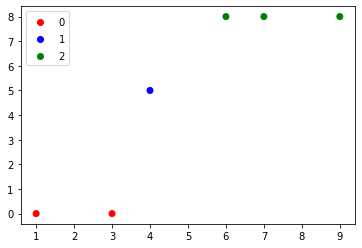
如果您使用的是matplotlib版本3.1.1或更高版本,可以尝试:
import matplotlib.pyplot as plt
from matplotlib.colors import ListedColormap

x = [1, 3, 4, 6, 7, 9]
y = [0, 0, 5, 8, 8, 8]
classes = ['A', 'A', 'B', 'C', 'C', 'C']
values = [0, 0, 1, 2, 2, 2]
colours = ListedColormap(['r','b','g'])
scatter = plt.scatter(x, y,c=values, cmap=colours)
plt.legend(*scatter.legend_elements())
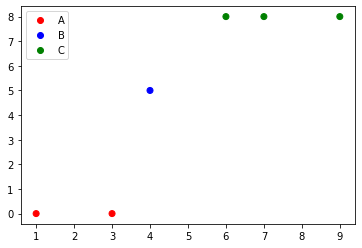
此外,要用类名替换标签,我们只需要来自scatter.legend_elements的句柄:
import matplotlib.pyplot as plt
from matplotlib.colors import ListedColormap

x = [1, 3, 4, 6, 7, 9]
y = [0, 0, 5, 8, 8, 8]
classes = ['A', 'B', 'C']
values = [0, 0, 1, 2, 2, 2]
colours = ListedColormap(['r','b','g'])
scatter = plt.scatter(x, y,c=values, cmap=colours)
plt.legend(handles=scatter.legend_elements()[0], labels=classes)
Stack Overflow用户
发布于 2014-10-25 11:01:45
做这件事有两种方法。它们中的一个给出了你想要的每一件东西的图例条目,另一个让你在图例中放任何你想要的东西,从这答案中偷了很多东西。
第一条路是:
import matplotlib.pyplot as plt
import numpy as np

x = np.linspace(-1,1,100)

fig = plt.figure()
ax = fig.add_subplot(1,1,1)

#Plot something
ax.plot(x,x, color='red', ls="-", label="$P_1(x)$")
ax.plot(x,0.5 * (3*x**2-1), color='green', ls="--", label="$P_2(x)$")
ax.plot(x,0.5 * (5*x**3-3*x), color='blue', ls=":", label="$P_3(x)$")

ax.legend()
plt.show()
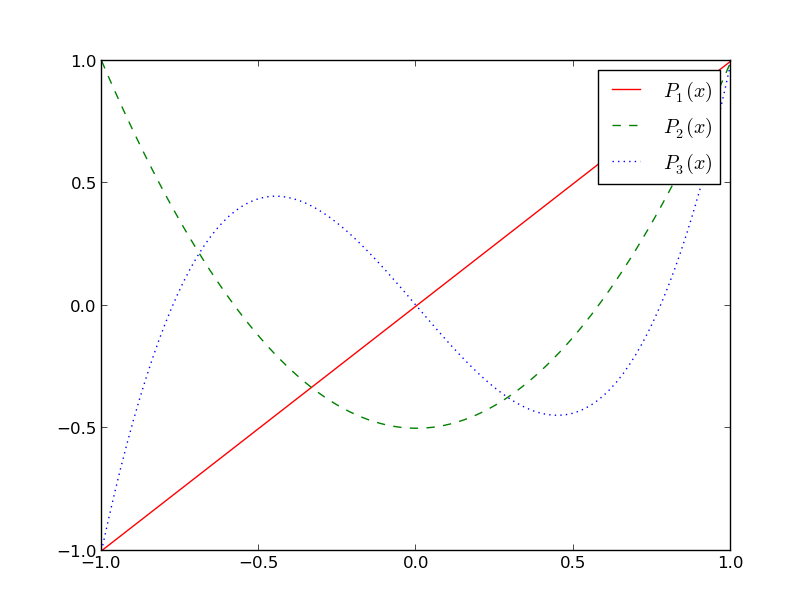
ax.legend()函数有一个以上的用途,第一个只是基于axes对象中的行创建图例,第二个是手动控制条目的allwos,描述为这里。
基本上,您需要给图例行句柄和相关的标签。
另一种方法是通过创建Artist对象和标签,并将它们传递给ax.legend()函数,从而在图例中放置您想要的任何内容。您可以使用它只将部分行放在图例中,也可以使用它在图例中放置您想要的任何内容。
import matplotlib.pyplot as plt
import numpy as np

x = np.linspace(-1,1,100)

fig = plt.figure()
ax = fig.add_subplot(1,1,1)

#Plot something
p1, = ax.plot(x,x, color='red', ls="-", label="$P_1(x)$")
p2, = ax.plot(x,0.5 * (3*x**2-1), color='green', ls="--", label="$P_2(x)$")
p3, = ax.plot(x,0.5 * (5*x**3-3*x), color='blue', ls=":", label="$P_3(x)$")

#Create legend from custom artist/label lists
ax.legend([p1,p2], ["$P_1(x)$", "$P_2(x)$"])

plt.show()
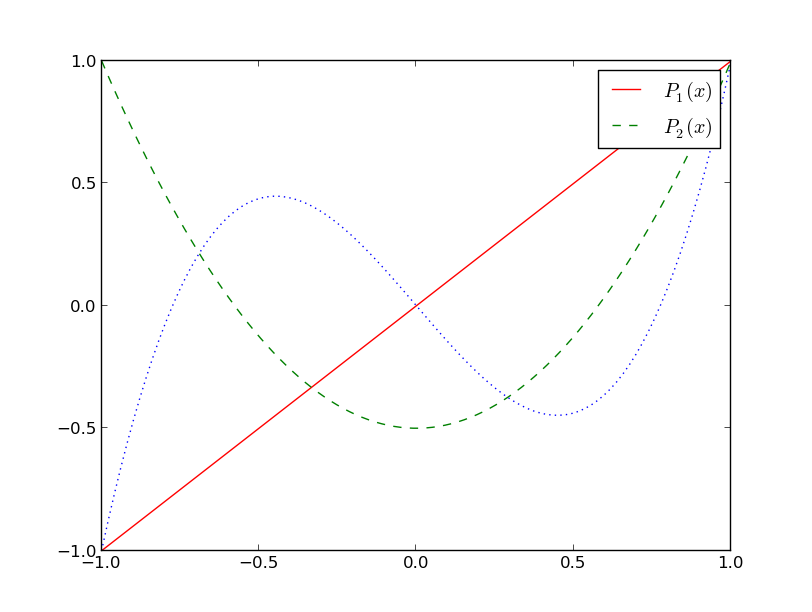
或者在这里,我们创建新的Line2D对象,并将它们交给图例。
import matplotlib.pyplot as pltit|delete|flag
import numpy as np
import matplotlib.patches as mpatches

x = np.linspace(-1,1,100)

fig = plt.figure()
ax = fig.add_subplot(1,1,1)

#Plot something
p1, = ax.plot(x,x, color='red', ls="-", label="$P_1(x)$")
p2, = ax.plot(x,0.5 * (3*x**2-1), color='green', ls="--", label="$P_2(x)$")
p3, = ax.plot(x,0.5 * (5*x**3-3*x), color='blue', ls=":", label="$P_3(x)$")

fakeLine1 = plt.Line2D([0,0],[0,1], color='Orange', marker='o', linestyle='-')
fakeLine2 = plt.Line2D([0,0],[0,1], color='Purple', marker='^', linestyle='')
fakeLine3 = plt.Line2D([0,0],[0,1], color='LightBlue', marker='*', linestyle=':')

#Create legend from custom artist/label lists
ax.legend([fakeLine1,fakeLine2,fakeLine3], ["label 1", "label 2", "label 3"])

plt.show()
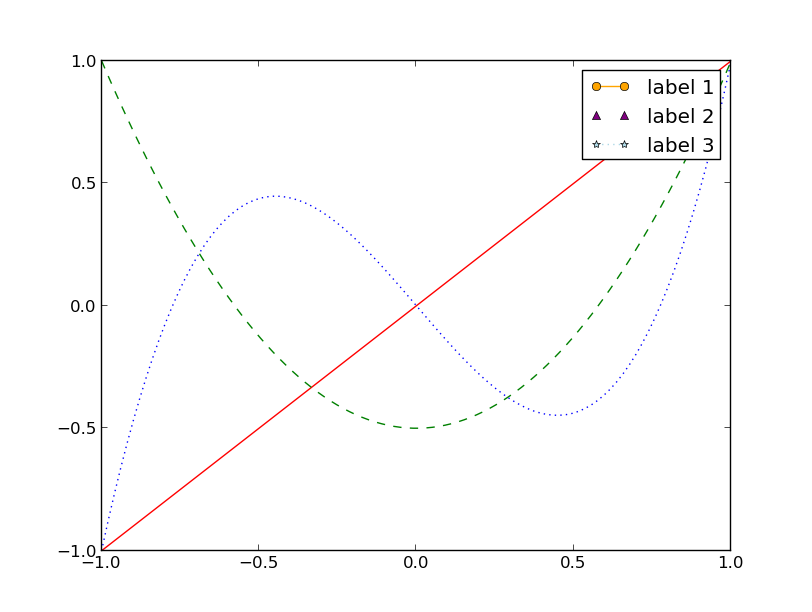
我还试图让使用patches的方法正常工作,就像matplotlib图例指南页面上的那样,但是它似乎不起作用,所以我放弃了。
https://stackoverflow.com/questions/26558816
复制相似问题
腾讯云开发者

Copyright © 2013 - 2026 Tencent Cloud. All Rights Reserved. 腾讯云 版权所有
深圳市腾讯计算机系统有限公司 ICP备案/许可证号:粤B2-20090059  粤公网安备44030502008569号
腾讯云计算(北京)有限责任公司 京ICP证150476号 | 京ICP备11018762号