
只有一个纹理在我的FrameBuffer上呈现
只有一个纹理在我的FrameBuffer上呈现
提问于 2014-10-22 19:07:45
我有三个图像,我试图用我的SpriteBatch和FrameBuffer渲染。
这些是我正在做的步骤。
- 清除屏幕、深度和模板缓冲区。
- 绑定FrameBuffer。参见FrameBuffer.bind()。
- 使用我的SpriteBatch渲染三个不同大小和不同位置的实心四边形。
- 解开我的FrameBuffer。参见FrameBuffer.unbind()。
- 绑定我的FrameBuffers colorTexture。
- 用我的FrameBuffer渲染我的SpriteBatch。
这是我知道的关于这个问题的一些事实
- 纹理显示正确的颜色。他们不是白人。
- 我呈现的第一个纹理显示出来,而另两个没有显示。如果我改变顺序,第一个纹理仍然会被呈现。
- 有三个纹理,我指的是三个独立的纹理ids。
- 我已经启动了深度测试。
- 没有引发OpenGL错误或FrameBuffer错误。
- 当将我的SpriteBatch直接呈现到屏幕上时,将显示所有三个四角体。
- 我的FrameBuffer的大小就是我屏幕的大小。
它应该是这样的样子
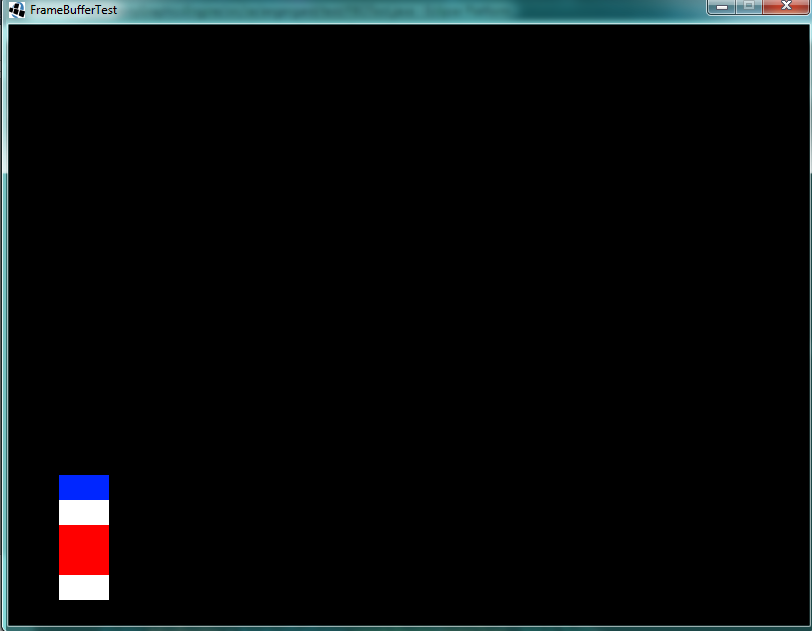
下面是我的框架缓冲区的外观。
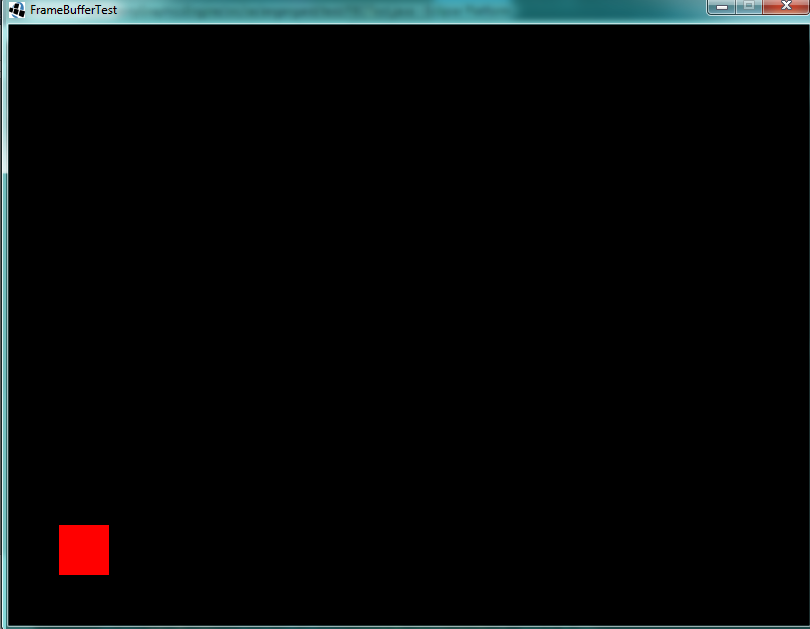
这是它是如何使用我的帧缓冲区和绘制第一个纹理两次。还没找到其他两种纹理。不是问题所在。
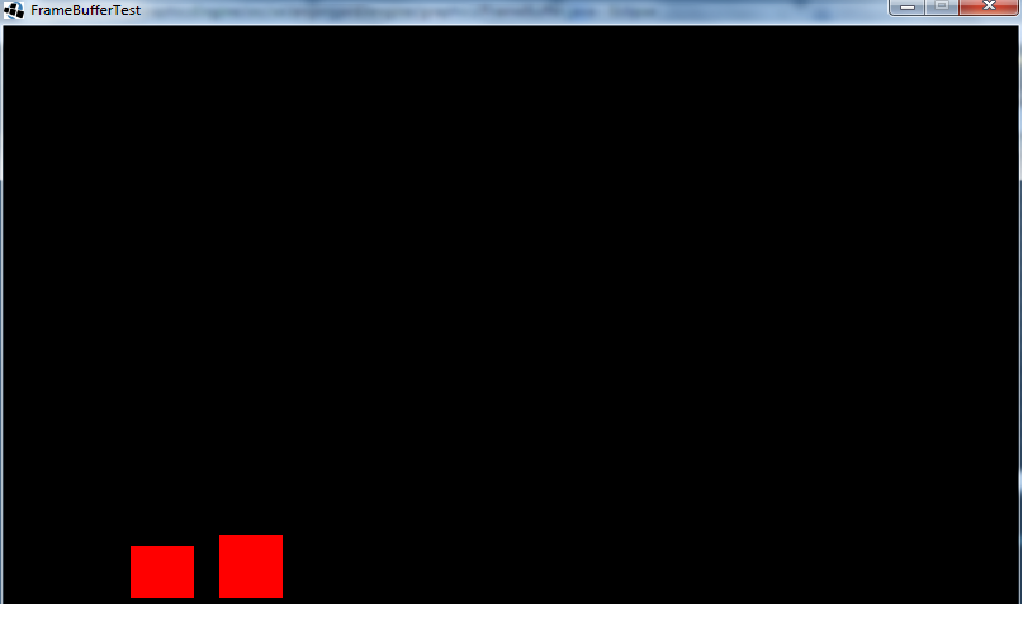
下面是我的FrameBuffer的代码:
// Stencil is broken currently broken, in my example. I'm not using any stencil buffers.
public FrameBuffer(int width, int height, boolean hasDepth, boolean hasStencil) {
    this.width = width;
    this.height = height;
    frameBufferID = GL30.glGenFramebuffers();
    GL30.glBindFramebuffer(GL30.GL_FRAMEBUFFER, frameBufferID);

    if (hasDepth && hasStencil) {
        int depthAndStencilBufferID = GL30.glGenRenderbuffers();

        GL30.glBindRenderbuffer(GL30.GL_RENDERBUFFER, depthAndStencilBufferID);
        GL30.glRenderbufferStorage(GL30.GL_RENDERBUFFER, GL30.GL_DEPTH24_STENCIL8, width, height);
        GL30.glFramebufferRenderbuffer(GL30.GL_FRAMEBUFFER, GL30.GL_DEPTH_STENCIL_ATTACHMENT, GL30.GL_RENDERBUFFER, depthAndStencilBufferID);
    }

    else if (hasDepth) {
        int depthBufferID = GL30.glGenRenderbuffers();

        GL30.glBindRenderbuffer(GL30.GL_RENDERBUFFER, depthBufferID);
        GL30.glRenderbufferStorage(GL30.GL_RENDERBUFFER, GL30.GL_DEPTH_COMPONENT32F, width, height);
        GL30.glFramebufferRenderbuffer(GL30.GL_FRAMEBUFFER, GL30.GL_DEPTH_ATTACHMENT, GL30.GL_RENDERBUFFER, depthBufferID);
    }

    else if (hasStencil) {
        int stencilBufferID = GL30.glGenRenderbuffers();
        GL30.glBindRenderbuffer(GL30.GL_RENDERBUFFER, stencilBufferID);
        GL30.glRenderbufferStorage(GL30.GL_RENDERBUFFER, GL30.GL_STENCIL_INDEX16, width, height);
        GL30.glFramebufferRenderbuffer(GL30.GL_FRAMEBUFFER, GL30.GL_STENCIL_ATTACHMENT, GL30.GL_RENDERBUFFER, stencilBufferID);
    }

    colorTexture = new Texture(width, height);
    colorTexture.bind();

    GL30.glFramebufferTexture2D(GL30.GL_FRAMEBUFFER, GL30.GL_COLOR_ATTACHMENT0, GL11.GL_TEXTURE_2D, colorTexture.getTextureID(), 0);
    int result = GL30.glCheckFramebufferStatus(GL30.GL_FRAMEBUFFER);
    //error handling
    RenderUtil.unbindFrameBuffer();
}

private Texture colorTexture;

private int width, height;

private int frameBufferID, depthBufferID, stencilBufferID;

public void begin () {
    GL30.glBindFramebuffer(GL30.GL_FRAMEBUFFER, frameBufferID);
    GL11.glViewport(0, 0, width, height);
}

public void end () {
    GL11.glViewport(0, 0, RenderingEngine.getWidth(), RenderingEngine.getHeight());
    RenderUtil.unbindFrameBuffer();
    RenderUtil.unbindTextures();
}

public Texture getColorTexture () {
    return colorTexture;
}

public int getWidth () {
    return width;
}

public int getHeight () {
    return height;
}
下面是我如何创建一个纹理,如果它有任何用途:
private void loadTexture (ByteBuffer buffer, int textureID, int width, int height) {
    GL13.glActiveTexture(GL13.GL_TEXTURE0);
    GL11.glBindTexture(GL11.GL_TEXTURE_2D, textureID);

    GL11.glPixelStorei(GL11.GL_UNPACK_ALIGNMENT, 1);

    GL11.glTexImage2D(GL11.GL_TEXTURE_2D, 0, GL11.GL_RGBA8, width, width, 0, GL11.GL_RGBA, GL11.GL_UNSIGNED_BYTE, buffer);

    GL30.glGenerateMipmap(GL11.GL_TEXTURE_2D);

    GL11.glTexParameteri(GL11.GL_TEXTURE_2D, GL11.GL_TEXTURE_WRAP_S, GL11.GL_REPEAT);
    GL11.glTexParameteri(GL11.GL_TEXTURE_2D, GL11.GL_TEXTURE_WRAP_T, GL11.GL_REPEAT);

    GL11.glTexParameteri(GL11.GL_TEXTURE_2D, GL11.GL_TEXTURE_MAG_FILTER, GL11.GL_NEAREST);
    GL11.glTexParameteri(GL11.GL_TEXTURE_2D, GL11.GL_TEXTURE_MIN_FILTER, GL11.GL_LINEAR_MIPMAP_LINEAR);
}
在切换纹理时,我的SpriteBatch中似乎有一个问题。这是开关的工作原理。我提醒您,使用我的SpriteBatch在屏幕上呈现给我想要的结果。但是,呈现到一个FrameBuffer是行不通的。
`
public void flush () {

    flushes++;
    buffer.flip();
    MESH.setVertices(buffer);

    if (lastTexture != null) {
        lastTexture.bind();
    }

    MESH.draw();

    buffer.clear();
}

/** Begins the SpriteBatch. */
public void begin () {
    if (rendering) {
        new IllegalStateException("You have to SpriteBatch.end() before calling begin again!").printStackTrace();
    }
    flushes = 0;
    rendering = true;
    shader.bind();
    shader.setUniformMat4f("projection", camera.getCombined());
    shader.setUniformVec4("color", color);
}

/** Ends the SpriteBatch, also flushes it. */
public void end () {
    if (!rendering) {
        new IllegalStateException("You've to SpriteBatch.begin before ending the spritebatch").printStackTrace();
    }
    rendering = false;
    flush();
    RenderUtil.unbindShaders();
    RenderUtil.unbindTextures();
}

/** Switches the textures and flushes the old one.
 * @param t */
private void switchTextures (Texture t) {
    if (lastTexture != null) {
        flush();
    }
    lastTexture = t;
}
将创建一个小例子。应该快起来了。
编辑:问题不是我的FrameBuffer。是我的SpriteBatch。
回答 1
Stack Overflow用户
回答已采纳
发布于 2014-10-22 20:58:54
在绑定FBO时,需要清除缓冲区,否则只需要清除与窗口相关的颜色/模板/深度缓冲区。这不是您想要的行为,因为这个场景中的深度测试使用的是FBO的深度,而不是窗口的(默认框架缓冲区)。
public void begin ()是最符合逻辑的地方:
public void begin () {
    GL30.glBindFramebuffer(GL30.GL_FRAMEBUFFER, frameBufferID);
    GL11.glClear(GL11.GL_COLOR_BUFFER_BIT | GL11.GL_DEPTH_BUFFER_BIT | GL11.GL_STENCIL_BUFFER_BIT);
    GL11.glViewport(0, 0, width, height);
}页面原文内容由Stack Overflow提供。腾讯云小微IT领域专用引擎提供翻译支持
原文链接:
https://stackoverflow.com/questions/26515206
复制相关文章
相似问题
腾讯云开发者

Copyright © 2013 - 2026 Tencent Cloud. All Rights Reserved. 腾讯云 版权所有
深圳市腾讯计算机系统有限公司 ICP备案/许可证号:粤B2-20090059  粤公网安备44030502008569号
腾讯云计算(北京)有限责任公司 京ICP证150476号 | 京ICP备11018762号