
UIStoryBoardSegue转换-状态栏问题
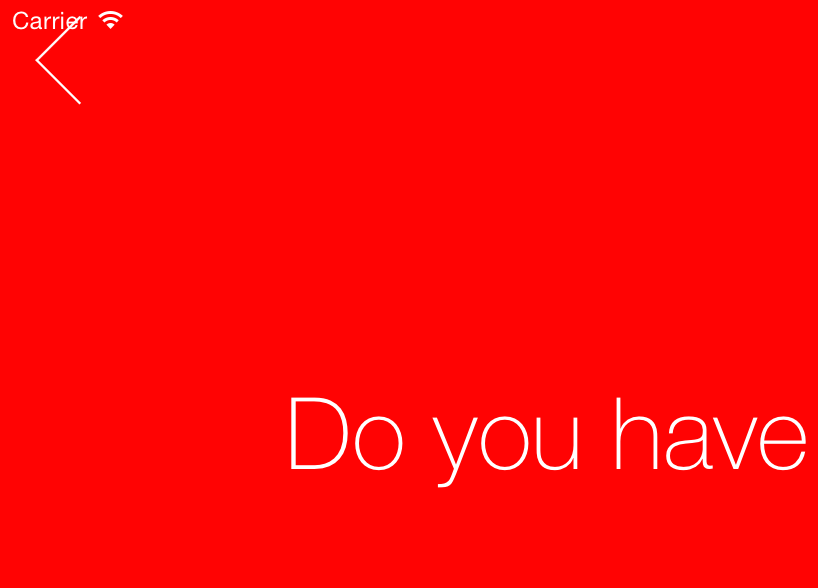
我正在尝试使用UIStoryboardSegue子类创建到新视图控制器的自定义转换,但我遇到了一些问题。我有一个后退按钮,与AutoLayout设置为5个像素从顶部布局指南(基本上25个像素,从顶部的视图)。但是,当我正在传输视图时,没有考虑到状态栏的存在,并使按钮距视图顶部5像素,而不是距视图顶部25像素(状态栏。高度== 20 of )。因此,当转换结束时,当我调用[self sourceViewController presentModalViewController:self destinationViewController动画:NO]时,突然出现反弹;因为这样按钮实际上就被正确地分层了。有没有人知道我如何告诉我的观点,它应该布局假设顶部布局指南开始于20 of而不是0?
编辑:问题似乎与topLayoutGuide直接相关。在检查topLayoutGuide的值时,当我在转换中添加视图时,它是0,但是当我在目标视图控制器的viewDidAppear中检查它时,它是20,这是应该的。
- (void)perform {
UIWindow *window = [[[UIApplication sharedApplication] windows] objectAtIndex:0];
UIViewController *sourceViewController = (UIViewController*)self.sourceViewController;
UIViewController *destinationViewController = (UIViewController*)self.destinationViewController;

[destinationViewController.view setCenter:CGPointMake(window.frame.size.width * 1.5, sourceViewController.view.center.y)];
[[sourceViewController.view superview] addSubview:destinationViewController.view];
[destinationViewController.view setBackgroundColor:[UIColor redColor]];

POPSpringAnimation *positionAnimation = [POPSpringAnimation animationWithPropertyNamed:kPOPLayerPositionX];
positionAnimation.toValue = @(window.center.x);
positionAnimation.springBounciness = 10;


POPSpringAnimation *fromPositionAnimation = [POPSpringAnimation animationWithPropertyNamed:kPOPLayerPositionX];
double offScreenX = -sourceViewController.view.frame.size.width;
fromPositionAnimation.toValue = @(offScreenX);
fromPositionAnimation.springBounciness = 10;
[fromPositionAnimation setCompletionBlock:^(POPAnimation *anim, BOOL finished) {
}];

POPSpringAnimation *scaleAnimation = [POPSpringAnimation animationWithPropertyNamed:kPOPLayerScaleXY];
scaleAnimation.springBounciness = 20;
scaleAnimation.fromValue = [NSValue valueWithCGPoint:CGPointMake(1.0, 1.1)];
[scaleAnimation setCompletionBlock:^(POPAnimation *anim, BOOL finished) {
    [[self sourceViewController] presentModalViewController:[self destinationViewController] animated:NO];
}];

[sourceViewController.view.layer pop_addAnimation:fromPositionAnimation forKey:@"positionAnimation"];
[destinationViewController.view.layer pop_addAnimation:positionAnimation forKey:@"positionAnimation"];
[destinationViewController.view.layer pop_addAnimation:scaleAnimation forKey:@"scaleAnimation"];
}
回答 1
Stack Overflow用户
发布于 2014-10-07 20:09:22
我建议叫setNeedLayout on viewWillAppear。它应该调整视图子视图的布局。
https://stackoverflow.com/questions/26243972
复制相似问题
腾讯云开发者

Copyright © 2013 - 2026 Tencent Cloud. All Rights Reserved. 腾讯云 版权所有
深圳市腾讯计算机系统有限公司 ICP备案/许可证号:粤B2-20090059  粤公网安备44030502008569号
腾讯云计算(北京)有限责任公司 京ICP证150476号 | 京ICP备11018762号