
在小倍数图中对多个geojson特征进行中心化的最佳方法
在小倍数图中对多个geojson特征进行中心化的最佳方法
提问于 2014-09-23 19:32:29
我正在制作一个小的倍数图来可视化多个社区。
想象一下像这样的事情,但是社区不是一个国家:
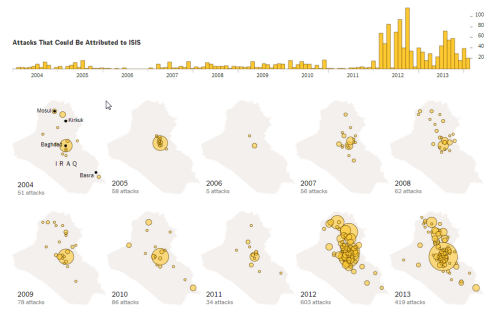
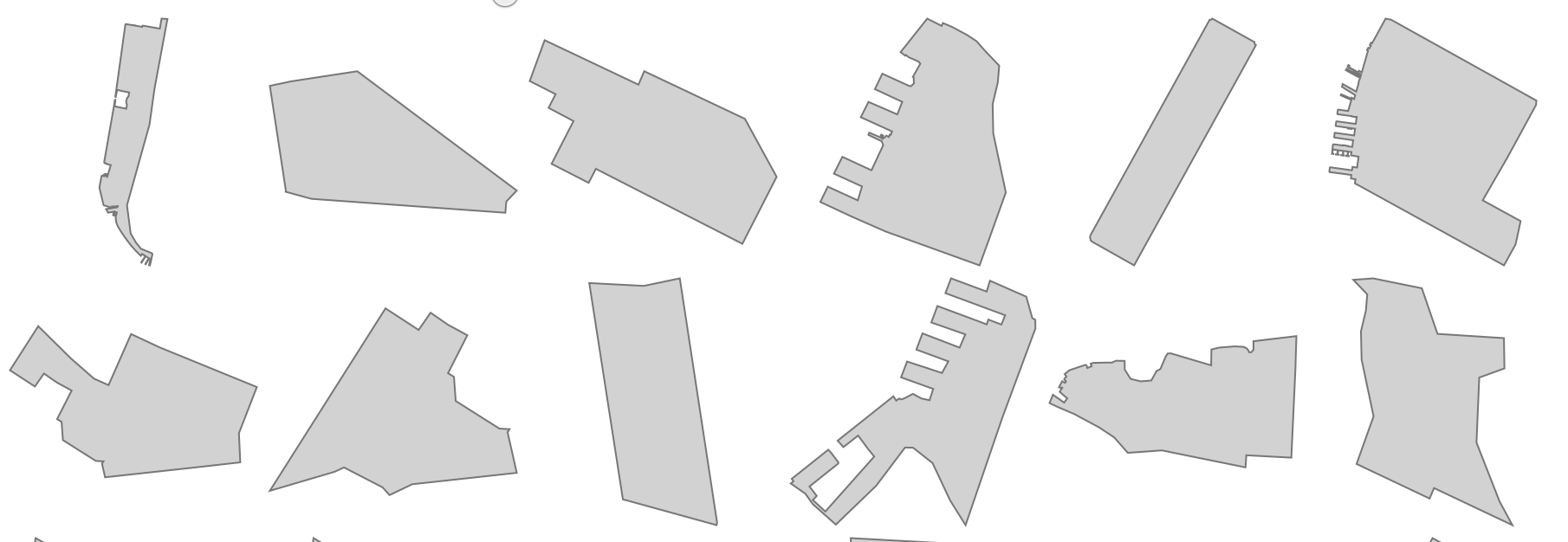
我的问题是,当我在enter()方法中附加每条路径时,每个邻居都会倾斜,以至于它的位置反映了它在整个城市中的位置。我希望每一个社区都以社区为中心。
这张图片显示了我的麻烦(每个邻居都与其他邻居相抵):

我可以使用Mike的instructions对地图进行对中,这一切都很好。但我得重新审视每一个社区。如何做到这一点:将d的一个实例传递到data.bounds()方法中并重新定义每个投影?
下面是对中心的最初定义是如何发生的:
(function run() {
    d3.json("./data/output.geojson", function(error, map) {


    var b = path.bounds(map),
 s = .95 / Math.max((b[1][0] - b[0][0]) / width, (b[1][4] - b[0][5]) / height),
t = [(width - s * (b[1][0] + b[0][0])) / 2, (height - s * (b[1][6] + b[0][7])) / 2];

projection
    .scale(s)
    .translate(t);


  var chart = d3.select("#charts").selectAll("svg")
           .data(map.features)
           .enter()
           .append("svg")
               .attr("width", mapWidth )
               .attr("height", mapHeight )
               .append("g")

              chart
                .append("path")
                .attr("d", path)
                .style("fill","steelblue");

    });

})()
是否有必要使用.data().enter()模式将每个映射投影作为自己的数据输入实例?
编辑:
最终版本如下:
回答 1
Stack Overflow用户
回答已采纳
发布于 2014-09-23 20:26:02
您可以使用.each()
chart.append("path")
  .each(function(d) {
    var b = path.bounds(d),
        s = 1.5 / Math.max((b[1][0] - b[0][0]) / mapWidth, (b[1][1] - b[0][1]) / mapHeight),
        t = [(mapWidth - s * (b[1][0] + b[0][0])) / 2, (mapHeight - s * (b[1][1] + b[0][1])) / 2];

    projection.scale(s).translate(t);
    d3.select(this).attr("d", path);
});这并不完全有效,因为特性的界限取决于路径所使用的投影。通过更改投影,您还可以更改后续特性的界限。要解决这个问题,在设置d属性之后,将投影参数重置为以前的值:
var os = projection.scale(),
    ot = projection.translate();

// ...

projection.scale(s).translate(t);
d3.select(this).attr("d", path);
projection.scale(os).translate(ot);页面原文内容由Stack Overflow提供。腾讯云小微IT领域专用引擎提供翻译支持
原文链接:
https://stackoverflow.com/questions/26003264
复制相关文章
相似问题
腾讯云开发者

Copyright © 2013 - 2026 Tencent Cloud. All Rights Reserved. 腾讯云 版权所有
深圳市腾讯计算机系统有限公司 ICP备案/许可证号:粤B2-20090059  粤公网安备44030502008569号
腾讯云计算(北京)有限责任公司 京ICP证150476号 | 京ICP备11018762号