
连接PaintCode按钮的最佳方法?
我已经在PaintCode中创建了一个自定义按钮。PC有很多关于创建图形的文档,但没有使用它们。
我的方法行得通,但有一些问题,我会.我走了子类化UIButton的路线,我把它放在了我的故事板上。然后我给它分配了我的自定义按钮的类,我们将它命名为customButton。使用此方法,您可以在IB中连接操作,突出显示的状态由touchesBegan和touchesEnded方法与切换突出显示视图的变量一起处理,但问题是,突出显示的状态永远不会在快速触摸时显示。
customButton.m
@interface customButton ()

@property BOOL isPressed;

@end

@implementation customButton

- (id)initWithFrame:(CGRect)frame
{
    self = [super initWithFrame:frame];
    if (self) {
        // Initialization code
    }
    return self;
}

-(void) awakeFromNib {
    [super awakeFromNib];
    _buttonText = @"Post";
}

- (void)drawRect:(CGRect)rect
{
    [StyleKit drawCustomButtonWithFrame:rect pressed:_isPressed buttonText:_buttonText];
}

- (void) touchesBegan:(NSSet *)touches withEvent:(UIEvent *)event {
    _isPressed = YES;
    [self setNeedsDisplay];
}

- (void) touchesEnded:(NSSet *)touches withEvent:(UIEvent *)event {
    [self sendActionsForControlEvents:UIControlEventTouchUpInside];
    _isPressed = NO;
    [self setNeedsDisplay];
}
我的问题是:是否有更好的方法来实现用PaintCode绘制的按钮?这个问题在于,它并不总是显示突出显示的状态,而且感觉有点烦躁。肯定有更好的办法吗?
回答 2
Stack Overflow用户
发布于 2014-11-13 17:41:54
实现这一点的最佳方法是覆盖UIControl中的UIControl属性。它是按钮状态最精确的指示器。我使用的是“快速”,但是将其转换为ObjC是很简单的:
class VectorizedButton: UIButton {
    override var highlighted: Bool {
        didSet {
            setNeedsDisplay()
        }
    }
}现在,与其传递_isPressed,不如只传递highlighted (或[self highlighted])。
为了完整起见:
- (void)setHighlighted:(BOOL)isHigh
{
    [super setHighlighted:isHigh];
    [self setNeedsDisplay];
}好像有一个这篇文章写得很好。
完整代码示例:
备注I更进一步,如果该按钮未启用或突出显示,则突出显示。
class VectorizedButton: UIButton {

    override var highlighted: Bool {
        didSet {
            setNeedsDisplay()
        }
    }

    // MARK: - Init & Dealloc

    required init(coder aDecoder: NSCoder) {
        super.init(coder: aDecoder)
    }

    override func awakeFromNib() {
        super.awakeFromNib()

        backgroundColor = UIColor.clearColor()
    }

    // MARK: - Private methods

    private var shouldHighlight: Bool {
        return highlighted || !enabled
    }

    // MARK: - Public methods

    override func drawRect(rect: CGRect) {
        StyleKit.drawMyButton(frame: bounds, highlighted: shouldHighlight)
    }

}Stack Overflow用户
发布于 2015-05-15 00:16:16
谢谢,@Mazyod。这真的很有帮助。
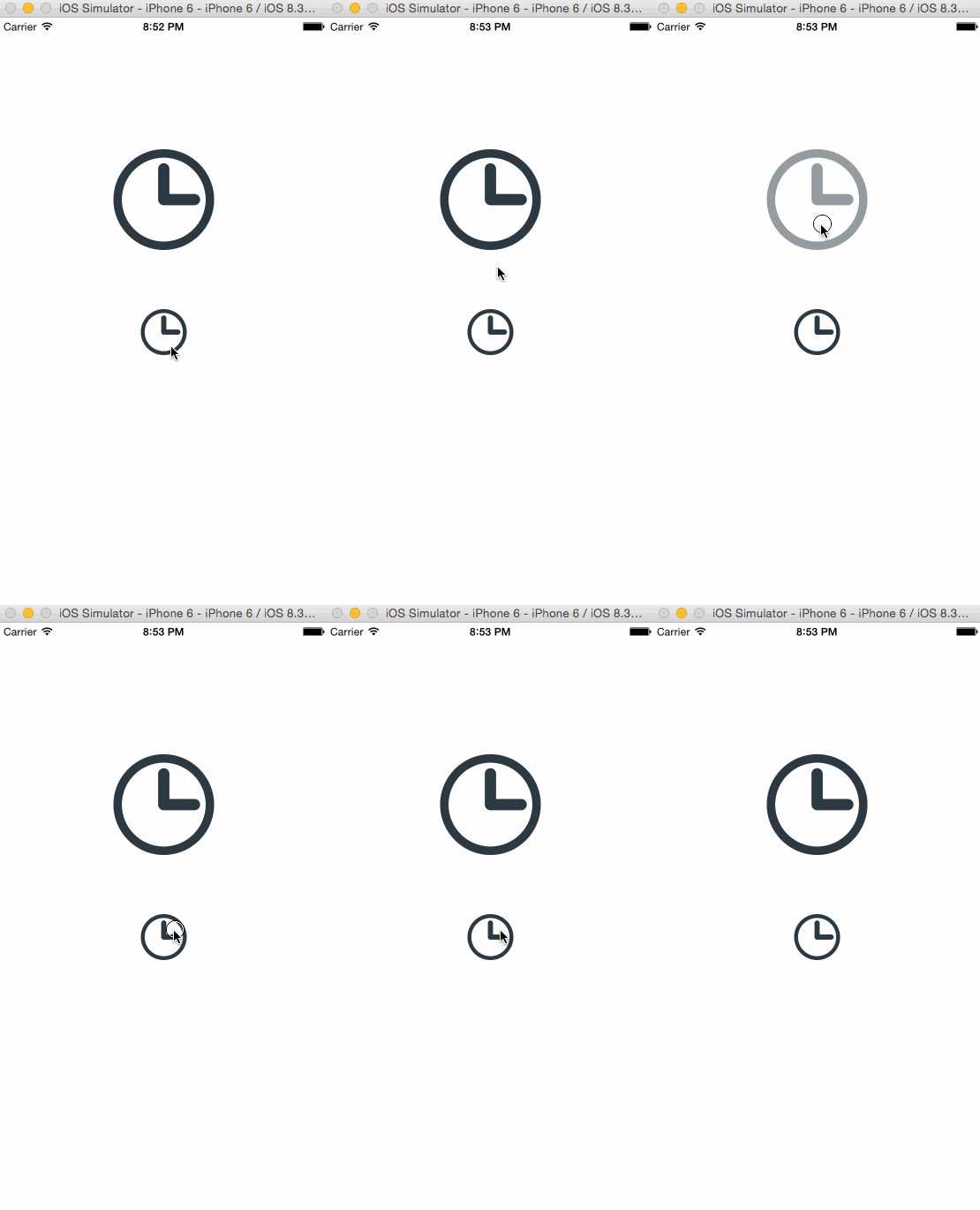
以下是基于@Mazyod的答案的Swift 3项目:
https://github.com/backslash-f/paint-code-ui-button
( PaintCode项目附在那里)。
import UIKit

@IBDesignable class CustomUIButton: UIButton {

    // MARK: Properties

    override var isHighlighted: Bool {
        didSet {
            setNeedsDisplay()
        }
    }

    override var isSelected: Bool {
        didSet {
            setNeedsDisplay()
        }
    }

    override var isEnabled: Bool {
        didSet {
            setNeedsDisplay()
        }
    }

    // MARK: Lifecycle

    override func draw(_ rect: CGRect) {
        StyleKit.drawWatchButton(frame: rect, highlighted: isHighlighted)
    }
}
https://stackoverflow.com/questions/25813582
复制相似问题
腾讯云开发者

Copyright © 2013 - 2026 Tencent Cloud. All Rights Reserved. 腾讯云 版权所有
深圳市腾讯计算机系统有限公司 ICP备案/许可证号:粤B2-20090059  粤公网安备44030502008569号
腾讯云计算(北京)有限责任公司 京ICP证150476号 | 京ICP备11018762号