
使用传单将边框层添加到离线地图
使用传单将边框层添加到离线地图
提问于 2014-09-05 13:24:58
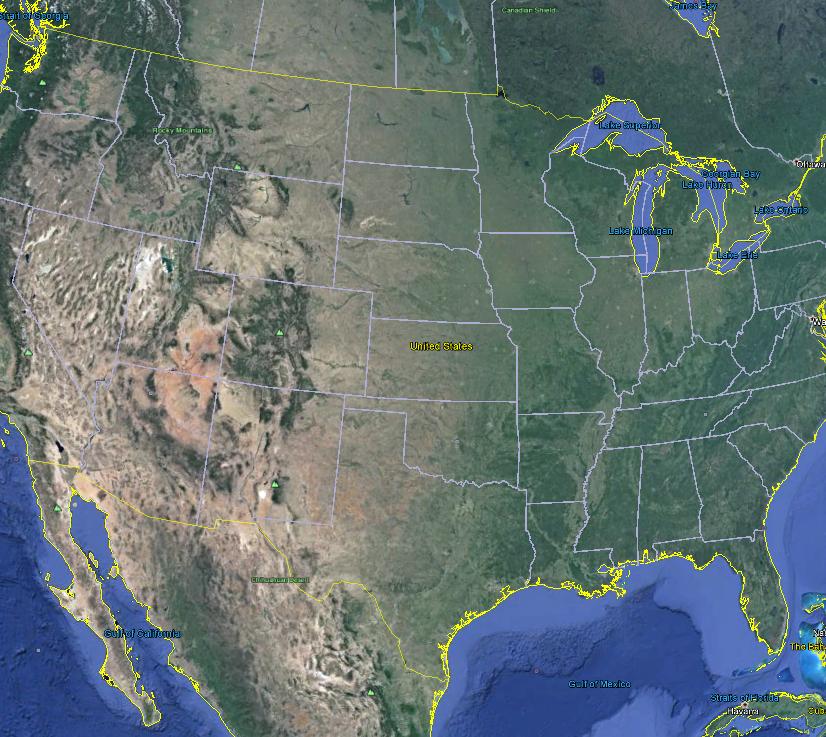
我用传单和瓷砖制作了离线地图。这些瓷砖不包含国家边界或州边界。我想在这些瓷砖中添加所有国家边界以及国家边界。这是建筑地图的代码。
 var map = L.map('map').setView([33.705, -84.3900], 4);
            L.tileLayer('tiles/{z}/{x}/{y}.png', {
            attribution: '© <a>ABC</a>',
            maxZoom: 11,
            minZoom: 4
        }).addTo(map);

        map.attributionControl.setPrefix('');
        var london = new L.LatLng(51.505, -0.09);
        map.addLayer(london);
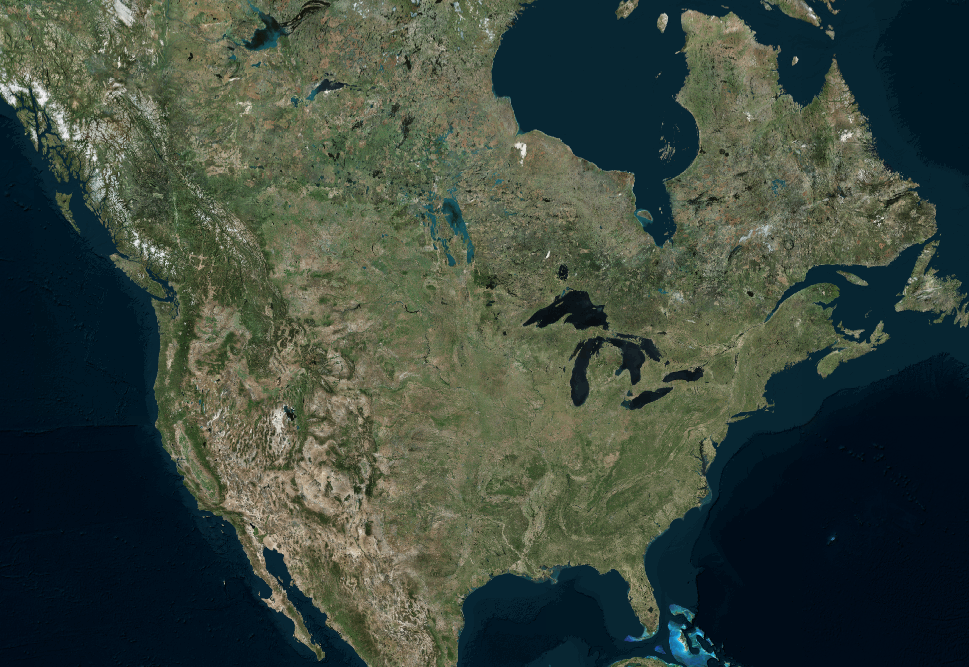
这是没有任何边界线的贴图。如何使用传单添加边框层。
我希望输出应该看起来像
回答 1
Stack Overflow用户
回答已采纳
发布于 2014-09-05 14:49:10
首先,您需要定义“边界层”的点的纬度/经度对。如果您在geoJSON格式中有这些点,这将是最好的。一旦您有了这些数据,您就可以遍历这些点并将它们连接起来并创建一个层。
var states = [{
"type": "Feature",
"properties": {"party": "Republican"},
"geometry": {
    "type": "Polygon",
    "coordinates": [[
        [-104.05, 48.99],
        [-97.22,  48.98],
        [-96.58,  45.94],
        [-104.03, 45.94],
        [-104.05, 48.99]
    ]]
}
}, {
"type": "Feature",
"properties": {"party": "Democrat"},
"geometry": {
    "type": "Polygon",
    "coordinates": [[
        [-109.05, 41.00],
        [-102.06, 40.99],
        [-102.03, 36.99],
        [-109.04, 36.99],
        [-109.05, 41.00]
    ]]
}
}];
L.geoJson(states, {
style: function(feature) {
    switch (feature.properties.party) {
        case 'Republican': return {color: "#ff0000"};
        case 'Democrat':   return {color: "#0000ff"};
    }
}
}).addTo(map);当然,这些点需要在逻辑上进行分组,这样您就可以连接正确的点。一定要查看这个链接http://leafletjs.com/examples/choropleth.html
页面原文内容由Stack Overflow提供。腾讯云小微IT领域专用引擎提供翻译支持
原文链接:
https://stackoverflow.com/questions/25686961
复制相关文章
相似问题
腾讯云开发者

Copyright © 2013 - 2026 Tencent Cloud. All Rights Reserved. 腾讯云 版权所有
深圳市腾讯计算机系统有限公司 ICP备案/许可证号:粤B2-20090059  粤公网安备44030502008569号
腾讯云计算(北京)有限责任公司 京ICP证150476号 | 京ICP备11018762号