
如何在OpenCV中融合多个图像?
如何在OpenCV中融合多个图像?
提问于 2014-08-22 06:31:02
我有一组图像和相关的权重。我想把它们混合在一起。我知道在OpenCV中有一个混合命令来混合两个图像。但是如何将多个图像融合在一起呢?
回答 3
Stack Overflow用户
回答已采纳
发布于 2014-08-22 09:16:42
那么简单的矩阵运算呢,如下所示?
blendedImage = weight_1 * image_1 + weight_2 * image_2 + ... + weight_n * image_nStack Overflow用户
发布于 2015-12-03 13:34:41
可以使用以下代码进行混合(这是在Java中使用OpenCV):
//Create a black-colored image
Mat mergedImage = new Mat(inputImageSize, inputImageType, new Scalar(0));
//Add each image from a vector<Mat> inputImages with weight 1.0/n where n is number of images to merge
for (Mat mat : inputImages) {
    Core.addWeighted(mergedImage, 1, mat, 1.0/n, 0, mergedImage);
}编辑:-上面的代码存在舍入错误。如果inputImageType是整数类型,那么除以1/n将导致此问题。因此,上述代码只应用于浮动矩阵。
Stack Overflow用户
发布于 2021-06-17 00:13:36
下面是Python代码,用于将多个图像混合到一个列表中。我用了丹尼斯回答的基本公式。
首先,让我们得到三个图像。
import numpy as np
import cv2
import matplotlib.pyplot as plt
import matplotlib.image as mpimg

dim = (425, 425)

apple = mpimg.imread('apple.jpg')
apple = cv2.resize(apple, dim)

banana = mpimg.imread('banana.jpg')
banana = cv2.resize(banana, dim)

orange = mpimg.imread('orange.jpg')
orange = cv2.resize(orange, dim)

_ = plt.imshow(apple)
_ = plt.show()

_ = plt.imshow(banana)
_ = plt.show()

_ = plt.imshow(orange)
_ = plt.show()
以下是图片:
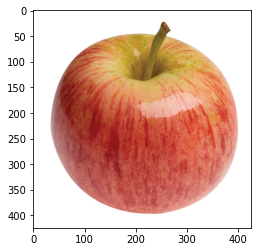
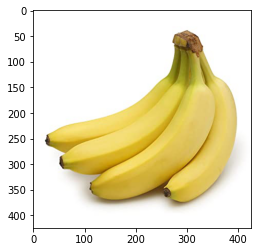
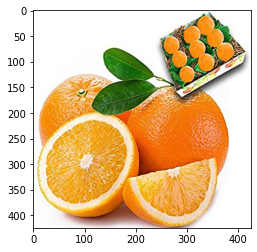
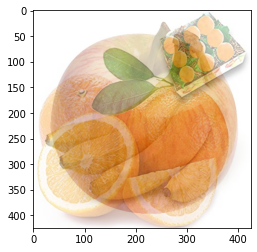
现在让我们把它们平均地混合在一起。由于有三个图像,每个图像对最终输出的贡献率为0.333。
def blend(list_images): # Blend images equally.

    equal_fraction = 1.0 / (len(list_images))

    output = np.zeros_like(list_images[0])

    for img in list_images:
        output = output + img * equal_fraction

    output = output.astype(np.uint8)
    return output

list_images = [apple, banana, orange]
output = blend(list_images)

_ = plt.imshow(output)
其结果是:
页面原文内容由Stack Overflow提供。腾讯云小微IT领域专用引擎提供翻译支持
原文链接:
https://stackoverflow.com/questions/25440865
复制相关文章
相似问题
腾讯云开发者

Copyright © 2013 - 2026 Tencent Cloud. All Rights Reserved. 腾讯云 版权所有
深圳市腾讯计算机系统有限公司 ICP备案/许可证号:粤B2-20090059  粤公网安备44030502008569号
腾讯云计算(北京)有限责任公司 京ICP证150476号 | 京ICP备11018762号