
创建自定义进度条
创建自定义进度条
提问于 2014-07-28 18:15:58
有人能解释一下如何实现一个自定义进度条吗?这个进度条引用了这样的ImageButton:

我自己在搜索和实现它,但事件并不接近图片中的内容:
我发现的唯一相似的东西是这和这
回答 1
Stack Overflow用户
回答已采纳
发布于 2014-07-28 18:27:25
此示例代码应该给出你要找的东西。如果有帮助请告诉我。
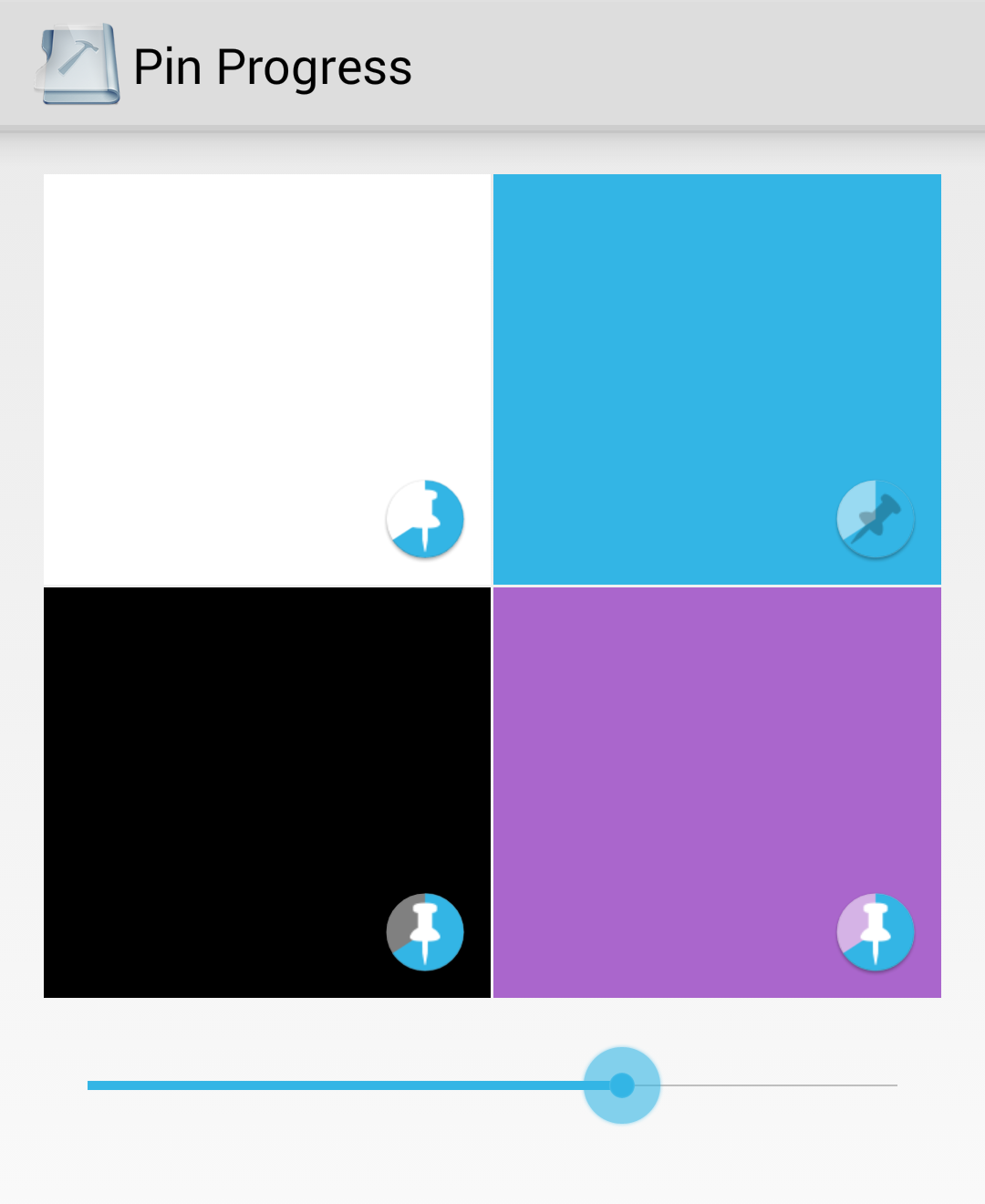
编辑:我编辑了链接,只指向特定的项目,这应该更容易。
从我提供的链接中下载项目,然后解压它。在project代码-e77853751bbd文件夹中,导航到misc/pinprogress,然后您将在这个项目中。在src文件夹中,向项目中添加PinProgressButton.java以及除ic_launcher.png之外的res目录中的所有项。
将其添加到布局中
<com.yourpackage.pinprogress.PinProgressButton
                android:id="@+id/pin_progress_1"
                style="@style/PinProgressButton"
                android:layout_width="wrap_content"
                android:layout_height="wrap_content"
                android:layout_gravity="bottom|right" />
从你的活动中引用
 final PinProgressButton pinProgress1 = (PinProgressButton) findViewById(
            R.id.pin_progress_1);
设置进度
pinProgress1.setProgress(progressValue);这是为了更改内容描述
    CompoundButton.OnCheckedChangeListener checkedChangeListener
            = new CompoundButton.OnCheckedChangeListener() {
        @Override
        public void onCheckedChanged(CompoundButton compoundButton, boolean checked) {
            updatePinProgressContentDescription((PinProgressButton) compoundButton);
        }
    };

    pinProgress1.setOnCheckedChangeListener(checkedChangeListener);

    updatePinProgressContentDescription(pinProgress1);
}

private void updatePinProgressContentDescription(PinProgressButton button) {
    int progress = button.getProgress();
    if (progress <= 0) {
        button.setContentDescription(getString(button.isChecked()
                ? R.string.content_desc_pinned_not_downloaded
                : R.string.content_desc_unpinned_not_downloaded));
    } else if (progress >= 100) {
        button.setContentDescription(getString(button.isChecked()
                ? R.string.content_desc_pinned_downloaded
                : R.string.content_desc_unpinned_downloaded));
    } else {
        button.setContentDescription(getString(button.isChecked()
                ? R.string.content_desc_pinned_downloading
                : R.string.content_desc_unpinned_downloading));
    }
}页面原文内容由Stack Overflow提供。腾讯云小微IT领域专用引擎提供翻译支持
原文链接:
https://stackoverflow.com/questions/25001642
复制相关文章
相似问题
腾讯云开发者

Copyright © 2013 - 2026 Tencent Cloud. All Rights Reserved. 腾讯云 版权所有
深圳市腾讯计算机系统有限公司 ICP备案/许可证号:粤B2-20090059  粤公网安备44030502008569号
腾讯云计算(北京)有限责任公司 京ICP证150476号 | 京ICP备11018762号