
在播放完音频后,如何在IE中取消播放按钮?
下面的代码在除IE之外的所有其他浏览器上都能正常工作,在IE中,一旦播放了音频并显示了next按钮,您还可以单击音频并再次听到它。因为这是一项调查,如果有人能听到不止一次,这对参与者是不公平的。你能告诉我为什么它在其他浏览器中工作得很好,但在IE中却不能工作,它是如何被修复的?
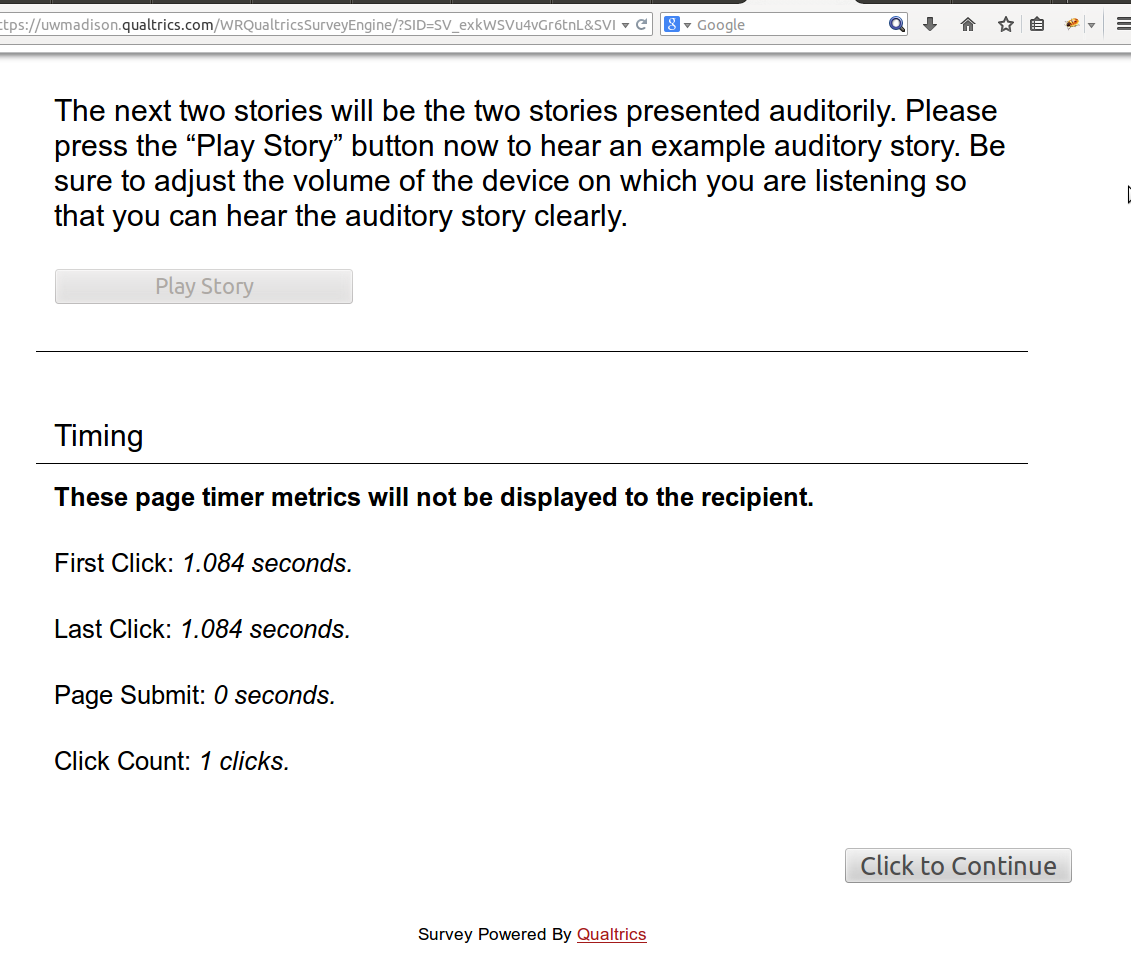
我希望用户不能再次听到(即使他们点击播放故事按钮),一旦“单击继续”按钮出现。
Now that you know how the auditory stories will sound, you are ready to listen to and comprehend the two auditory stories in this study. The first auditory story is titled, “The Honey Gatherer’s Three Sons.” Press the “Play Story” button to begin listening to the story; after you have finished listening to the story, you will answer a set of questions about the story.
<div>
<p> </p>
<audio controls="" id="audio2" style="display:none"><source src="http://langcomplab.net/Honey_Gatherers_Master.webm" style="width:50%" type="audio/webm" /> <source src="http://langcomplab.net/Honey_Gatherers_Master.mp3" style="width:50%" type="audio/mp3" /> Your browser doesn't support this audio format.</audio>
</div>
<p> </p>
<div><button name="play" onclick="disabled=true" style="height:25px; width:200px" type="button">Play Story</button></div>这是javascript:
Qualtrics.SurveyEngine.addOnload(function()
{
    /*Place Your Javascript Below This Line*/
    var aud = document.getElementById('audio2');
    this.questionclick = function(event,element){

        if((element.type == "button") && (element.name == "play"))
        {
            aud.play();
        }

    }


});
更新:我在HTML中将其更改为以下内容:
<div><button name="play" style="width: 200px; height: 25px;" type="button">Play Story</button>以及js中的以下内容:
Qualtrics.SurveyEngine.addOnload(function()
{
    /*Place Your Javascript Below This Line*/
    var aud = document.getElementById('audio1');
    this.questionclick = function(event,element){
        if((element.type == "button") && (element.name == "play"))
        {
            aud.play();
            element.disabled = true;
        }
    }

});
但是,在播放音频并显示“继续”按钮后,用户可以单击IE中的“播放故事”按钮,然后再次听到,而在其他浏览器中则不会出现这种情况。在JavaScript或HTML5中是否有任何选项可以避免用户在播放完音频后播放可以用于IE的音频?
回答 1
Stack Overflow用户
发布于 2014-06-25 20:56:15
我不知道为什么IE不做你想做的事情,但我想人们永远不会真正理解为什么IE会做出这样的反应。
但是,您可能希望在questionClick函数中组合这两个操作。(可能onClick事件处理程序阻止了onClick属性的触发),例如:
Qualtrics.SurveyEngine.addOnload(function()
{
    /*Place Your Javascript Below This Line*/
    var aud = document.getElementById('audio2');
    this.questionclick = function(event,element){

        if((element.type == "button") && (element.name == "play"))
        {
            aud.play();
            // remove the element
            element.parentNode.removeChild(element);
            // or set it to disabled, what you like
            element.disabled = true;
        }

    }


});
不要忘记从按钮中删除onClick属性:
<div><button name="play" style="height:25px; width:200px" type="button">Play Story</button></div>您还可以在页面负载上设置一个变量。在开始播放之前检查它,然后重新设置它。示例:
// Set a variable
var hasPlayed = false;
Qualtrics.SurveyEngine.addOnload(function()
{
    /*Place Your Javascript Below This Line*/
    var aud = document.getElementById('audio2');
    this.questionclick = function(event,element){

        if((element.type == "button") && (element.name == "play"))
        {
            // Check if audio hasn't played before
            if(hasPlayed == false) aud.play();
            // Flip the variable to make sure it won't play on next click
            hasPlayed = true;
        }

    }


});https://stackoverflow.com/questions/24416981
复制相似问题
腾讯云开发者

Copyright © 2013 - 2026 Tencent Cloud. All Rights Reserved. 腾讯云 版权所有
深圳市腾讯计算机系统有限公司 ICP备案/许可证号:粤B2-20090059  粤公网安备44030502008569号
腾讯云计算(北京)有限责任公司 京ICP证150476号 | 京ICP备11018762号