
使用xib发出状态栏
使用xib发出状态栏
提问于 2014-06-23 05:08:05
我使用xib创建了两个xib,并设置了UIViews is LandscapeLeft的方向。
而不是将这段代码添加到
- (BOOL)application:(UIApplication *)application didFinishLaunchingWithOptions:(NSDictionary *)launchOptions

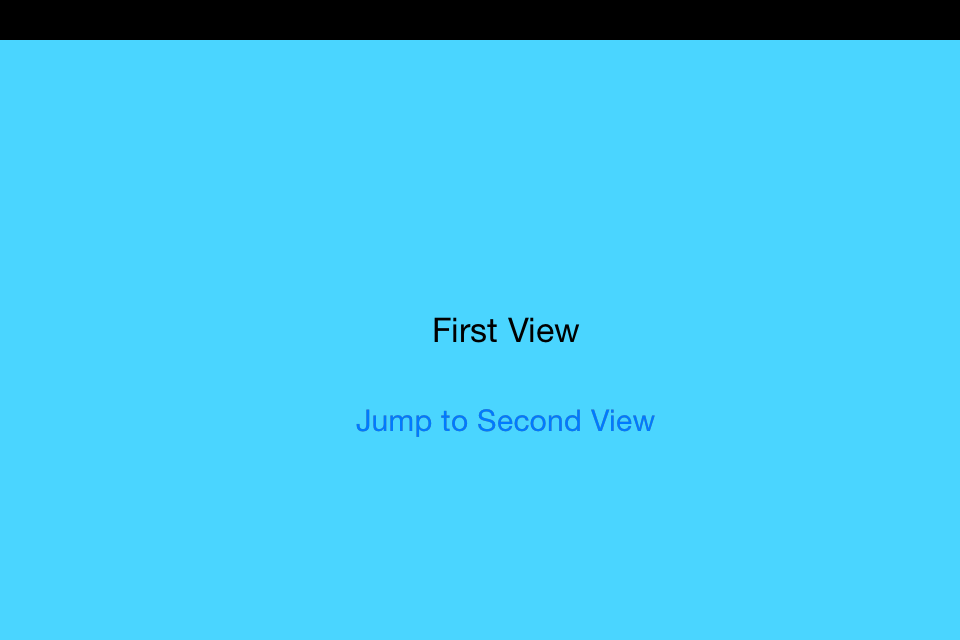
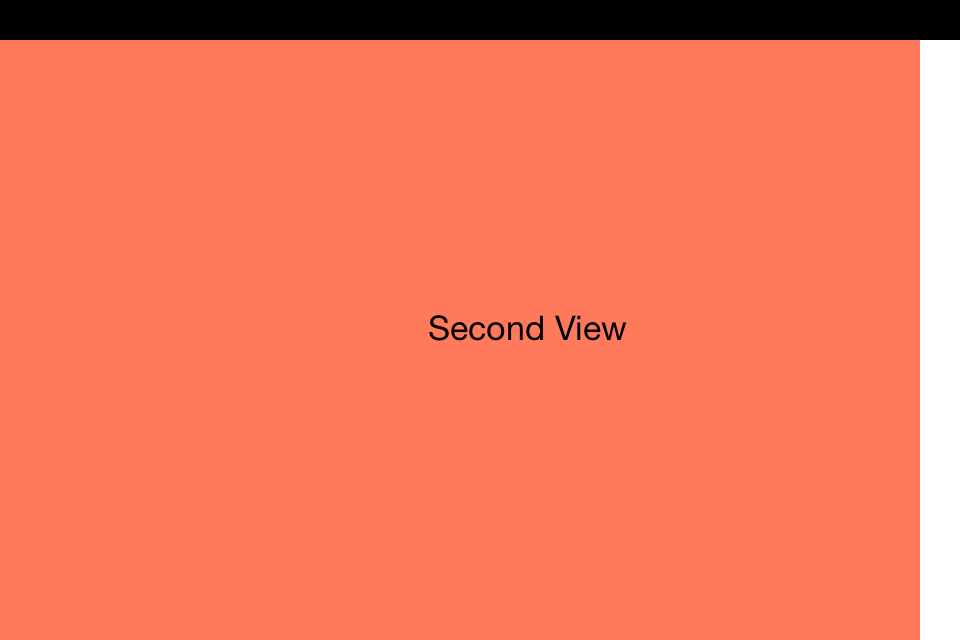
以下是我的理想结果:
- 我想要
ios 7状态栏下的窗口, - 第一个视图,结果是我想得到的,但是,当它跳到第二个视图时,就会出现问题!窗口向左移动20 to。如何将它融入正常的视野?
3.最基本的培养条件是Autolayout是"TRUE“。
我的测试代码:https://www.dropbox.com/s/bj9wg4hwar1t8y0/statusbartesting.zip
有人能帮助解决这个问题吗?
回答 1
Stack Overflow用户
发布于 2014-06-23 05:42:42
您不需要更改AppDelegate中的窗口框架。
我会告诉你密码,请遵循它
Appdelegate.m
 - (BOOL)application:(UIApplication *)application didFinishLaunchingWithOptions:(NSDictionary *)launchOptions
    {
       self.window = [[UIWindow alloc] initWithFrame:[[UIScreen mainScreen] bounds]];
        // Override point for customization after application launch.
        self.window.backgroundColor = [UIColor whiteColor];
        [self.window makeKeyAndVisible];
        self.mxfirstciewcontroller = [[firstViewController alloc] initWithNibName:@"firstViewController" bundle:nil];

        self.window.rootViewController = [[UINavigationController alloc] initWithRootViewController:self.mxfirstciewcontroller];
        [(UINavigationController *)self.window.rootViewController setNavigationBarHidden:YES];

        return YES;
    }
在firstViewController.m中
- (void)viewDidAppear:(BOOL)animated
{

    [super viewDidAppear:animated];
    [self.view setFrame:CGRectMake(0, 20, self.view.frame.size.width, self.view.frame.size.height)];
}
在第二视图控制器中。
- (void)viewDidAppear:(BOOL)animated{
    [super viewDidAppear:animated];

    [self.view setFrame:CGRectMake(20, 0, self.view.frame.size.width, self.view.frame.size.height)];
}页面原文内容由Stack Overflow提供。腾讯云小微IT领域专用引擎提供翻译支持
原文链接:
https://stackoverflow.com/questions/24358697
复制相关文章
相似问题
腾讯云开发者

Copyright © 2013 - 2026 Tencent Cloud. All Rights Reserved. 腾讯云 版权所有
深圳市腾讯计算机系统有限公司 ICP备案/许可证号:粤B2-20090059  粤公网安备44030502008569号
腾讯云计算(北京)有限责任公司 京ICP证150476号 | 京ICP备11018762号