
无法以编程方式向IIS添加绑定- redirection.config权限(带有视频!)
以下是我的问题http://screencast.com/t/v6th4BuRLhV的视频摘要
我试图用以下代码以编程方式向IIS添加绑定:
public void AddBindings(string sitename, string hostname)
{
  ServerManager serverMgr = new ServerManager();

  Site mySite = serverMgr.Sites[sitename];

  mySite.Bindings.Add("*:80:" + hostname, "http");
  mySite.ServerAutoStart = true;

  serverMgr.CommitChanges();
}
我得到了一个错误:
Filename: redirection.config
Error: Cannot read configuration file due to insufficient permissions

Description: An unhandled exception occurred during the execution of the current web request. Please review the stack trace for more information about the error and where it originated in the code.

Exception Details: System.UnauthorizedAccessException: Filename: redirection.config
Error: Cannot read configuration file due to insufficient permissions


ASP.NET is not authorized to access the requested resource. Consider granting access rights to the resource to the ASP.NET request identity. ASP.NET has a base process identity (typically {MACHINE}\ASPNET on IIS 5 or Network Service on IIS 6 and IIS 7, and the configured application pool identity on IIS 7.5) that is used if the application is not impersonating. If the application is impersonating via <identity impersonate="true"/>, the identity will be the anonymous user (typically IUSR_MACHINENAME) or the authenticated request user.
我已经解决了redirection.config上的权限( IUSR和IIS_IUSRS都有权限)
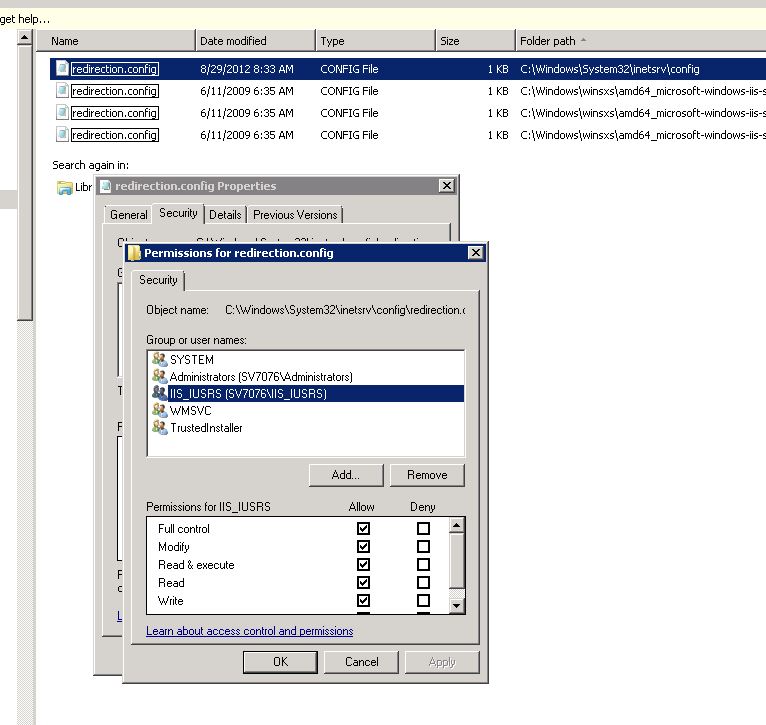
以及web.config上的错误(如这里所建议的),http://www.codeproject.com/Questions/348972/Error-Cannot-read-configuration-file-due-to-insuff
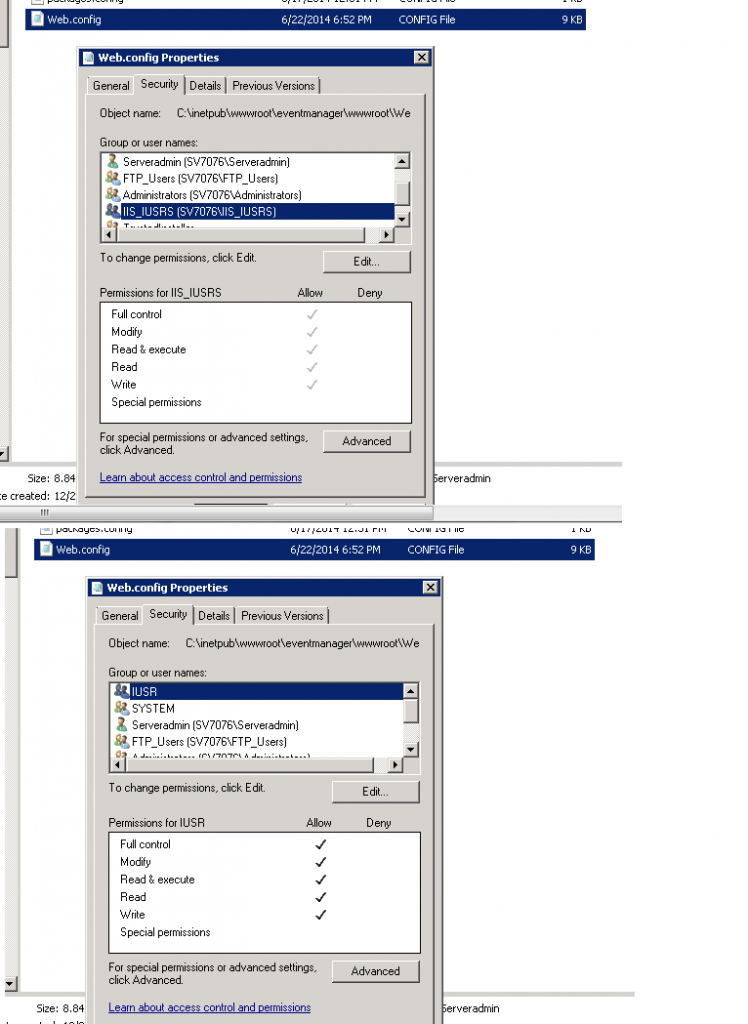
但还是没用。
答案
网站不会在IIS组下运行。无论谁拥有应用程序池,都是用户,而这是需要许可的用户。或者将该用户放到IIS_IUSRS组中。
回答 2
Stack Overflow用户
发布于 2017-02-10 23:21:29
找出您的应用程序池正在运行的帐户。然后,您需要让该帐户访问整个%SystemRoot%\System32\inetsrv\config文件夹。对我来说,只允许访问%SystemRoot%\System32\inetsrv\config\redirection.config是不够的
Stack Overflow用户
发布于 2020-01-16 15:19:18
在我的例子中,“以管理员身份运行”解决了这个问题。
https://stackoverflow.com/questions/24352251
复制相似问题
腾讯云开发者

Copyright © 2013 - 2026 Tencent Cloud. All Rights Reserved. 腾讯云 版权所有
深圳市腾讯计算机系统有限公司 ICP备案/许可证号:粤B2-20090059  粤公网安备44030502008569号
腾讯云计算(北京)有限责任公司 京ICP证150476号 | 京ICP备11018762号