
Cordova ActionSheet插件
Cordova ActionSheet插件
提问于 2014-06-15 23:53:48
我正在尝试使用在ActionSheet上找到的https://github.com/acyl/phonegap-plugins-1插件
按照安装说明:
使用这个插件需要Cordova iOS。
Make sure your Xcode project has been updated for Cordova
Drag and drop the ActionSheet folder from Finder to your Plugins folder in XCode, using         "Create groups for any added folders"
Add the .js files to your www folder on disk, and add reference(s) to the .js files using
Add new entry with key ActionSheet and value ActionSheet to Plugins in     Cordova.plist/Cordova.plist
我不确定最后一步,但我找到HelloCordova-Info.plist,并在那里添加了一个条目。
编译失败:
** BUILD FAILED **


The following build commands failed:CompileC build/HelloCordova.build/Debug-iphonesimulator/HelloCordova.build/Objects-normal/i386/ActionSheet-2887A8A627033B74.o /Users/Anthony/dev/phonegap_plugins/phonegap-plugins-1-master/iOS/ActionSheet/ActionSheet.m normal i386 objective-c com.apple.compilers.llvm.clang.1_0.compiler
Ld build/emulator/HelloCordova.app/HelloCordova normal i386
GenerateDSYMFile build/emulator/HelloCordova.app.dSYM build/emulator/HelloCordova.app/HelloCordova
(3次失败)
回答 2
Stack Overflow用户
回答已采纳
发布于 2014-06-17 04:56:58
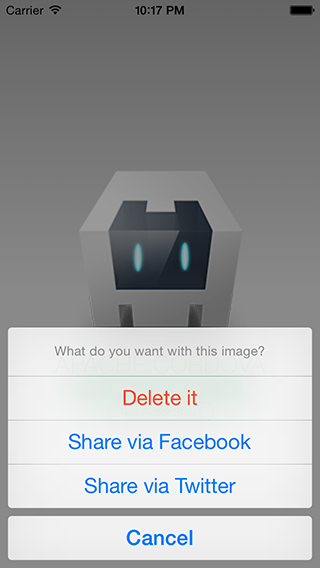
Stack Overflow用户
发布于 2015-04-02 06:18:53
我也收到了同样的警告。我的观点是,为了提高效率,我们应该尽可能地重视iOS警告。下面是修复所述警告的代码,
THREAD WARNING: ['ActionSheet'] took '16.089111' ms. Plugin should use a background thread. 修正代码-目标C:
dispatch_queue_t myQueue = dispatch_queue_create("My Queue",NULL);
dispatch_async(myQueue, ^{
    dispatch_async(dispatch_get_main_queue(), ^{
        // Place where you need to display action sheet.
        [actionSheet showInView:self.webView.superview];
    });
});页面原文内容由Stack Overflow提供。腾讯云小微IT领域专用引擎提供翻译支持
原文链接:
https://stackoverflow.com/questions/24235138
复制相关文章
相似问题
腾讯云开发者

Copyright © 2013 - 2026 Tencent Cloud. All Rights Reserved. 腾讯云 版权所有
深圳市腾讯计算机系统有限公司 ICP备案/许可证号:粤B2-20090059  粤公网安备44030502008569号
腾讯云计算(北京)有限责任公司 京ICP证150476号 | 京ICP备11018762号