
AndroidPlot -标签和文本
我是一个非开发者的产品经理,为一个应用程序内置安卓和iOS。我们在iOS中有一个条形图,它为图形的内容提供文本。它显示每个条形图的总数,以及每个条形图的每个区段的百分比。
在安卓系统中,使用AndroidPlot (我理解),我们只显示显示不同颜色段的条形图,没有百分比汇总或总计。开发商告诉我,我们不能再展示更多了。
我会在这里显示图像,但是堆栈溢出告诉我,我没有足够的声誉点来做这件事。我创建了一个带有图像https://www.dropbox.com/sh/2uocm5bn79rerbe/AAB7s9QEEYIRIgXhKbUAaOyDa的dropbox链接
是否可以使用AndroidPlot来模拟这个iOS图表,或者至少向最终用户表示相同的信息?
回答 1
Stack Overflow用户
发布于 2014-06-07 00:17:00
您的开发人员或多或少是正确的,但您有选择。and的BarRenderer默认只在每个条形图的顶部提供一个可选的标签,在您的iOS图像中,这个标签被“可用”、“新”、“使用”和“租金”标签占据。这个标签似乎在你的Android屏幕截图中没有使用过,所以一个选择就是利用这些标签来显示你的总数。
至于将iOS实现与Androidplot绘图完全匹配,缺少的部分是能够水平和垂直地沿每条边添加额外的标签。您可以通过重写它的BarRenderer (.)来扩展onRender来实现这一点。方法。这里有一个链接用于您的开发人员,它显示了在代码中他希望修改onRender(.)的位置。
我建议进行以下修改,以添加垂直标签:
- 调用Canvas.save(Canvas.ALL_SAVE_FLAG)来存储画布的默认方向。
- 使用Canvas.translate(leftX,底部)在栏的左下角居中
- 使用Canvas.rotate( 90 )旋转画布90度,以启用垂直文本绘图
- 沿着图的一侧绘制任何需要的文本;0,0现在对应于条形图的左下角,所以在调用canvas.drawText(x,y)时从那里开始。
- 调用Canvas.restore()来恢复画布的原始方向。
在实现上述功能之后,添加水平的"%“标签应该是不言自明的,但是如果您遇到麻烦,请随时提出更多的问题。
更新:这是上面的一个非常基本的实现。首先是drawVerticalText方法:
    /**
     *
     * @param canvas
     * @param paint paint used to draw the text
     * @param text the text to be drawn
     * @param x x-coord of where the text should be drawn
     * @param y y-coord of where the text should be drawn
     */
    protected void drawVerticalText(Canvas canvas, Paint paint, String text, float x, float y) {

        // record the state of the canvas before the draw:
        canvas.save(Canvas.ALL_SAVE_FLAG);

        // center the canvas on our drawing coords:
        canvas.translate(x, y);

        // rotate into the desired "vertical" orientation:
        canvas.rotate(-90);

        // draw the text; note that we are drawing at 0, 0 and *not* x, y.
        canvas.drawText(text, 0, 0, paint);

        // restore the canvas state:
        canvas.restore();
    }
剩下的就是在必要时调用此方法。在您的情况下,应该在每个BarGroup上执行一次,并且应该在y轴上保持一致的位置。我在BarRenderer.onRender(.)中的堆叠大小写中添加了以下代码,就在断点上方:
                // needed some paint to draw with so I'll just create it here for now:
                Paint paint = new Paint();
                paint.setColor(Color.WHITE);
                paint.setTextSize(PixelUtils.spToPix(20));
                drawVerticalText(
                        canvas,
                        paint,
                        "test",
                        barGroup.leftX,
                        basePositionY - PixelUtils.dpToPix(50)); // offset so the text doesnt intersect with the origin
这是result...sorry的截图,它太大了:
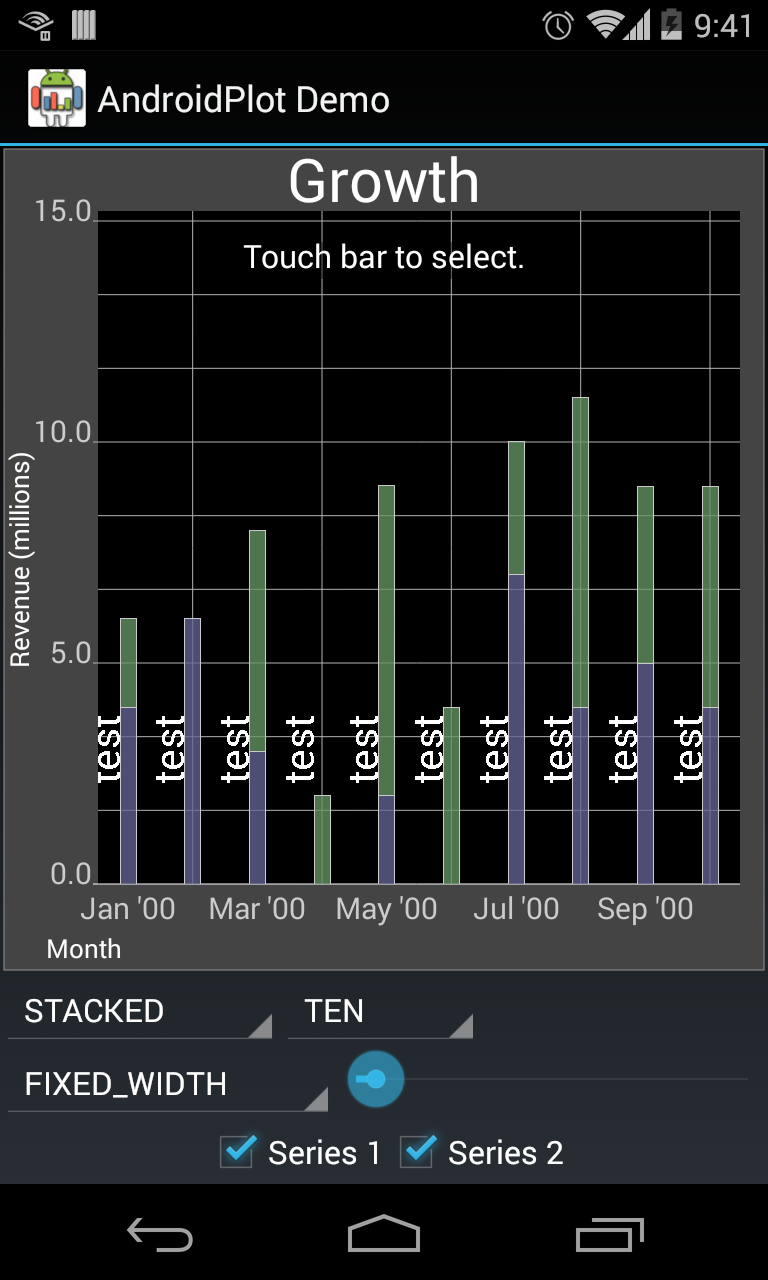
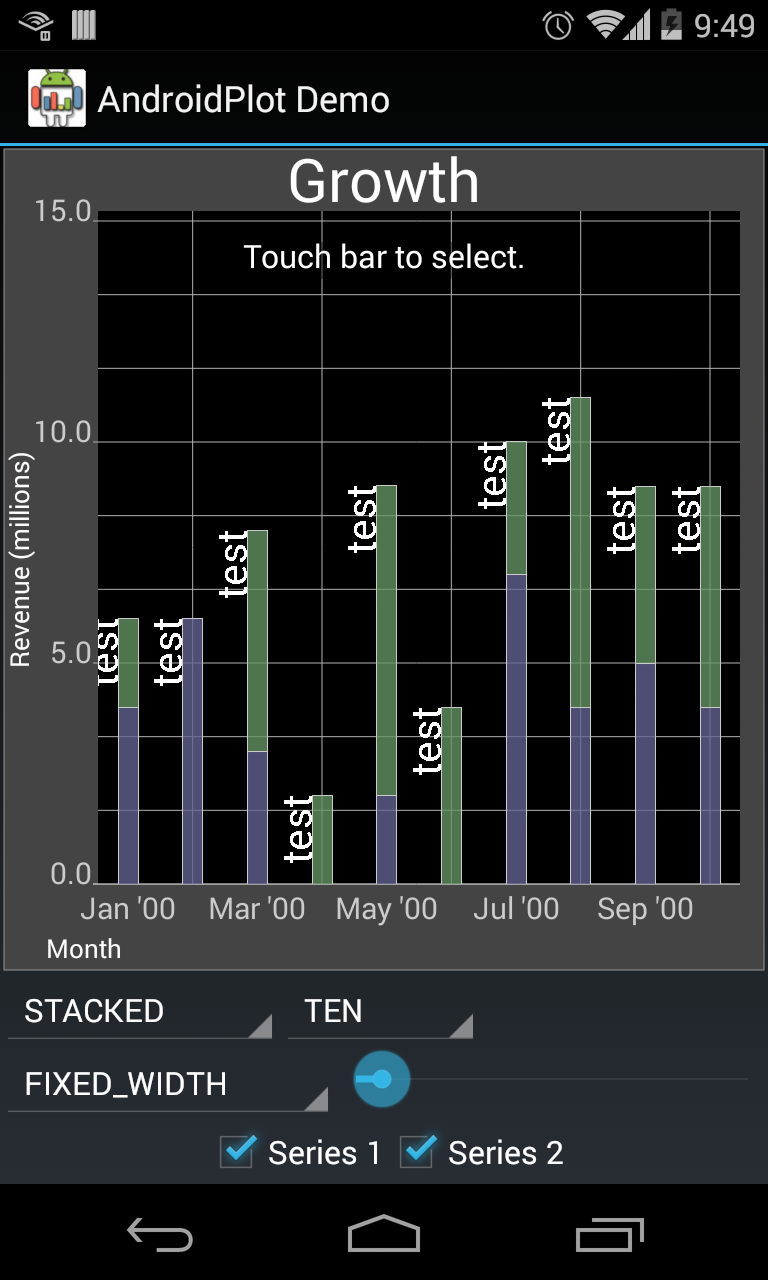
就我个人而言,我不关心这些垂直标签的固定y位置,我更希望它们沿着栏杆的上部浮动。为此,我修改了对drawVerticalText(.)的调用。像这样:
                // needed some paint to draw with so I'll just create it here for now:
                Paint paint = new Paint();
                paint.setColor(Color.WHITE);
                paint.setTextSize(PixelUtils.spToPix(20));

                // right-justify the text so it doesnt extend beyond the top of the bar
                paint.setTextAlign(Paint.Align.RIGHT);
                drawVerticalText(
                        canvas,
                        paint,
                        "test",
                        barGroup.leftX,
                        bottom);
它产生了这样的结果:
https://stackoverflow.com/questions/24091390
复制相似问题
腾讯云开发者

Copyright © 2013 - 2026 Tencent Cloud. All Rights Reserved. 腾讯云 版权所有
深圳市腾讯计算机系统有限公司 ICP备案/许可证号:粤B2-20090059  粤公网安备44030502008569号
腾讯云计算(北京)有限责任公司 京ICP证150476号 | 京ICP备11018762号