
Java setBackground()混淆
Java setBackground()混淆
提问于 2014-05-05 18:34:31
我是Java库的新手,目前我在设置JFrame背景时遇到了一些问题。
我读过设置背景-不工作-为什么?和它里面的链接,但是它似乎不适合这里。
这是我的密码:
public class Board extends JPanel{

    public enum pointType{
        EMPTY,
        CARRIER,
        BALL;
    }

    private class Point{
        int x;
        int y;
        pointType type;

        public void paint (Graphics2D g2){
            // color changes depends on pointType
            g2.setColor(Color.WHITE);
            g2.fillOval(x,y,25,25);
        }
    }

    Point[][] myBoard;

    public Board(){
        //constructor, myBoard = 2d List of points
    }

    //.. other methods and class variables

    public void paint(Graphics g){
        Graphics2D g2 = (Graphics2D) g;
        for(int k =HEIGHT; k>=0; k--){
            for(int i=WIDTH; i>=0; i--){
                // call paint method for each points on board
                myBoard[i][k].print(g2);
            }
        }
    }

    public static void main(String[] args){
        Board board = new Board();
        JFrame myFrame = new Jframe("Game");

        myFrame.add(board);
        board.setBackground(Color.YELLOW);
        myFrame.setVisible(true);

        mtFrane.setDefaultCloseOperation(JFrame.EXIT_ON_CLOSE);
   }
}
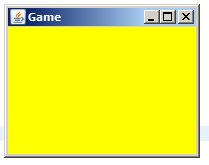
我的代码成功地根据它们的pointType打印了所有的点,但是板的颜色没有被正确地设置(仍然是默认背景)。
以下是一些问题:
1)如何正确设置背景?
2)我觉得我的代码没有正确地使用JPanels/JFrames/Graphics,如果是这样的话,对于如何改进我的代码结构有什么建议吗?
回答 2
Stack Overflow用户
回答已采纳
发布于 2014-05-05 18:38:18
使用paintComponent()而不是paint()
public class Board extends JPanel{
     @Override
     public void paintComponent(Graphics g){
        super.paintComponent(g);
        ...
    }
}
欲了解更多信息,请看下面的帖子:
- 油漆()和油漆组件()的区别(?)
- vs. ()vs.():一个解决方案
Stack Overflow用户
发布于 2014-05-05 18:39:42
JPanel中的默认JPanel方法使用存储在JPanel实例变量中的背景色;但是,被重写的paintComponent()方法没有使用实例变量,因此用setBackground()更改它不会有任何作用。
如果您想继续重写paintComponent()方法,则应该绘制一个框,将JPanel的整个区域填充到paintComponent()方法中所需的颜色。
用于Board的新的Board方法如下所示:
@Override
public void paintComponent(Graphics g){
    super.paintComponent(g);
    Graphics2D g2 = (Graphics2D) g;
    g2.setColor(Color.YELLOW);
    g2.fillRect(0, 0, getWidth(), getHeight()); // Fill in background

    // Do everything else
    for(int k =HEIGHT; k>=0; k--){
        for(int i=WIDTH; i>=0; i--){
            // call paint method for each points on board
            myBoard[i][k].print(g2);
        }
    }
}页面原文内容由Stack Overflow提供。腾讯云小微IT领域专用引擎提供翻译支持
原文链接:
https://stackoverflow.com/questions/23479355
复制相关文章
相似问题
腾讯云开发者

Copyright © 2013 - 2026 Tencent Cloud. All Rights Reserved. 腾讯云 版权所有
深圳市腾讯计算机系统有限公司 ICP备案/许可证号:粤B2-20090059  粤公网安备44030502008569号
腾讯云计算(北京)有限责任公司 京ICP证150476号 | 京ICP备11018762号