
超时在NSAppleScript中不起作用
超时在NSAppleScript中不起作用
提问于 2014-04-08 09:06:02
我有一个简单的苹果脚本如下:
tell application id "com.adobe.InDesign"
    set sel to selection
end tell这个脚本执行得很好,但是当InDesign显示保存确认对话框时,如果我执行该脚本,它将等待2分钟(默认的苹果脚本超时)。
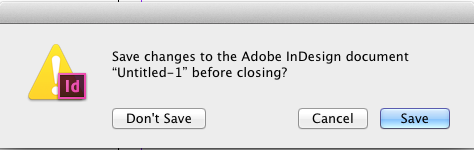
保存确认对话框
因此,我将超时指定如下:
tell application id "com.adobe.InDesign"
    with timeout of 0.2 seconds
        set sel to selection
    end timeout
end tell现在,如果我在AppleScript Editor中执行上面的脚本,每件事都如我所料:
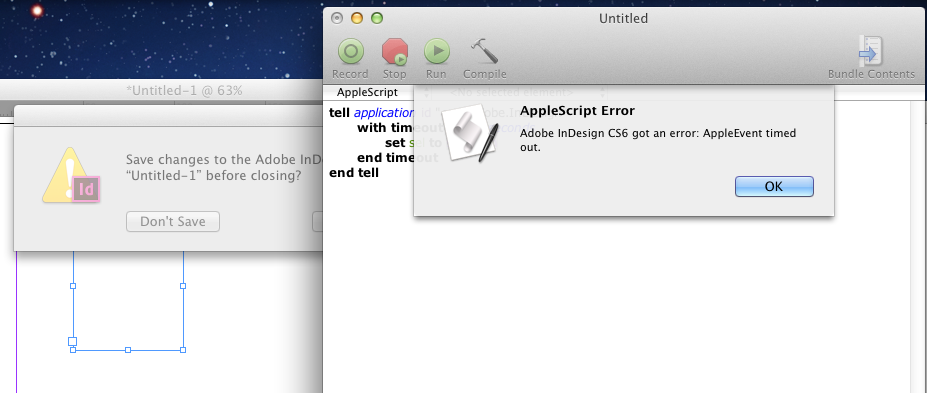
但是,当我通过NSAppleScript以编程方式执行相同的脚本时,超时没有效果,程序等待2分钟:
NSDictionary *errorDict;
NSString *script =
    @"tell application id \"com.adobe.InDesign\"\n"
    @"  with timeout of 0.2 second\n"
    @"      set sel to selection\n"
    @"  end timeout\n"
    @"end tell\n"
    ;
NSAppleScript* scr = [[NSAppleScript alloc] initWithSource: script];
[scr executeAndReturnError: &errorDict];
补充说明:
当我的可可代码正在执行时(当我的应用程序被阻塞),如果我在AppleScript Editor中执行相同的脚本,那么我的可可代码将在2分钟超时之前被解除阻塞。看来我的应用程序在苹果脚本超时前就被屏蔽了。
如何执行与AppleScript编辑器相同的苹果脚本?任何帮助都将不胜感激。
回答 1
Stack Overflow用户
发布于 2014-10-12 23:20:09
构建脚本并将其保存为应用程序应该可以修复这个问题。它应该是相同的脚本,但只需在脚本的开头和结尾添加on run和end run。这样做的方法是,当你去保存,在保存菜单的底部,应该有一个文件格式下拉。选择“应用程序”选项并保存。
我注意到这将取消“默认的Applescript超时”。
页面原文内容由Stack Overflow提供。腾讯云小微IT领域专用引擎提供翻译支持
原文链接:
https://stackoverflow.com/questions/22932419
复制相关文章
相似问题
腾讯云开发者

Copyright © 2013 - 2026 Tencent Cloud. All Rights Reserved. 腾讯云 版权所有
深圳市腾讯计算机系统有限公司 ICP备案/许可证号:粤B2-20090059  粤公网安备44030502008569号
腾讯云计算(北京)有限责任公司 京ICP证150476号 | 京ICP备11018762号