
允许引导内联代码块中断吗?
允许引导内联代码块中断吗?
提问于 2014-03-21 14:45:55
我正在开发Blaze,一个使用SE获取最近内容的应用程序。找到NAAs很有用,但有一个问题。当有人has put a whole bunch of code or even an entire sentence in an inline code block时,这种情况会发生:
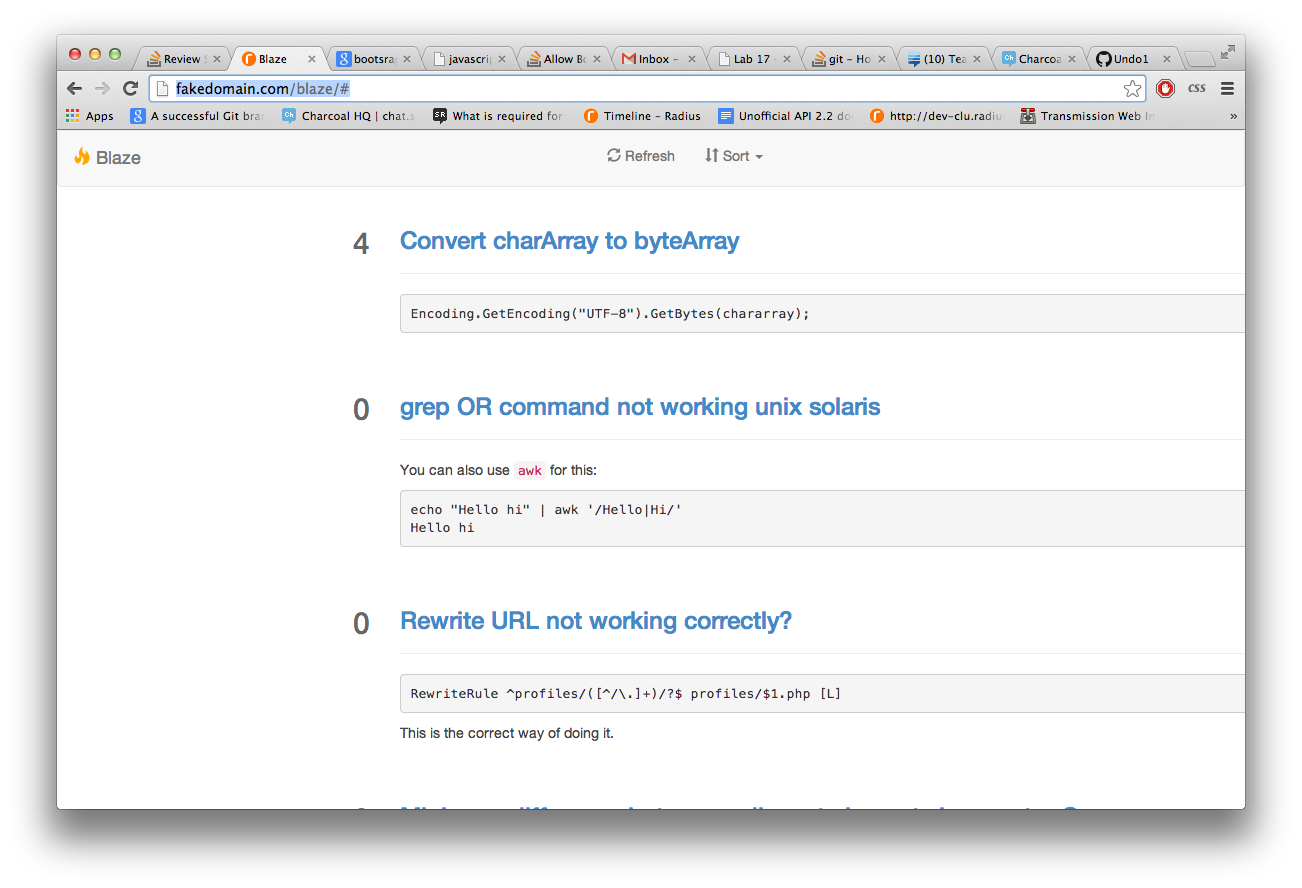
当它看起来像这样(非所以站点)时:
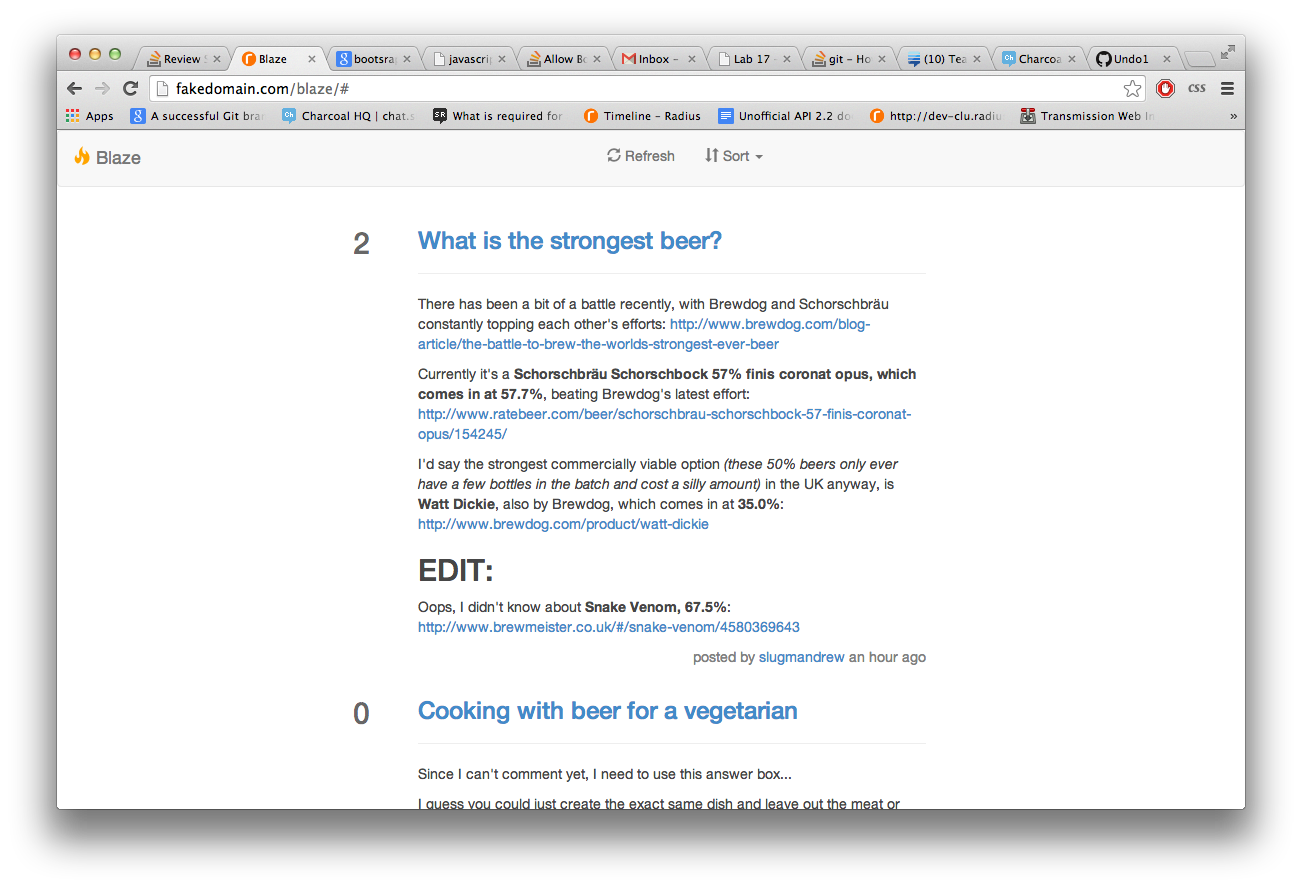
本质上,内联代码块并没有中断,因此将td推到了右边。这是生成的HTML:
<tr>
    <td style="vertical-align:top" class="col-md-1">
        <div class="score">
            <h2 style="color:rgba(0,0,0,0.6); pull:right">0</h2>
        </div>
    </td>
    <td class="">
        <div class="post col-md-9">
            <h3><a href="http://stackoverflow.com/questions/22561506/how-can-i-insert-php-into-a-webpage-using-javascript/22561707#22561707">How can I insert PHP into a webpage using Javascript</a></h3>
            <hr>
            <span class="post-body" style="color:rgba(70,70,70,1)">
                <p><code>Is it possible to insert PHP code into a webpage using javascript after the page has loaded?</code> The simple answer is no. The page has already been rendered, the only way to change it is using javascript running within the user's browser.</p>
                ...
            </span>
            <p style="color:grey; float:right">posted by <a href="http://stackoverflow.com/users/2155068/mjrkusanagi">MjrKusanagi</a> <span>a minute ago</span></p>
        </div>
    </td>
</tr>
这是我使用的所有非引导CSS:
<style>
  img
  {
      max-width:100%;
  }
  html, body
  {
      height: 100%;
  }
  #wrap
  {
      min-height: 100%;
      height: auto;
      margin: 0 auto -50px;
      padding: 0 0 50px;
  }
  #footer
  {
      height: 50px;
      background-color: clear;
      border-top:1px dashed rgba(0,0,0,0.2);
  }
  .navbar .navbar-nav
  {
      display: inline-block;
      float: none;
  }
  .navbar .navbar-collapse
  {
      text-align: center;
  }
  .flag-button:hover
  {
      background-color:red;
      color: white
  }
</style>有没有人知道如何(a)使td比内联code块更强大,或者(b)允许代码块包装?
回答 2
Stack Overflow用户
回答已采纳
发布于 2014-03-22 21:30:47
默认情况下,引导程序将code空白设置为no-wrap。您可以通过简单地用一个允许包装的值重写它。
http://jsfiddle.net/nNry2/
CSS
code {
    white-space: normal;
}Stack Overflow用户
发布于 2014-03-24 13:15:17
我使用了@thgaskell答案的一个变体,取自这里 (将pre改为code)。
/* Browser specific (not valid) styles to make preformatted text wrap */

code {
 white-space: pre-wrap;       /* css-3 */
 white-space: -moz-pre-wrap;  /* Mozilla, since 1999 */
 white-space: -pre-wrap;      /* Opera 4-6 */
 white-space: -o-pre-wrap;    /* Opera 7 */
 word-wrap: break-word;       /* Internet Explorer 5.5+ */
}页面原文内容由Stack Overflow提供。腾讯云小微IT领域专用引擎提供翻译支持
原文链接:
https://stackoverflow.com/questions/22561941
复制相关文章
相似问题
腾讯云开发者

Copyright © 2013 - 2026 Tencent Cloud. All Rights Reserved. 腾讯云 版权所有
深圳市腾讯计算机系统有限公司 ICP备案/许可证号:粤B2-20090059  粤公网安备44030502008569号
腾讯云计算(北京)有限责任公司 京ICP证150476号 | 京ICP备11018762号