
使用HSSFWorkbook将Jtable导出到Excelsheet
使用HSSFWorkbook将Jtable导出到Excelsheet
提问于 2014-02-21 10:04:14
你好,我正在尝试使用HSSFWorkbook将Jtable数据导出到Excel表中。我得到了所有的内容,表格有,但我没有得到表格标题,请任何人帮助相同的。
这里,用于获取Jtable内容的命令。
        try {
                    HSSFWorkbook fWorkbook = new HSSFWorkbook();
                    HSSFSheet fSheet = fWorkbook.createSheet("new Sheet");
                    HSSFFont sheetTitleFont = fWorkbook.createFont();
                    File file = new File("/home/kishan/NetBeansProjects/JavaChecking/src/com/verve/SwingChecking/book.xls");
                    HSSFCellStyle cellStyle = fWorkbook.createCellStyle();

                    sheetTitleFont.setBoldweight(HSSFFont.BOLDWEIGHT_BOLD);
                    //sheetTitleFont.setColor();
                    TableModel model = jTable1.getModel();


                    for (int i = 0; i < model.getRowCount(); i++) {
                        HSSFRow fRow = fSheet.createRow((short) i);
                        for (int j = 0; j < model.getColumnCount(); j++) {
                            HSSFCell cell = fRow.createCell((short) j);
                            cell.setCellValue(model.getValueAt(i, j).toString());
                            cell.setCellStyle(cellStyle);

                        }

                    }
    FileOutputStream fileOutputStream;
                fileOutputStream = new FileOutputStream(file);
                BufferedOutputStream bos = new BufferedOutputStream(fileOutputStream);
                fWorkbook.write(bos);
                bos.close();
                fileOutputStream.close();
    }catch(Exception e){

        }


for (int i = 0; i < model.getColumnCount(); i++) {
                HSSFRow fRow = fSheet.createRow((short) i);
                for(int j = 0; j < model.getColumnCount(); j++) {
                    HSSFCell cell = fRow.createCell((short) j);
                    cell.setCellValue(model.getValueAt(i, j).toString());

                    System.out.println(model.getColumnName(j));
                }
            }
最后一个for循环不是表头的加载项数据。
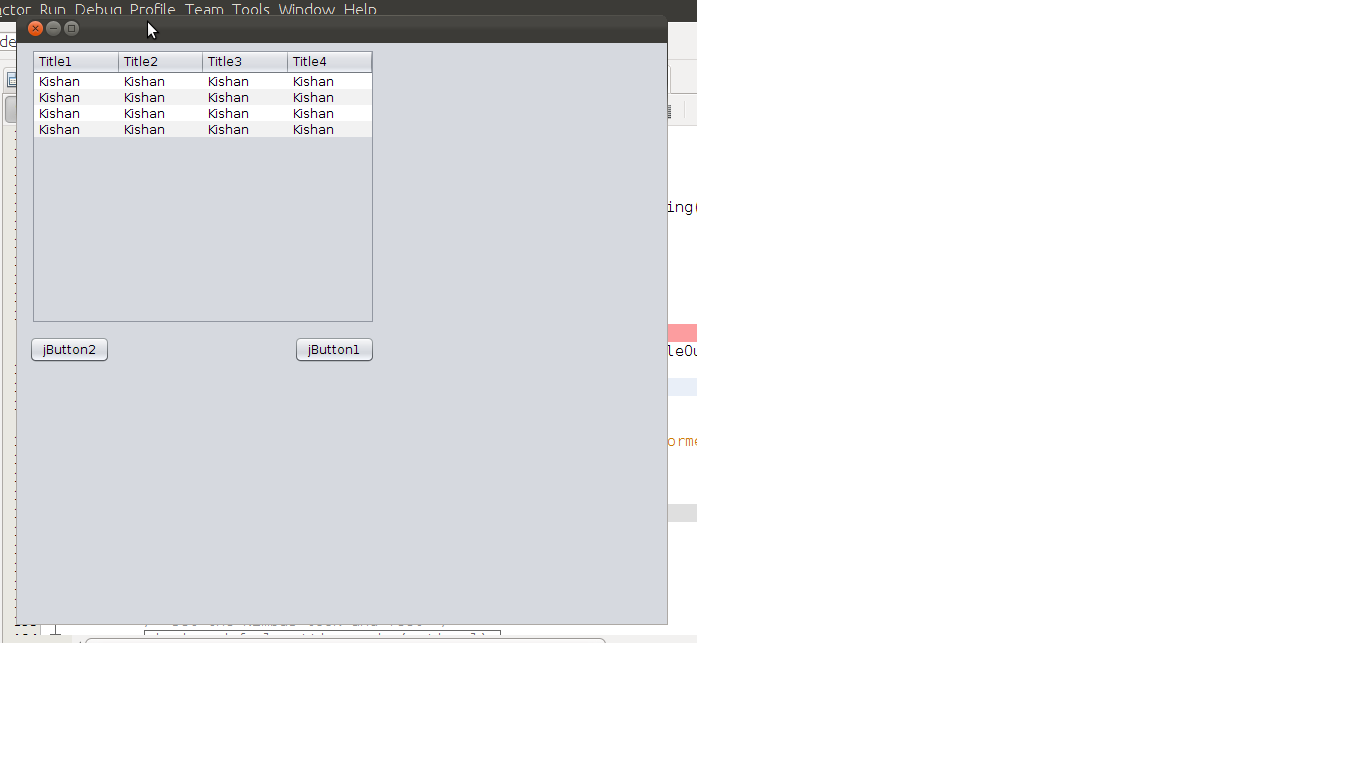
我得到了这个excel文件
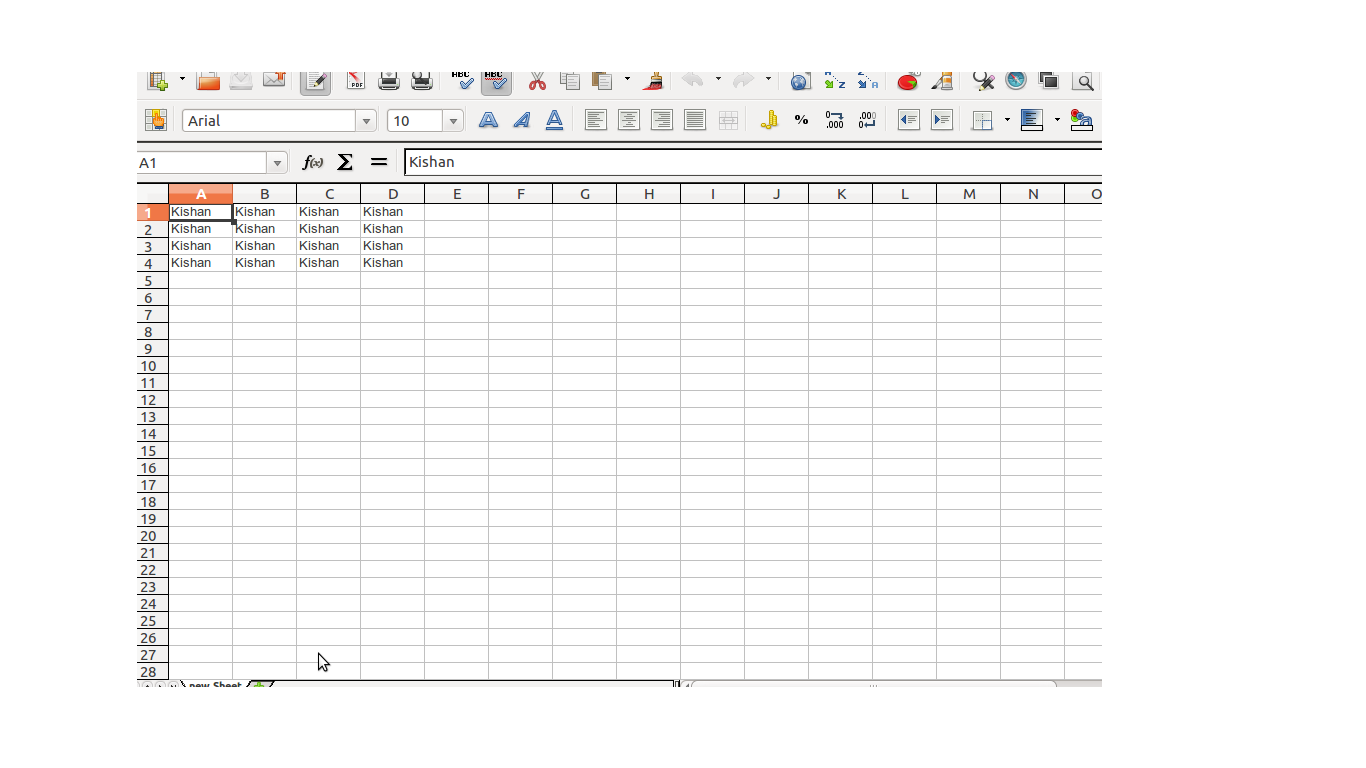
如何获得表头与此一起??
回答 5
Stack Overflow用户
回答已采纳
发布于 2014-02-21 10:26:52
这样可以在工作表的第一行中添加列名:
TableColumnModel tcm = jTable1.getColumnModel();
HSSFRow fRow = fSheet.createRow((short) 0);

for(int j = 0; j < tcm.getColumnCount(); j++) {

   HSSFCell cell = fRow.createCell((short) j);
   cell.setCellValue(tcm.getColumn(j).getHeaderValue().toString());

}
您可以先运行此操作,然后从第二行开始添加表数据。
Stack Overflow用户
发布于 2016-11-10 13:09:00
下面是我从这个线程中的答案中实现的HSSF工作簿。
我创建了一个类ExcelWriter,然后创建了一个方法Writer,它接受两个参数:要使用的JTable和FileLocation。
import java.io.BufferedOutputStream;
import java.io.FileNotFoundException;
import java.io.FileOutputStream;
import java.io.IOException;
import javax.swing.JTable;
import javax.swing.table.TableColumnModel;
import javax.swing.table.TableModel;
import org.apache.poi.hssf.usermodel.HSSFCell;
import org.apache.poi.hssf.usermodel.HSSFCellStyle;
import org.apache.poi.hssf.usermodel.HSSFFont;
import org.apache.poi.hssf.usermodel.HSSFRow;
import org.apache.poi.hssf.usermodel.HSSFSheet;

import org.apache.poi.hssf.usermodel.HSSFWorkbook;

/*
 * To change this license header, choose License Headers in Project Properties.
 * To change this template file, choose Tools | Templates
 * and open the template in the editor.
 */

/**
 *
 * @author oluwajayi
 */
public class ExcelWriter {

    public static void Writer (JTable jTable1, String Location) throws FileNotFoundException, IOException {

                HSSFWorkbook fWorkbook = new HSSFWorkbook();
                HSSFSheet fSheet = fWorkbook.createSheet("new Sheet");
                HSSFFont sheetTitleFont = fWorkbook.createFont();
                HSSFCellStyle cellStyle = fWorkbook.createCellStyle();
                sheetTitleFont.setBoldweight(HSSFFont.BOLDWEIGHT_BOLD);
                //sheetTitleFont.setColor();
                TableModel model = jTable1.getModel();

                //Get Header
                TableColumnModel tcm = jTable1.getColumnModel();
                HSSFRow hRow = fSheet.createRow((short) 0);
                for(int j = 0; j < tcm.getColumnCount(); j++) {
                   HSSFCell cell = hRow.createCell((short) j);
            cell.setCellValue(tcm.getColumn(j).getHeaderValue().toString());
                   cell.setCellStyle(cellStyle);
                }

                //Get Other details
                for (int i = 0; i < model.getRowCount(); i++) {
                    HSSFRow fRow = fSheet.createRow((short) i+1);
                    for (int j = 0; j < model.getColumnCount(); j++) {
                        HSSFCell cell = fRow.createCell((short) j);
                        cell.setCellValue(model.getValueAt(i, j).toString());
                        cell.setCellStyle(cellStyle);
                    }
                }
            FileOutputStream fileOutputStream;
            fileOutputStream = new FileOutputStream(Location);
    try (BufferedOutputStream bos = new BufferedOutputStream(fileOutputStream)) {
        fWorkbook.write(bos);
    }
            fileOutputStream.close();
}
}Stack Overflow用户
发布于 2014-02-21 10:08:25
您只是将TableModel中的数据写入工作簿。此模型不包含表头。看看JTable.getTableHeader()
例如:
public class JTableExport {

public static void main(String[] args) {
    Object[] columnNames = new Object[] {"column1", "column2"};
    JTable table = new JTable(new Object[0][0], columnNames);
    TableColumnModel model = table.getTableHeader().getColumnModel();

    for (int i = 0; i < model.getColumnCount(); i++) {
        System.out.println(model.getColumn(i).getHeaderValue());
    }
}
}
这段代码打印
column1
column2页面原文内容由Stack Overflow提供。腾讯云小微IT领域专用引擎提供翻译支持
原文链接:
https://stackoverflow.com/questions/21931113
复制相关文章
相似问题
腾讯云开发者

Copyright © 2013 - 2026 Tencent Cloud. All Rights Reserved. 腾讯云 版权所有
深圳市腾讯计算机系统有限公司 ICP备案/许可证号:粤B2-20090059  粤公网安备44030502008569号
腾讯云计算(北京)有限责任公司 京ICP证150476号 | 京ICP备11018762号