
无法在python中打开图像文件
无法在python中打开图像文件
提问于 2014-02-20 06:09:47
import Image


imageFile = "C:\Users\Abhi\Desktop\cbir-p\images.jpg"
im1 = Image.open(imageFile)


Error:
File "C:\Users\Abhi\Desktop\cbir-p\im1.py", line 5, in <module>
    im1 = Image.open(imageFile)
  File "C:\Python27\lib\site-packages\PIL\Image.py", line 2025, in open
    raise IOError("cannot identify image file")
IOError: cannot identify image file
帮助我,我已经安装了所有必要的软件包PIL,枕头,Opencv等。
回答 1
Stack Overflow用户
发布于 2014-02-20 08:46:19
嘿不是因为你的文件路径问题..。
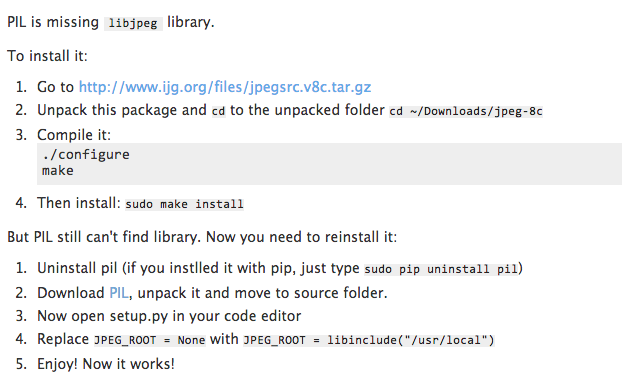
这是为您丢失的JPEG支持在您的PIL这里是我的解决方案在这里解释。https://apple.stackexchange.com/questions/59718/python-imaging-library-pil-decoder-jpeg-not-available-how-to-fix
转到这里下载lib libjpeg包。或者只是
brew install libjpeg
页面原文内容由Stack Overflow提供。腾讯云小微IT领域专用引擎提供翻译支持
原文链接:
https://stackoverflow.com/questions/21899622
复制相关文章
相似问题
腾讯云开发者

Copyright © 2013 - 2026 Tencent Cloud. All Rights Reserved. 腾讯云 版权所有
深圳市腾讯计算机系统有限公司 ICP备案/许可证号:粤B2-20090059  粤公网安备44030502008569号
腾讯云计算(北京)有限责任公司 京ICP证150476号 | 京ICP备11018762号