
从自动完成的JavaScript & PHP中选择第一个值
从自动完成的JavaScript & PHP中选择第一个值
提问于 2013-12-18 23:11:35
在下面的屏幕截图中,我显示了城市列表,当我尝试输入"Brisbane“时,它显示了名为"Brisbane”的城市和郊区列表。
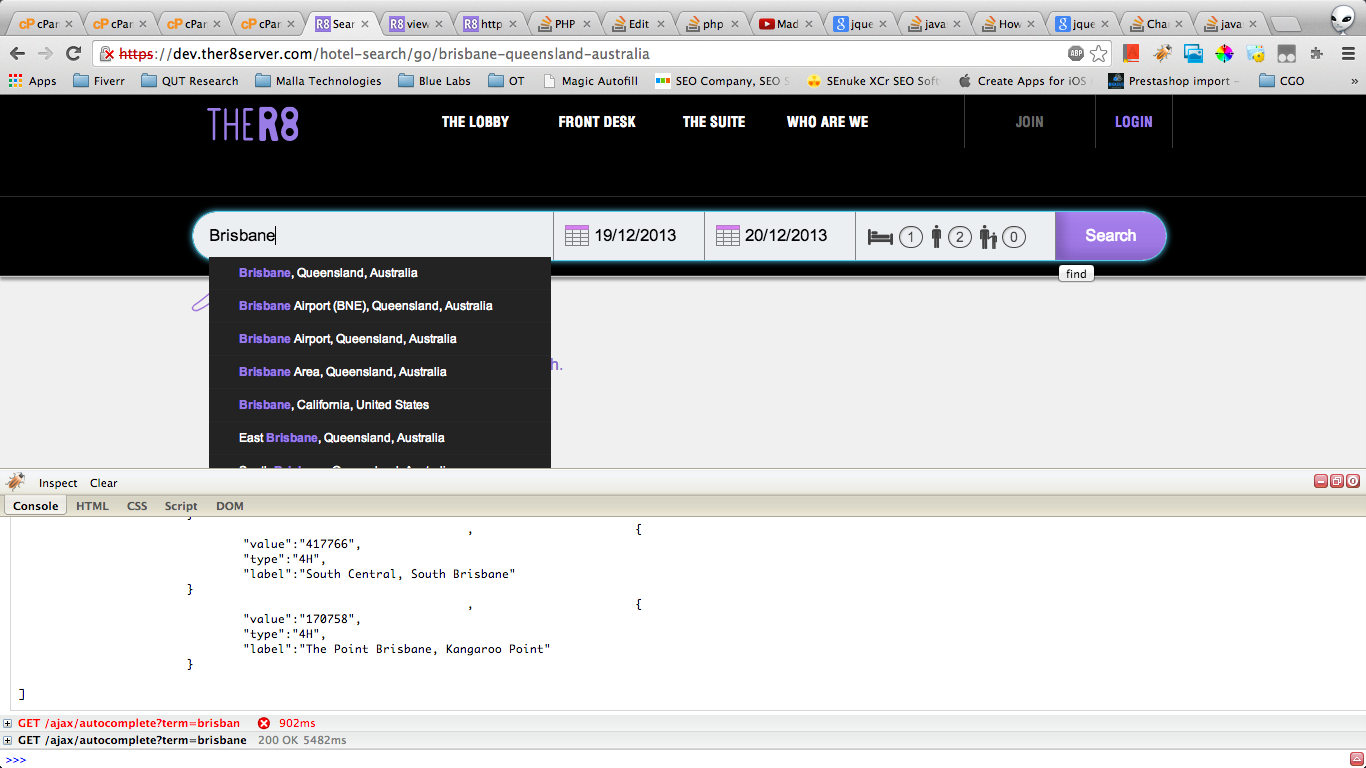
现在我有了下面的自动完成函数的JavaScript。
function selectAutocomplete(e, t) {
    switch (e.target.value = t.item.label, $("input#destinationId").val(""), $("input#hotel_id").val(""), $("input#region_id").val(""), t.item.type) {
    case "1C":
        break;
    case "2S":
        $("input#region_id").val(t.item.value);
        break;
    case "3D":
        $("input#destinationId").val(t.item.value);
        break;
    case "4H":
        $("input#hotel_id").val(t.item.value)
    }
    StopEvent(e)
}

 $("input#keywords").bind("keydown", function (e) {
13 != e.keyCode && ($("#hotel_id").val(""), $("#destinationId").val(""), $("#region_id").val(""))http://pastebin.com/ThVpLSvC站点链接https://dev.ther8server.com的完整JS代码(请原谅自签名的SSL)
有人能帮我自动填写文本框吗?当有人以Brisbane的形式输入并单击“搜索”时,它应该自动地在“自动完成”第一项上(因为单击其他隐藏字段也被填充),并填充名为“click”的文本框。
HTML代码
<input type="hidden" id="destinationId" name="destinationId" value=""/>
<input type="hidden" id="hotel_id" name="hotel_id" value=""/>
<input type="hidden" id="region_id" name="region_id" value=""/>
<input type="text" id="keywords" value="Enter destination or hotel name" placeholder="Enter destination or hotel name" name="keywords" class="ui-autocomplete-input" onfocus="this.value='';" autocomplete="off"/>回答 1
Stack Overflow用户
发布于 2013-12-18 23:31:16
在阅读代码之后,下面是建议而不是答案:
- 将第一个值放入框内将触发一个逻辑问题,因为它会更改输入框值,因此自动完成列表也将被更改。
- 为了解决这个问题,jquery自动完成使用:自动焦点。
若要设置自动对焦,请在第422行后插入js:
autoFocus: true,页面原文内容由Stack Overflow提供。腾讯云小微IT领域专用引擎提供翻译支持
原文链接:
https://stackoverflow.com/questions/20670420
复制相关文章
相似问题
腾讯云开发者

Copyright © 2013 - 2026 Tencent Cloud. All Rights Reserved. 腾讯云 版权所有
深圳市腾讯计算机系统有限公司 ICP备案/许可证号:粤B2-20090059  粤公网安备44030502008569号
腾讯云计算(北京)有限责任公司 京ICP证150476号 | 京ICP备11018762号